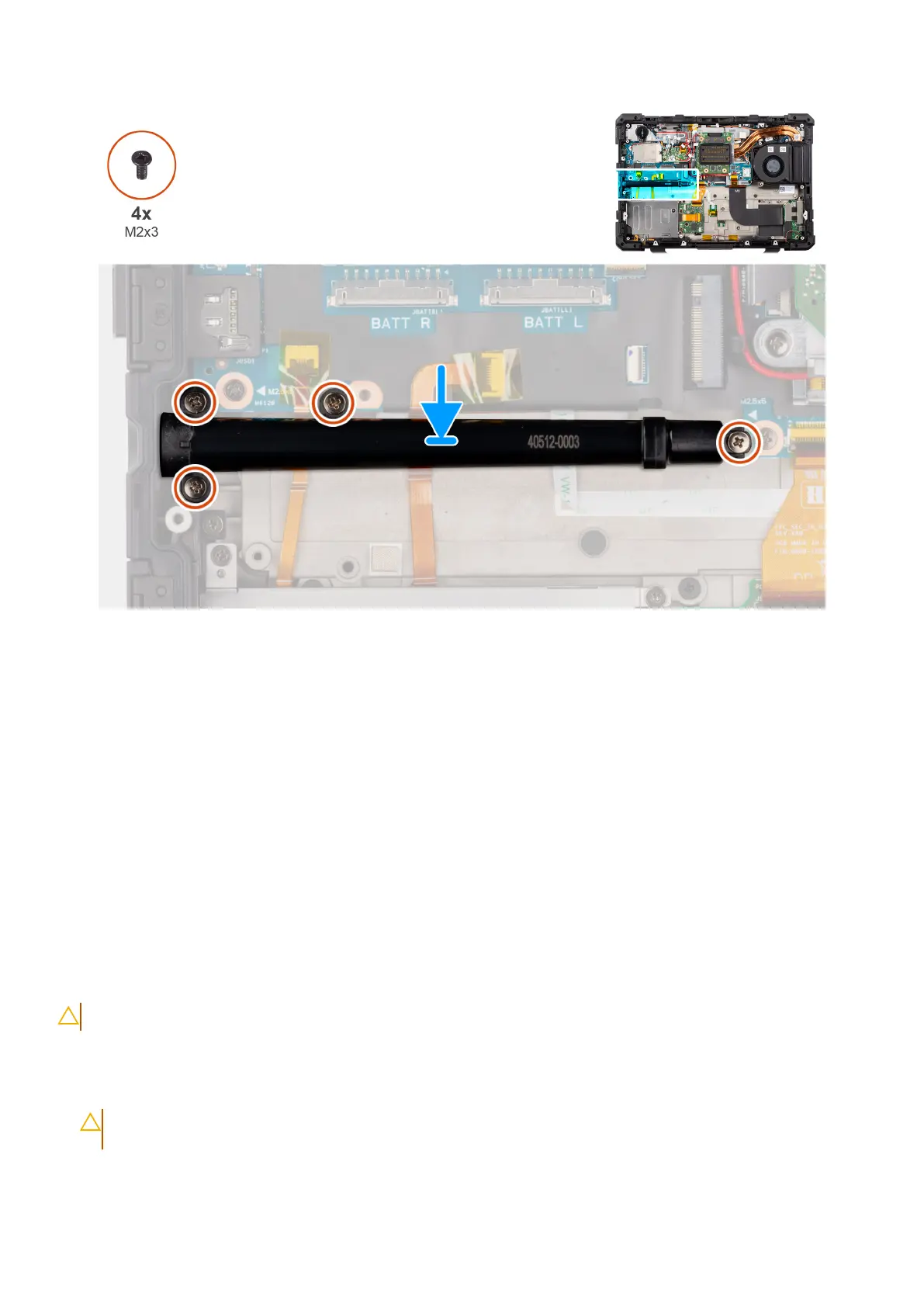
Figure 53. Installing the stylus holder
Steps
1. Align the screw holes on the stylus holder with the screw holes on the computer chassis.
2. Replace the four (M2x3) screws to secure the stylus holder to the computer chassis.
Next steps
1. Install the base cover.
2. Install the solid state drive carrier.
3. Install the batteries.
4. Install the stylus.
5. Follow the procedure in after working inside your computer.
Coin-cell battery
Removing the coin-cell battery
CAUTION: The information in this removal section is intended for authorized service technicians only.
Prerequisites
1. Follow the procedure in before working inside your computer.
CAUTION:
Removing the coin-cell battery resets the BIOS setup program settings to default. It is
recommended that you note the BIOS setup program settings before removing the coin-cell battery.
2. Remove the batteries.
86
Removing and installing Field Replaceable Units (FRUs)











 To Next Page