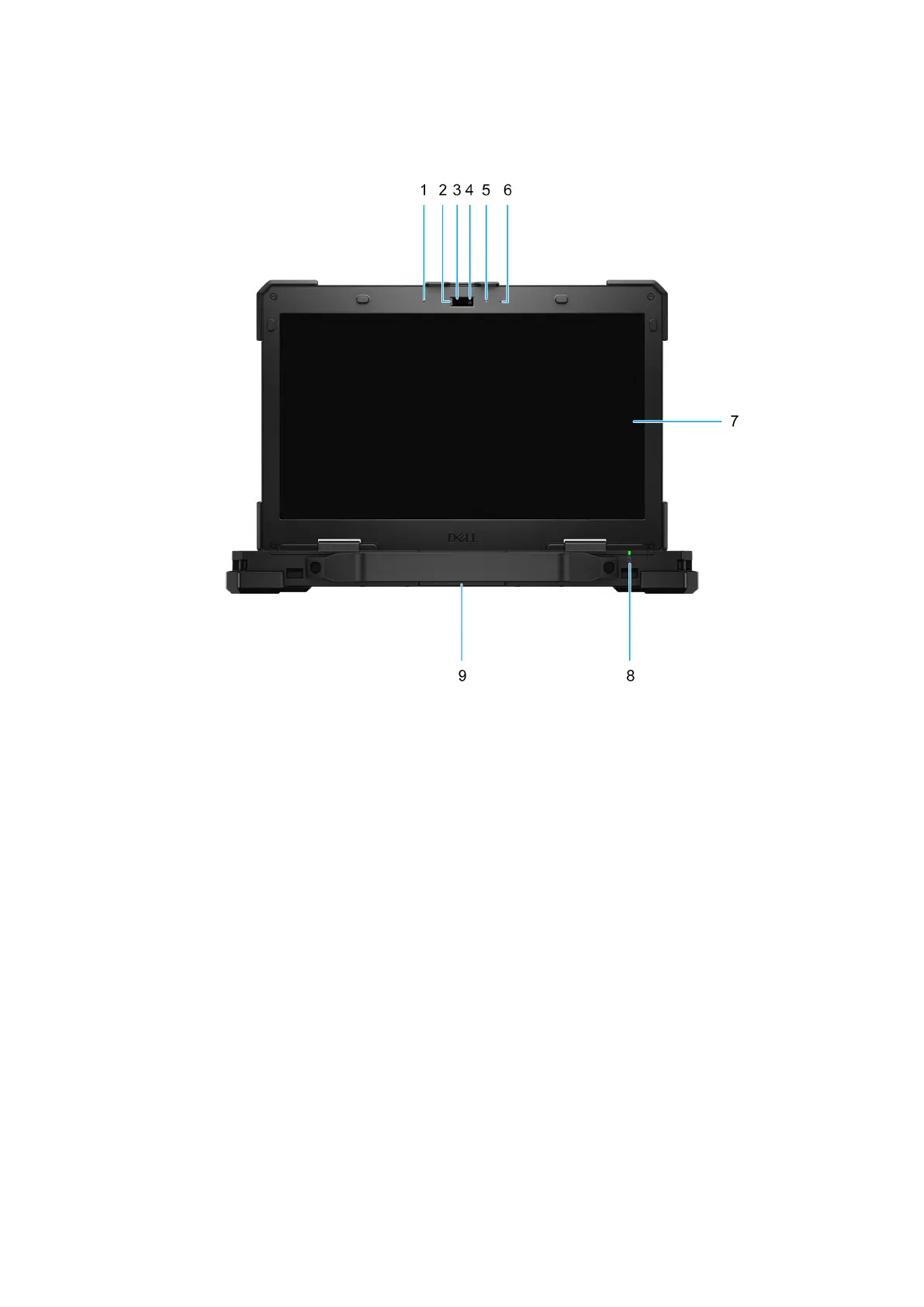
Front
Figure 4. Front view
1. Left microphone
Provides digital sound input for audio recording and voice calls.
2. Privacy shutter
Slide the privacy shutter to cover the camera lens and protect your privacy when the camera is not in use.
3. Infrared emitter
Emits infrared light, which enables the infrared camera to sense and track motion.
4. Infrared camera
Enhances security when paired with Windows Hello face authentication.
5. Camera-status light
Turns on when the camera is in use.
6. Right microphone
Provides digital sound input for audio recording and voice calls.
7. Display panel
Provides visual output to the user.
8. Battery-status light or diagnostic-status light
Indicates the battery-charge status.
Views of Dell Pro Rugged 13 RA13250
11











 To Next Page