Express-card reader
Removing the express-card reader
CAUTION: The information in this removal section is intended for authorized service technicians only.
Prerequisites
1. Follow the procedure in before working inside your computer.
2. Remove the batteries.
3. Remove the solid state drive carrier.
4. Remove the base cover.
About this task
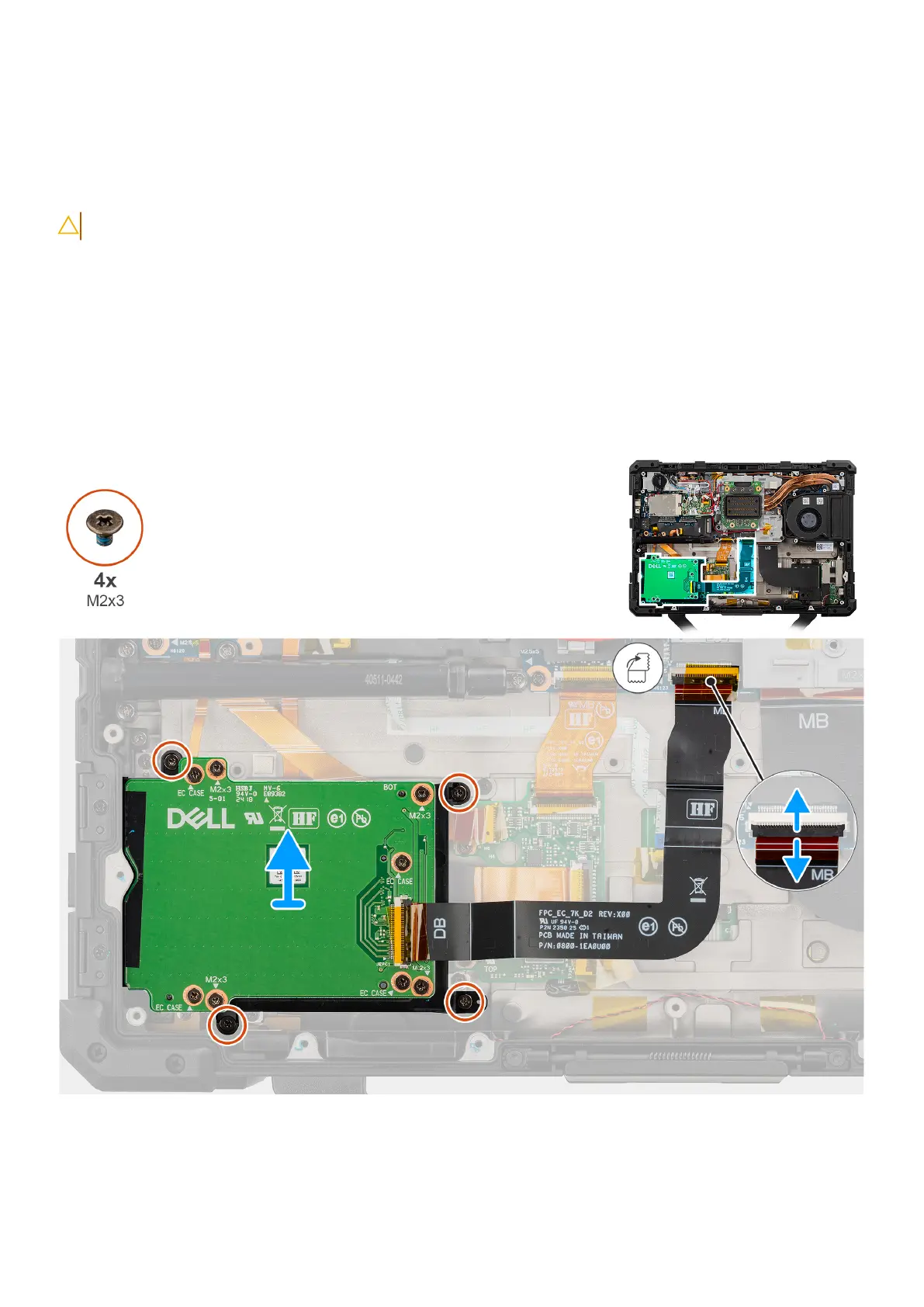
The following image indicates the location of the express-card reader and provides a visual representation of the removal
procedure.
Figure 76. Removing the express-card reader
Steps
1. Disconnect the express-card reader flat-printed cable from its connectors on the system board.
Removing and installing Field Replaceable Units (FRUs)
113











 To Next Page