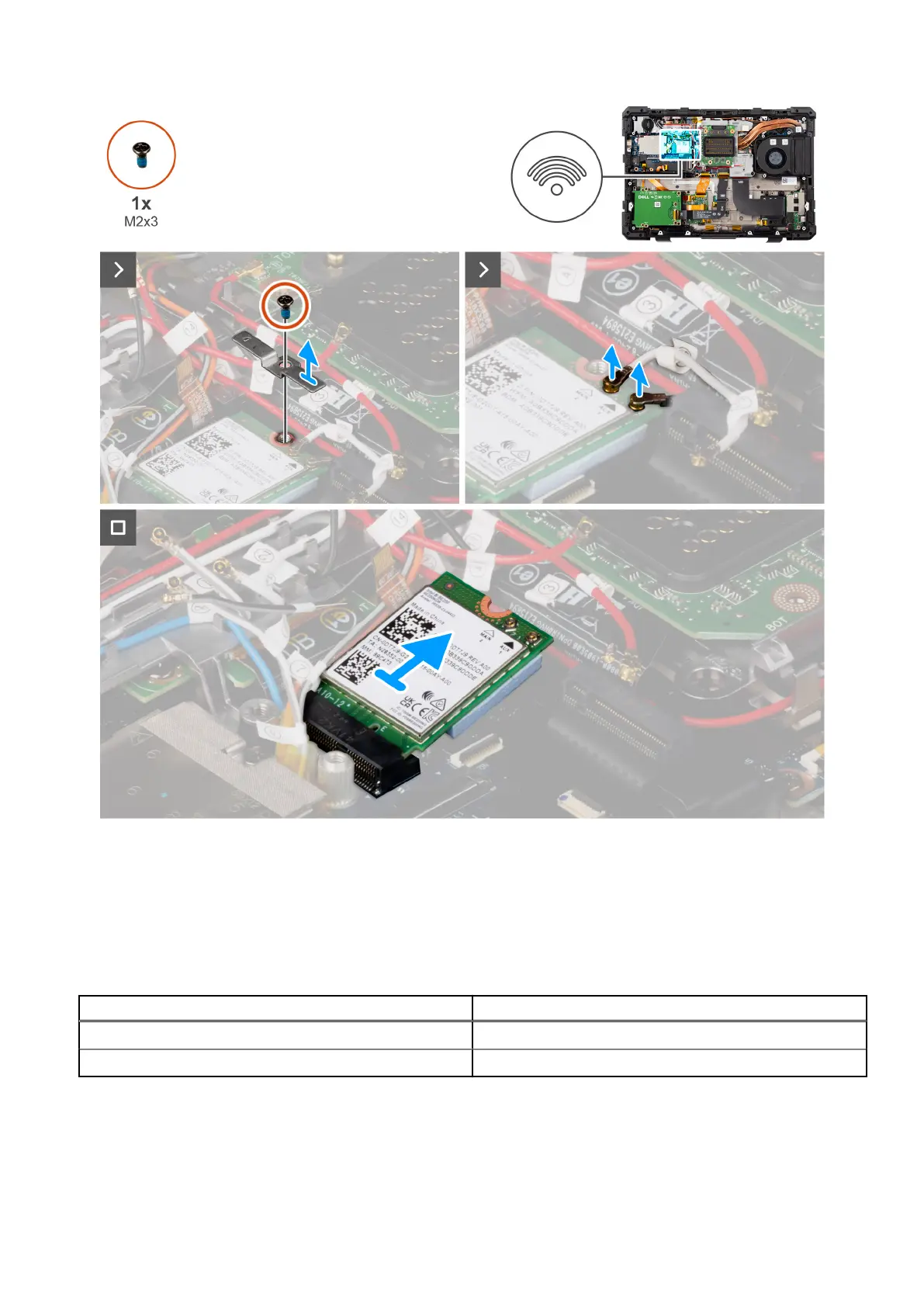
Figure 66. Removing the WLAN card
Steps
1. Remove the (M2x3) screw that secures the WLAN card holder to the system board.
2. Remove the WLAN card holder.
3. Disconnect the antenna cables from the WLAN card.
Table 44.
Connectors on the wireless card
Antenna Cable Color
Main (white triangle) White
Auxiliary (black triangle) Black
4. Slide and remove the WLAN card from the WLAN card slot.
102
Removing and installing Field Replaceable Units (FRUs)











 To Next Page