6. Remove the GPS board.
7. Remove the rear I/O-board.
8. Remove the RF switch board.
9. Remove the WLAN card.
10. Remove the WWAN card.
11. Remove the dock I/O-module.
12. Remove the dock I/O bracket.
13. Remove the fan.
14. Remove the heat sink .
About this task
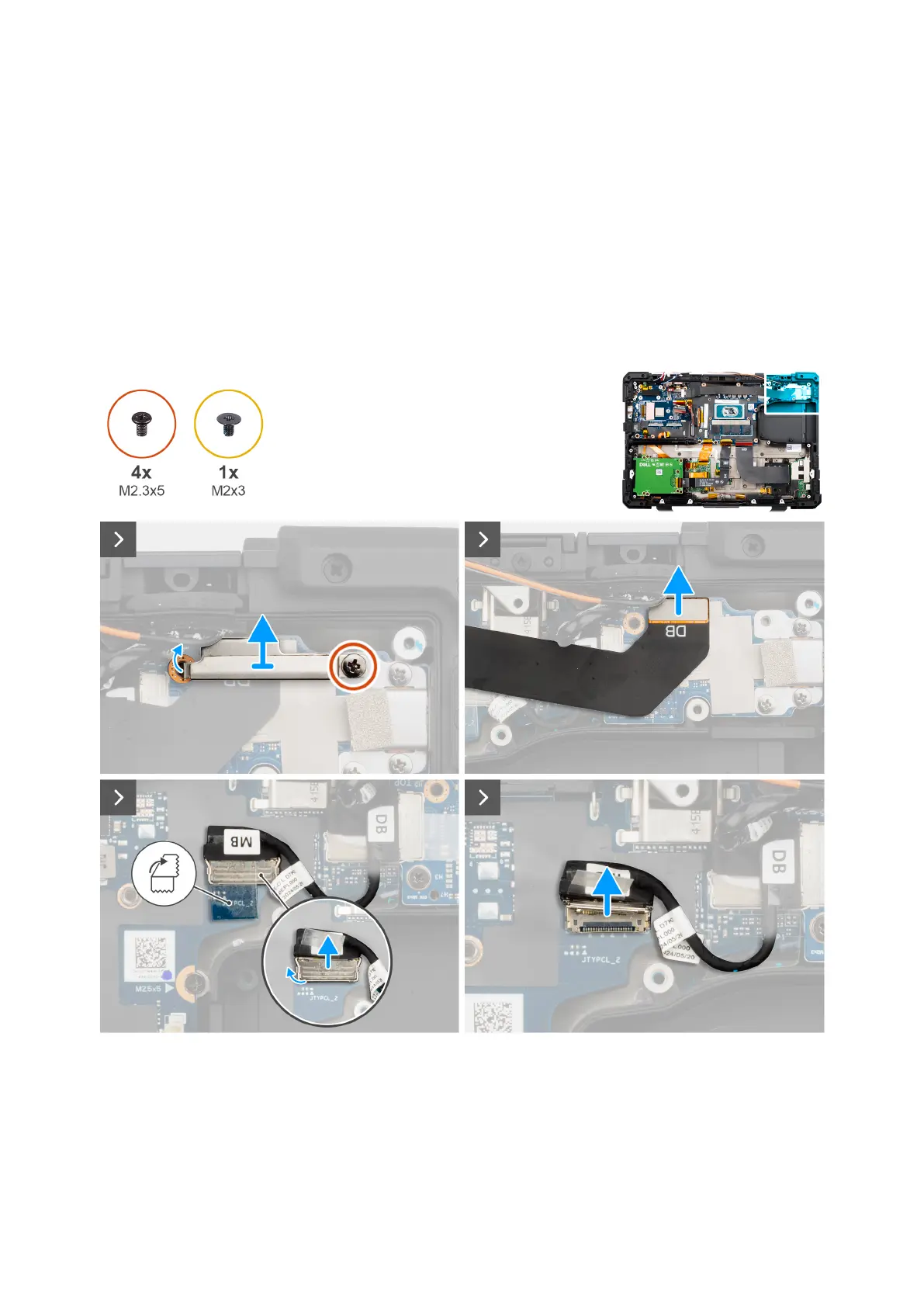
The following image indicates the location of the left Type-C board and provides a visual representation of the removal
procedure.
Figure 102. Removing the left Type-C board
140
Removing and installing Field Replaceable Units (FRUs)











 To Next Page