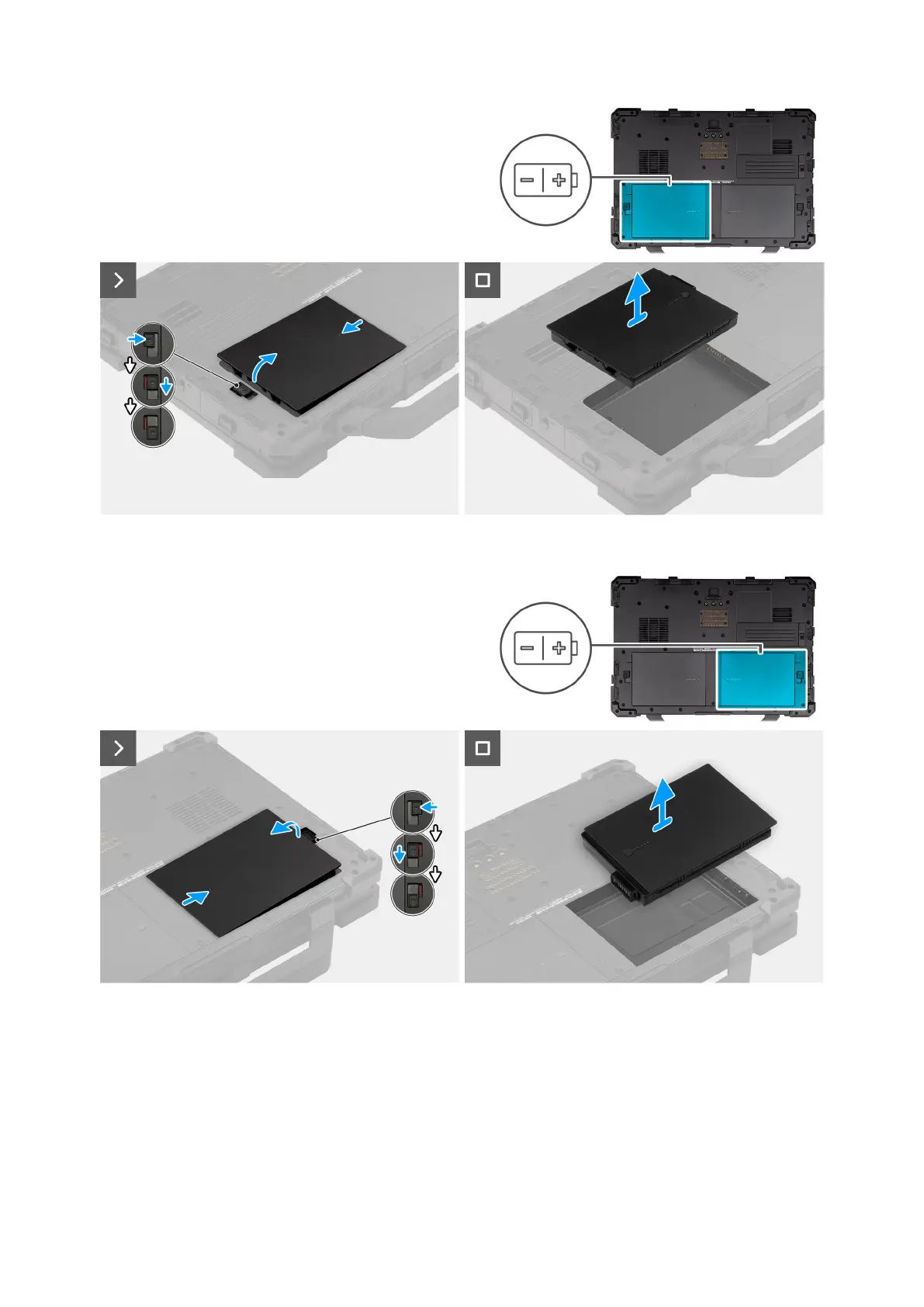
Figure 13. Removing the right-side battery
Figure 14. Removing the left-side battery
Steps
1. Slide the battery release latch to the unlocked position.
2. Slide the latch down to unlock the battery.
3. Lift the battery from the battery bay and remove it from the computer.
50
Removing and installing Customer Replaceable Units (CRUs)











 To Next Page