About this task
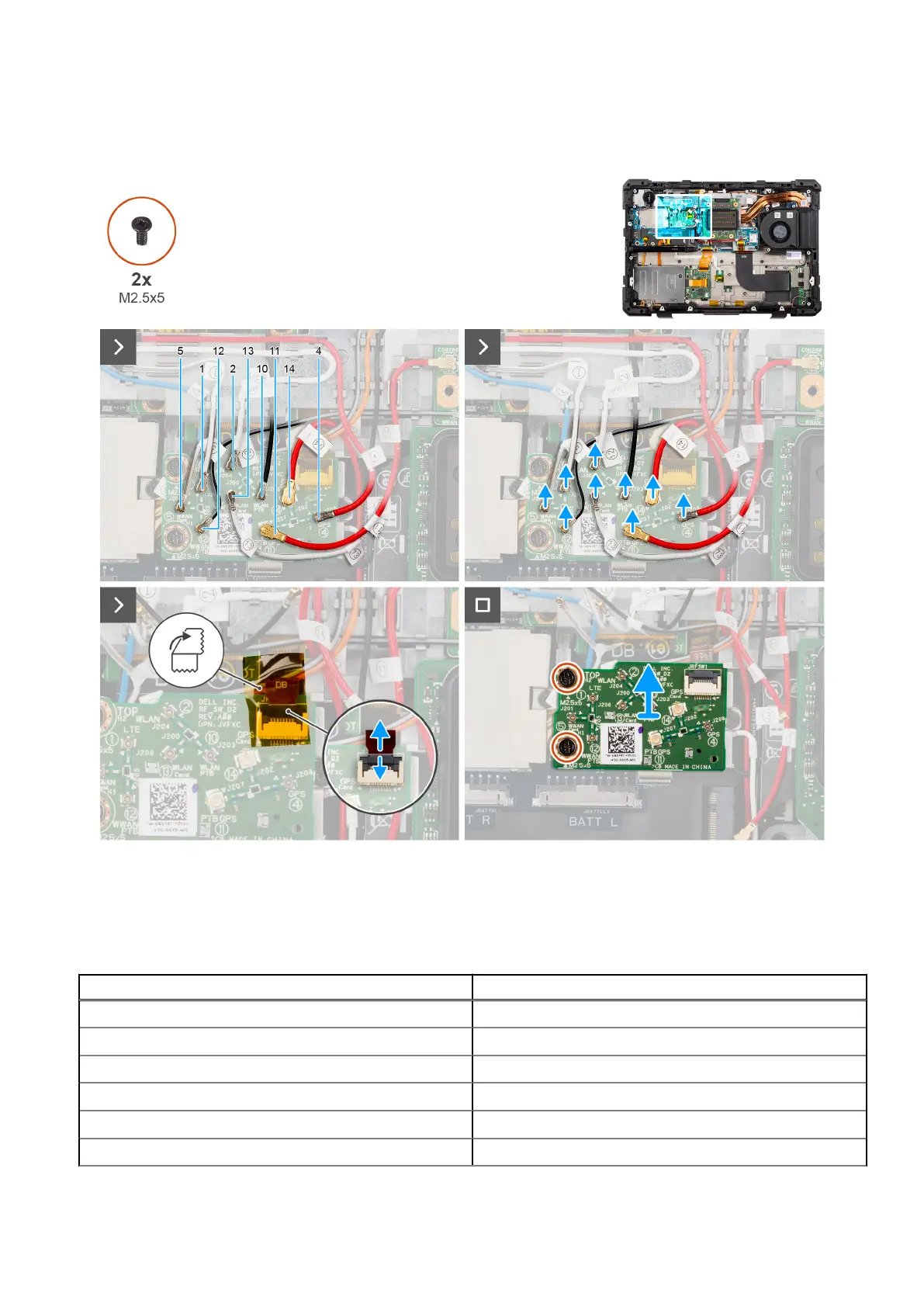
The following image indicates the location of the RF switch board and provides a visual representation of the removal
procedure.
Figure 64. Removing the RF switch board
Steps
1. Disconnect the WLAN, WWAN, and GPS antennas from the RF switch board.
Table 42.
Cable connectors on Dell Pro Rugged 13 RA13250
Cable number Antenna
5 WWAN antenna
1 WWAN antenna
12 WWAN antenna
2 WLAN antenna
13 WLAN antenna
10 WLAN antenna
98 Removing and installing Field Replaceable Units (FRUs)











 To Next Page