Setting the Connection with the Computer
103
4. Useful Functions
C
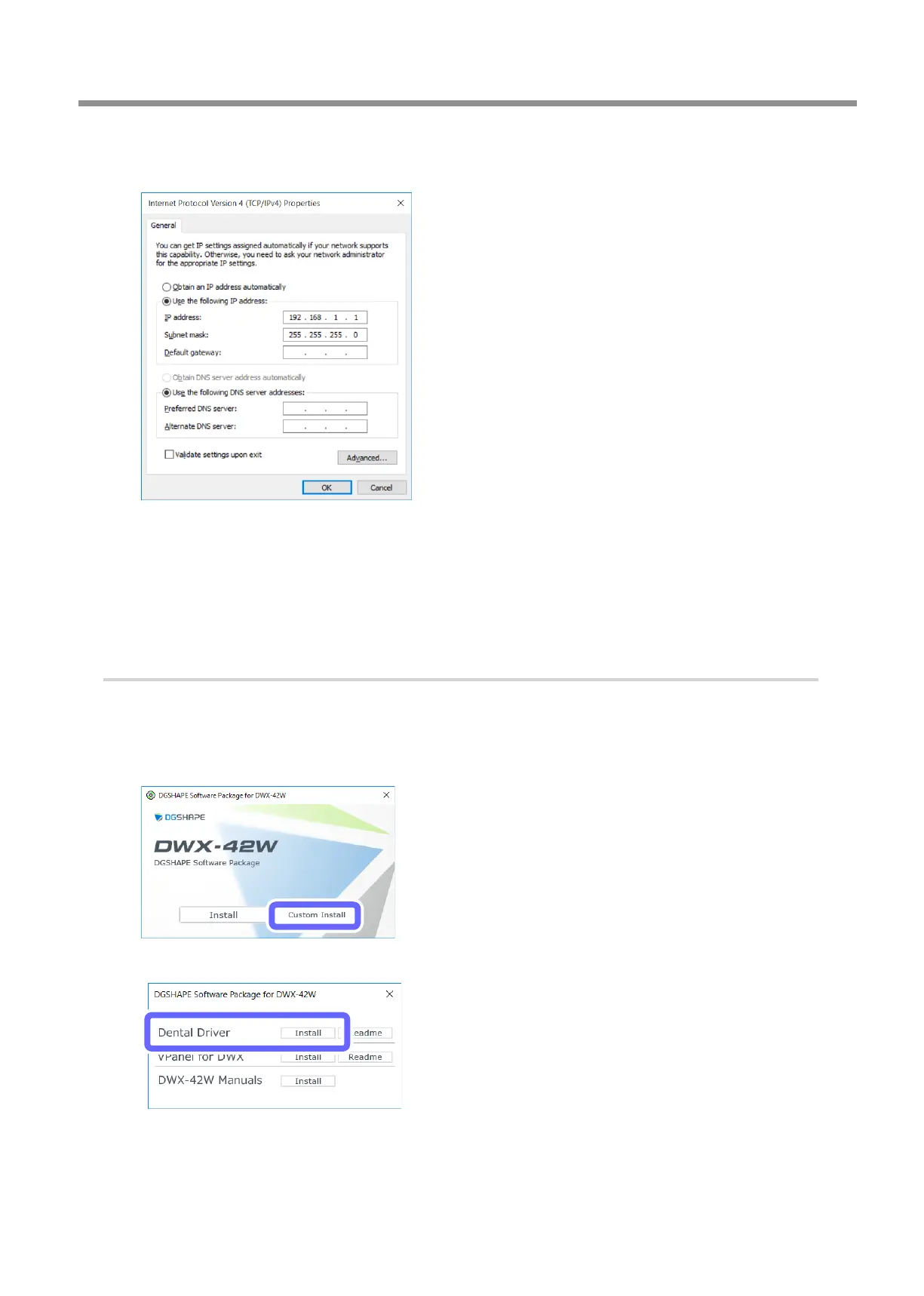
Select [Use the following IP address] and enter the computer's IP address and subnet mask conrmed
in step
2.-
A
.
The value entered for [IP address] is an example. Enter
the value conrmed in step
2.-
A
.
D
Click [OK].
E
Click [OK] in the [Ethernet Properties] window (the [Local Area Connection Properties] window on
Windows 7).
F
Click [Close] in the [Ethernet Status] window (the [Local Area Connection Status] window on Windows 7).
3.
Install the Windows driver on the computer.
A
Insert the DGSHAPE Software Package CD into the CD-ROM drive of the computer.
When the automatic playback window appears, click [Run menu.exe]. If a [User Account Control] window appears,
click [Allow] or [Yes], and then continue with the installation. The setup menu screen appears automatically.
B
Click [Custom Install].
C
Click [Install] for [Dental Driver].



 To Next Page