Setting the Connection with the Computer
102
4. Useful Functions
B
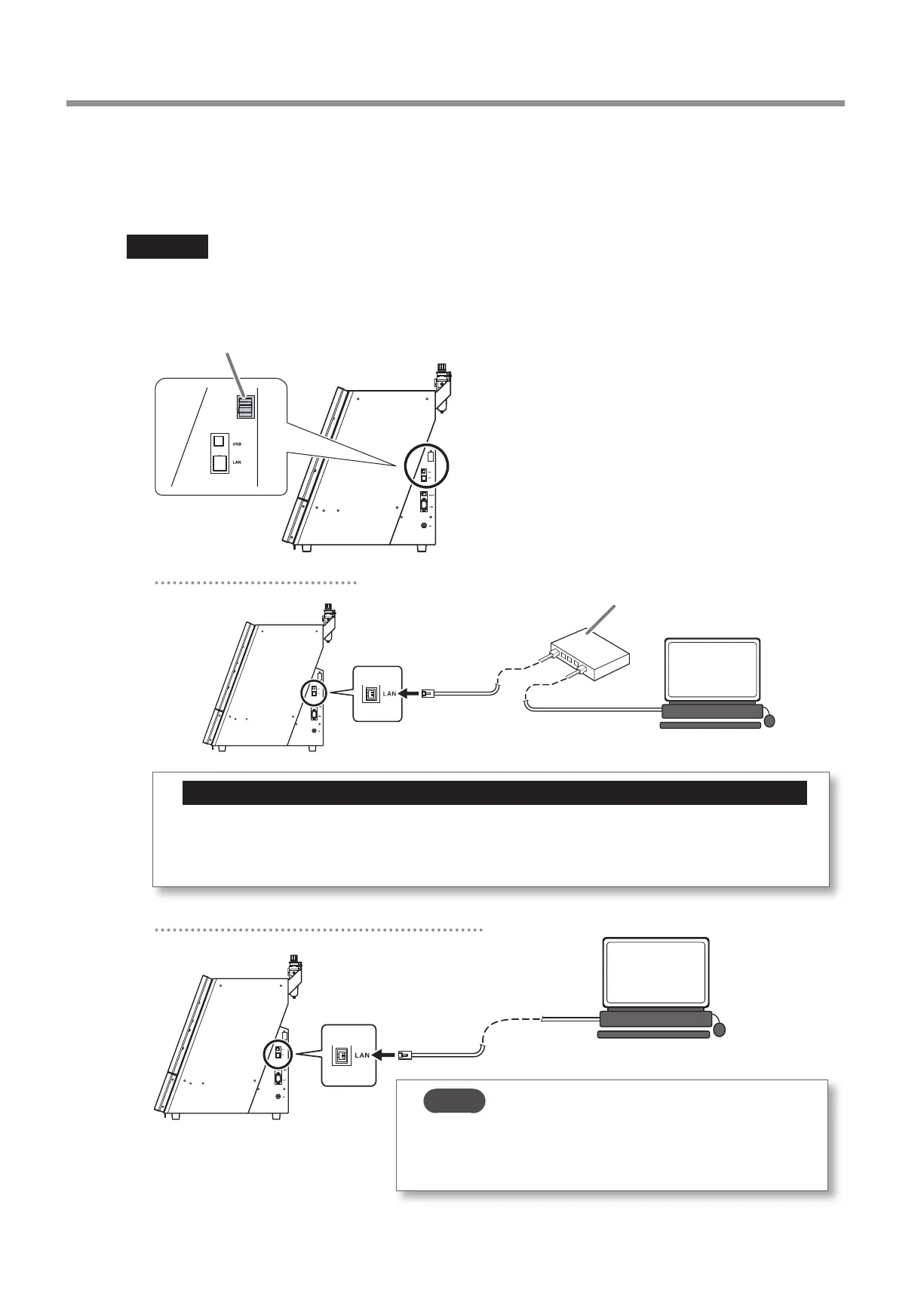
Connect the machine and the computer with a LAN cable.
• You have to prepare a LAN cable (Category 5 or higher) separately�
• We recommend 100BASE-TX for the Ethernet�
Important
• Do not bind the LAN cable with the cable clamp�
• Wire the LAN cable so that it does not come into contact with the power cord� The LAN cable coming into contact with any
other cables will result in communication malfunctions due to electrical noise�
Cable clamp
Connecting through a LAN hub
Important: Do not connect any device other than the machine and a computer to the LAN hub.
Do not connect any device other than the designated machine and a computer to the LAN hub being used here�
Connecting any other device will prevent the settings from being congured correctly and may cause problems with
the network settings of connected devices�
LAN hub
Connecting the machine and the computer directly
MEMO
A direct connection to the machine is possible when using a crossover
cable� In addition, if the computer supports AUTO MDI/MDI-X, a direct
connection to the machine is possible when using a straight cable�



 To Next Page