Registering Multiple Machines in VPanel
111
4. Useful Functions
I
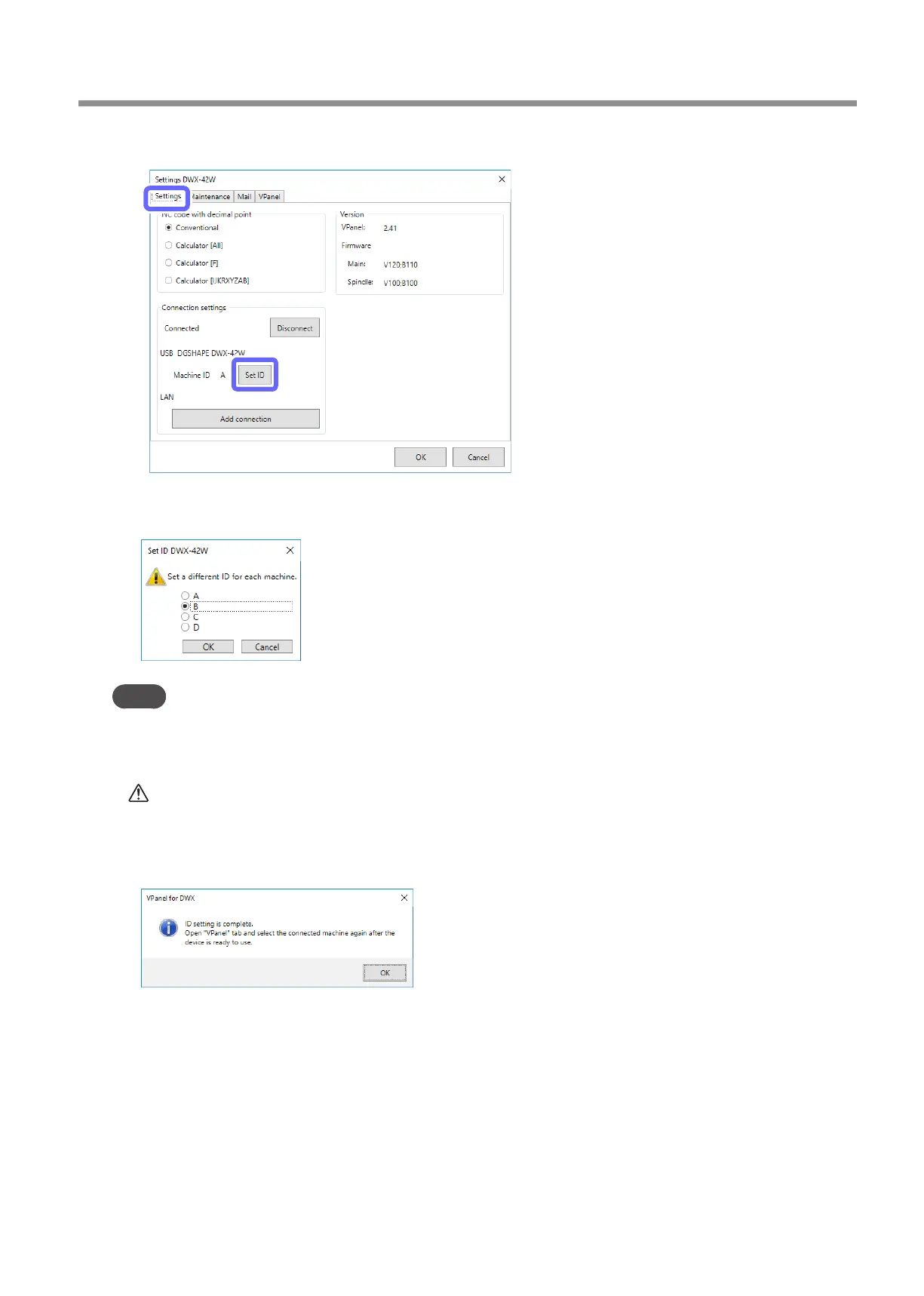
Click the [Settings] tab, and then click [Set ID].
The [Set ID] window is displayed.
J
Select [B], [C], or [D], and then click [OK].
Point
• It is important that machine IDs are unique.
• In the initial settings at the time of shipment, all machines are set to ID [A], so the ID of the rst
machine is [A]. Therefore, be sure to select [B], [C], or [D] for the second and later machines.
CAUTION
Do not set duplicate IDs.
Simultaneously connecting multiple machines with the same ID may lead to the computer shutting
down or it being impossible to install the driver.
K
When the following window is displayed, click [OK].
The machine restarts automatically.
The driver is installed. This may take a few minutes. Wait for the machine to restart, and then proceed to the next
operation.



 To Next Page