Registering Multiple Machines in VPanel
112
4. Useful Functions
L
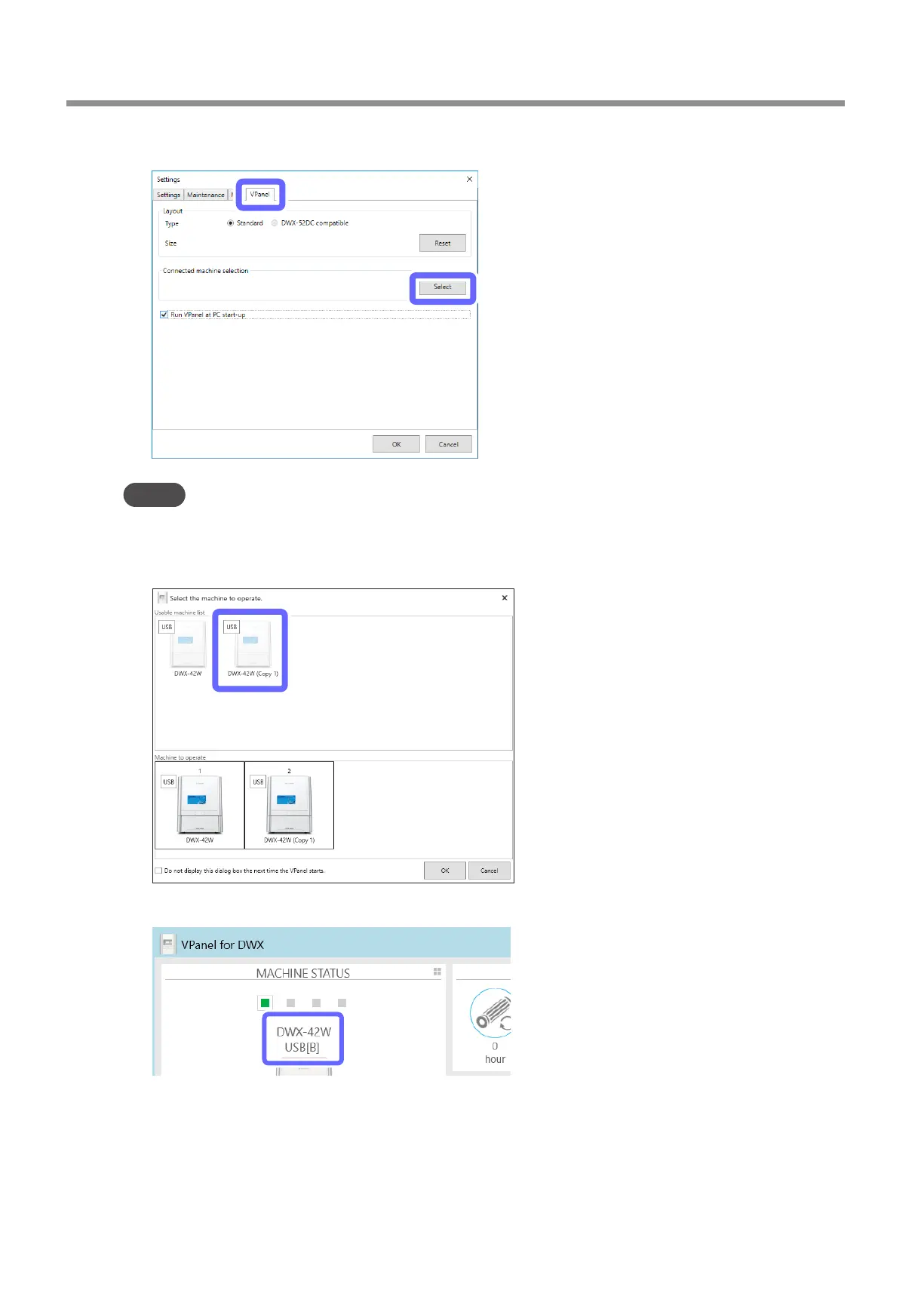
On the [VPanel] tab, click [Select].
MEMO
If the [Select] button is not enabled, check that machines other than the one that you want to connect to the computer
are not connected to the computer.
M
Select [DWX-42W (Copy 1)] from the [Usable machine list].
N
Click [OK].
This enables the ID set in step
E
and completes the procedure for connecting the second machine.
Verify that the set ID is displayed in the top window.



 To Next Page