Registering Milling Burs
20
2. Milling
2.
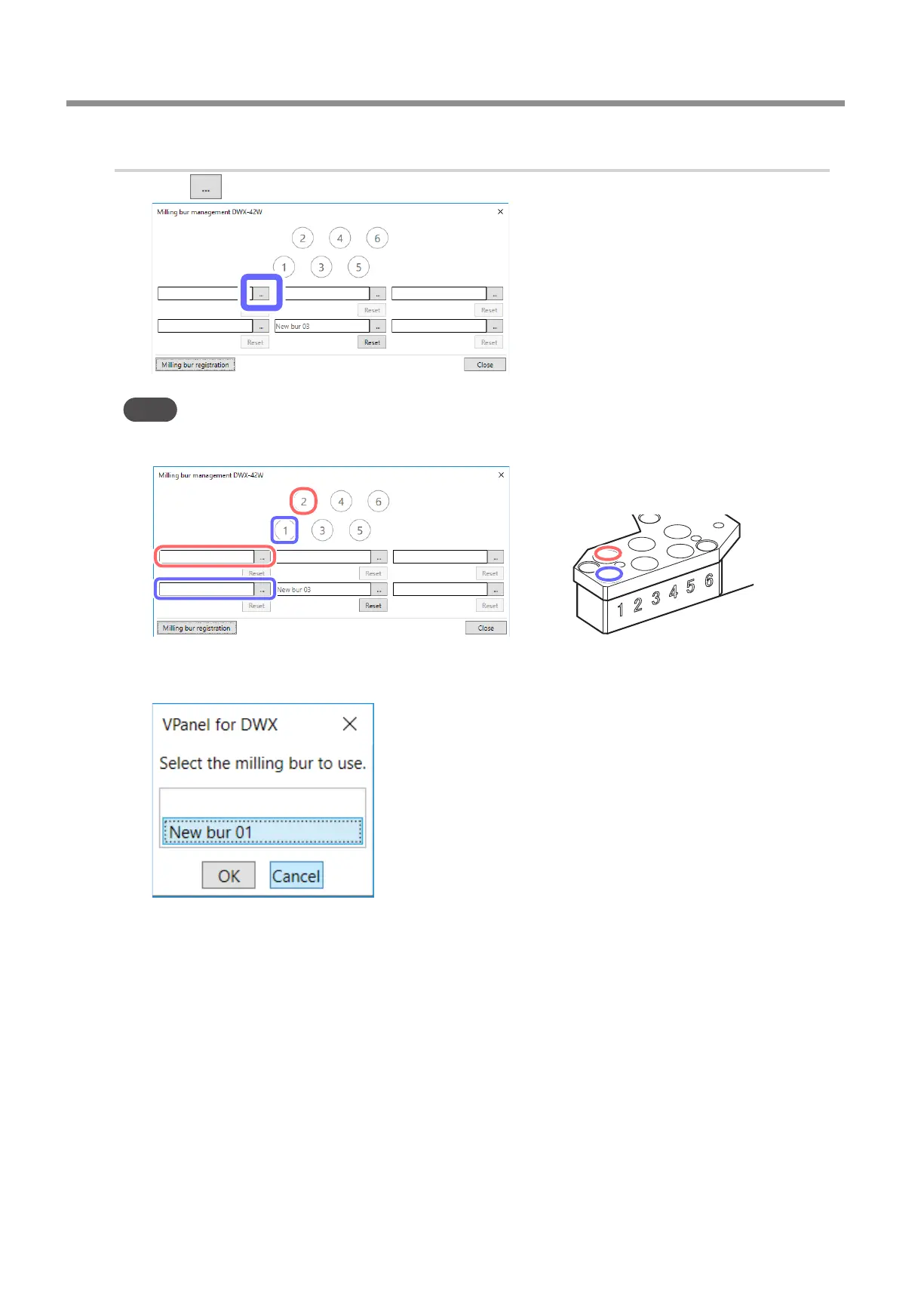
Assign the stocker number in which to set the rst milling bur.
A
Click .
Point
The numbers in the circles in the [Milling bur management] window match the stocker numbers of the milling
machine. Furthermore, the order of the numbers in the circles is applied to the milling bur selection area.
B
Click the milling bur to use, and then click [OK].
Select the appropriate milling bur at the location of the stocker number to use.
C
Click [Close].



 To Next Page