Following Daily Operations
48
2. Milling
H
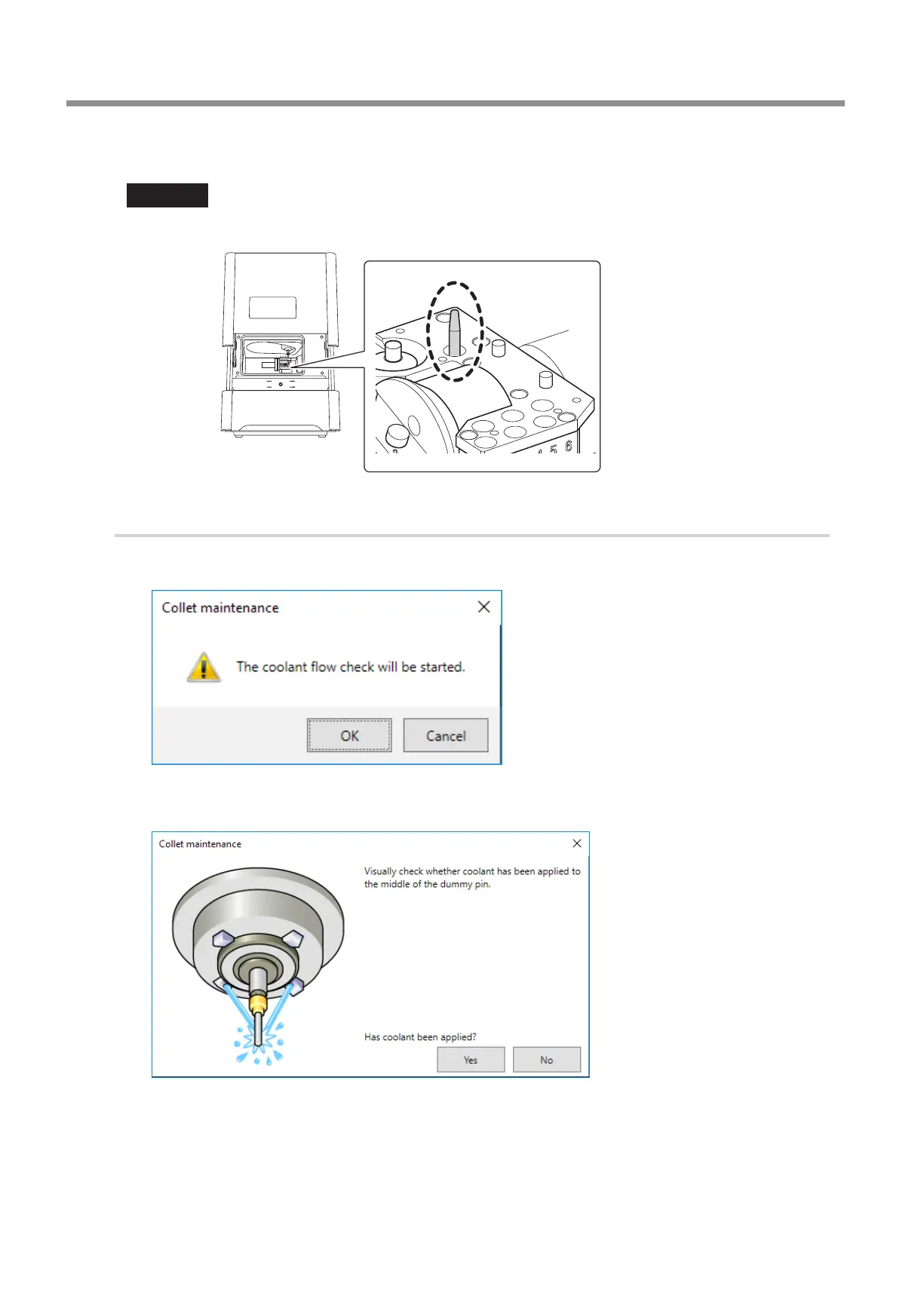
Clean the handle of the dummy pin with a dry cloth.
Important
Clean only the handle of the dummy pin with it inserted� Do not pull the dummy pin out�
Handle of the
dummy pin
3.
Check the coolant ow rate.
A
Close the front cover.
The following window is displayed.
B
Click [OK].
Coolant is applied to the dummy pin, and then the following window is displayed.



 To Next Page