D
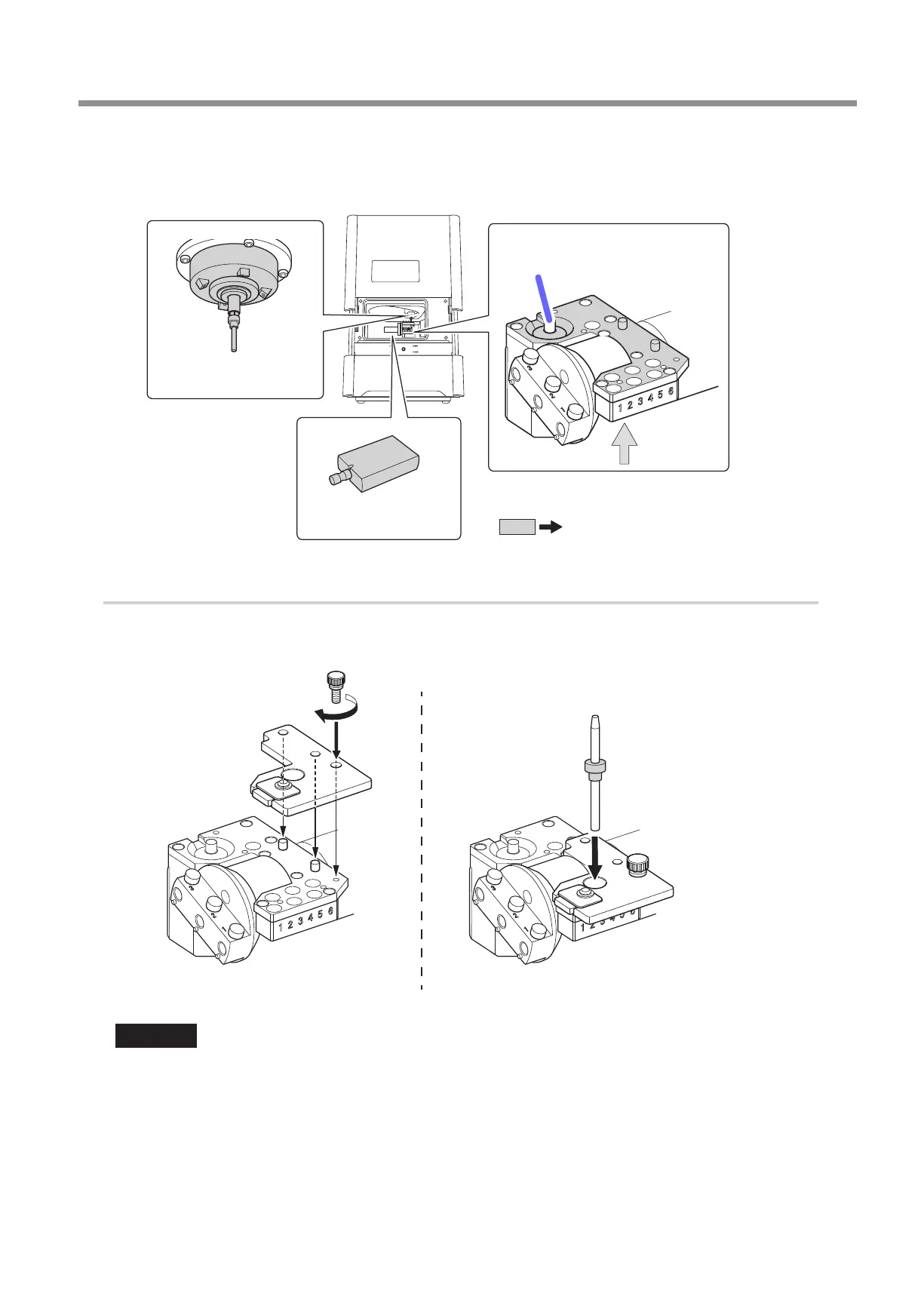
Use the cloth for care and maintenance to wipe the locations shown in the following gures clean of
uid and dirt.
If any uid or dirt is present in these locations, correction might not occur properly.
Part to be wiped
Automatic correction jig
Dummy pin and
spindle head
Milling bur sensor
(contact side of the milling bur)
ATC magazine
bottom surface
2.
Attach the automatic correction jig.
A
Attach the ATC magazine correction jig.
B
Push the detection pin for correction as far as it will go into stocker number 4 in the ATC magazine.
A B
Important
The tapered (slanted) end is the top of the detection pin for correction� Be careful not to confuse which side is up and which is down�
Periodic Care and Maintenance
57
3. Maintenance



 To Next Page