C
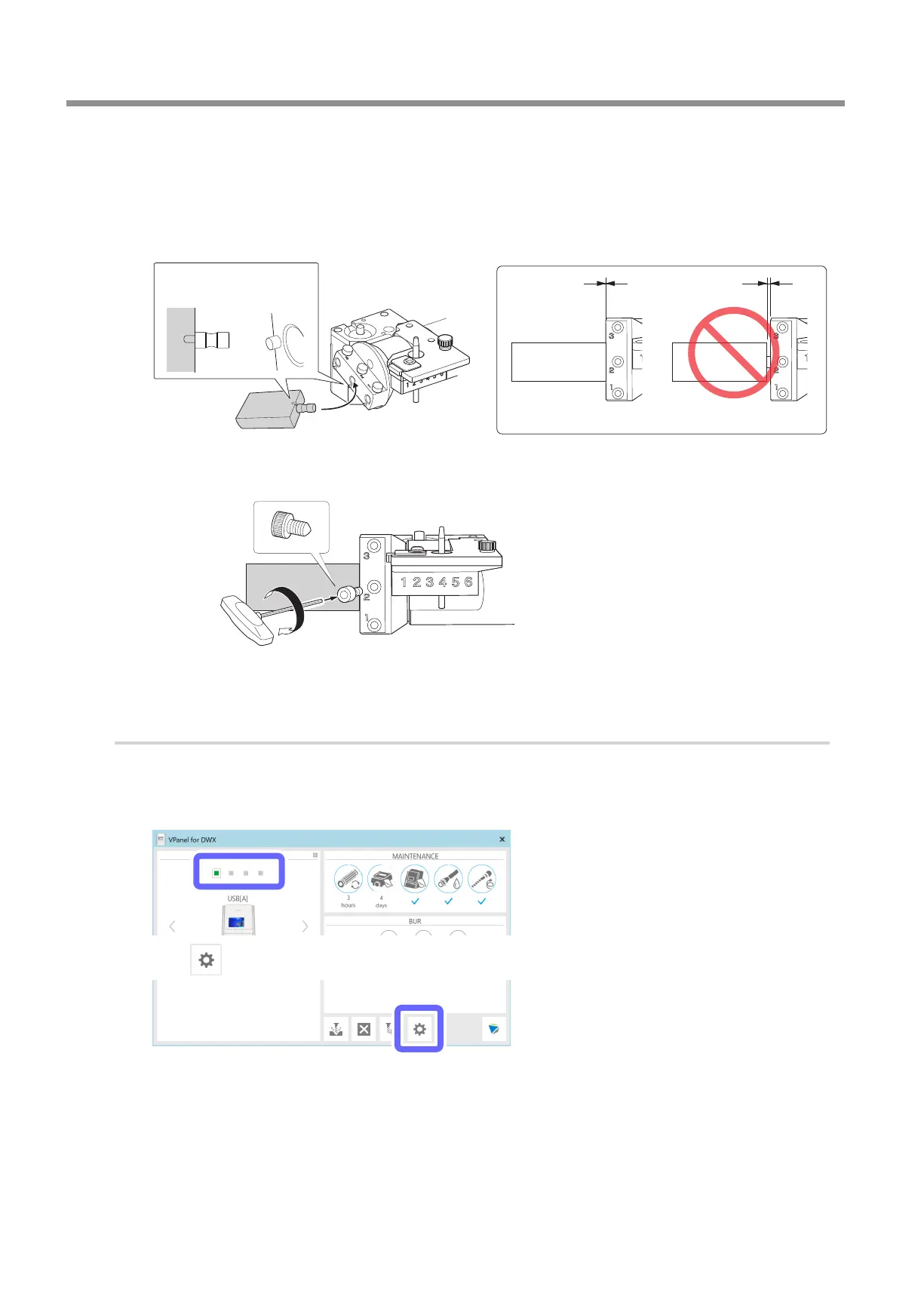
Attach the rotation correction jig to hole "2" on the rotary axis.
1 Align the recessed portion of the jig with the protrusion on the rotary axis, and then insert the jig.
Ensure that there is no gap between the surfaces. It does not matter which of the two recesses on the jig is
aligned to the protrusion.
OK Not OK
Align the recessed portion of the jig
with the protrusion on the rotary axis�
2 Use a hexagonal screwdriver to secure the jig in place with a mounting screw.
D
Close the front cover.
3.
Start automatic correction.
A
Show VPanel.
"
B
Select the machine to operate.
C
Click .
Periodic Care and Maintenance
58
3. Maintenance



 To Next Page