D
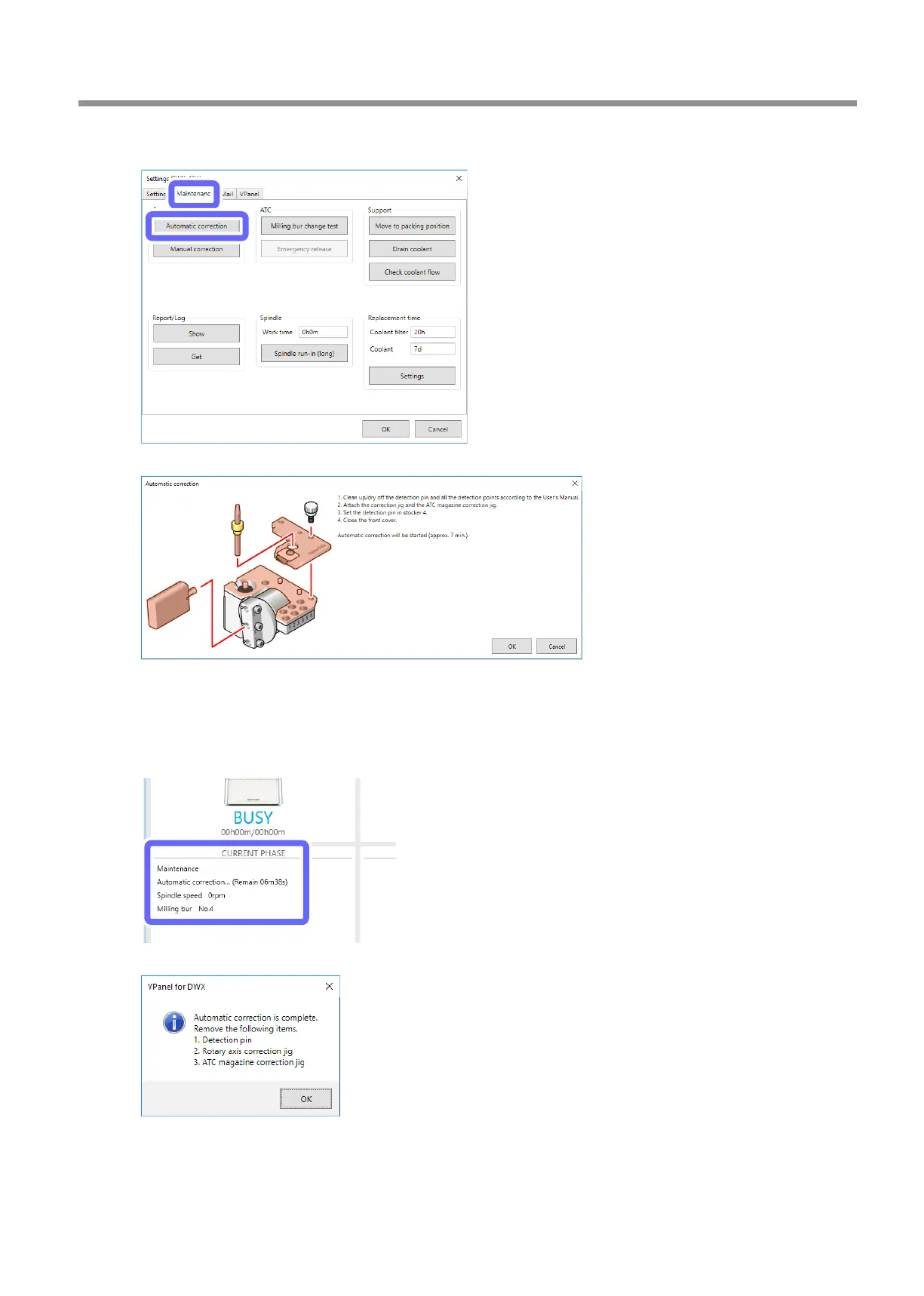
Click the [Maintenance] tab, and then click [Automatic correction].
The following window is displayed automatically.
E
Check that the work displayed on the screen is complete.
F
Click [OK].
Automatic correction starts. The machine status light will ash blue. The remaining work time will be displayed on
VPanel.
The automatic correction is nished when the message shown in the gure is displayed.
Periodic Care and Maintenance
59
3. Maintenance



 To Next Page