Manuale operativo
CHORUS
Rev. 0 del 06/2012 121
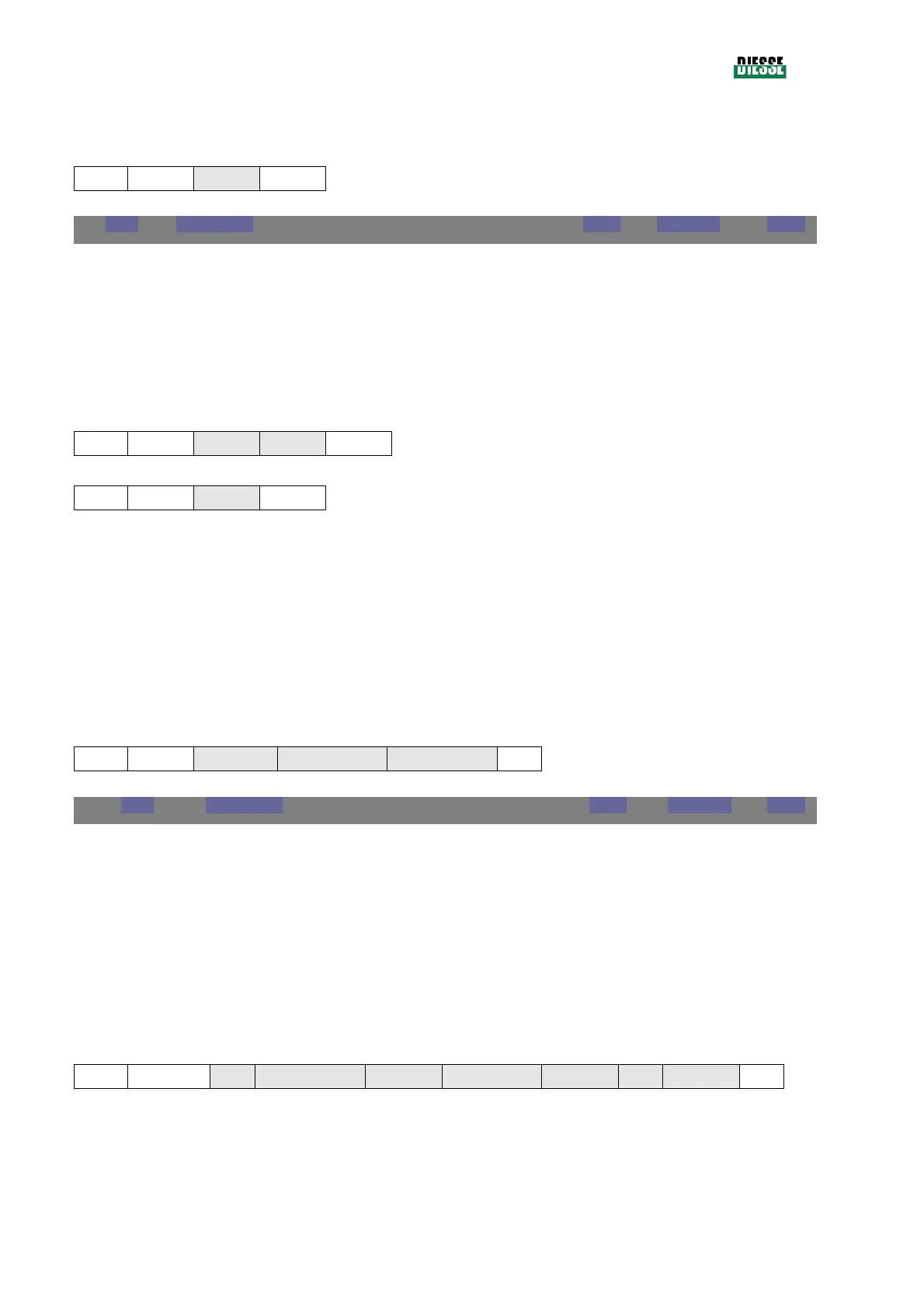
The Computer must answer with the following frame:
Computer
→
CHORUS
STX 1 EOT
CS
EOT
End of Text 0x04 byte 1
If, after sending an enquiry frame, the Computer does not answer, a time-out error message will be
displayed.
Example:
CHORUS
→
Computer
0x02 0x02 0x05 0x43
0x44
Computer
→
CHORUS
0x02 0x01 0x04
0x05
5.6.6 S
AMPLE PROGRAMMING
After receiving each sample code inserted by the user, the Computer sends the CHORUS the list of
tests to be executed on that sample. This is called Job-List (J-List).
After establishing a connection between the Computer and the CHORUS (see chapter 5.6.5), the
instrument sends, for each inserted sample, the following frame:
CHORUS
→
Computer
STX 21 JListCmd
StorableRec SampleCode
CS
JLISTCMD
J-List record request command 0xD2 byte 1
STORABLEREC
Remaining test slots byte 1
SAMPLECODE
Sample code (including terminating character)) string 19
The Computer answers with the following frame:
Computer
→
CHORUS
STX
2K + 21
EOT
SampleCode PedFlag TestID
1
TestID
2
… TestID
K
CS



 To Next Page