Manuale operativo
CHORUS
86 Rev. 0 del 06/2012
4.11 CHECK WINDOW
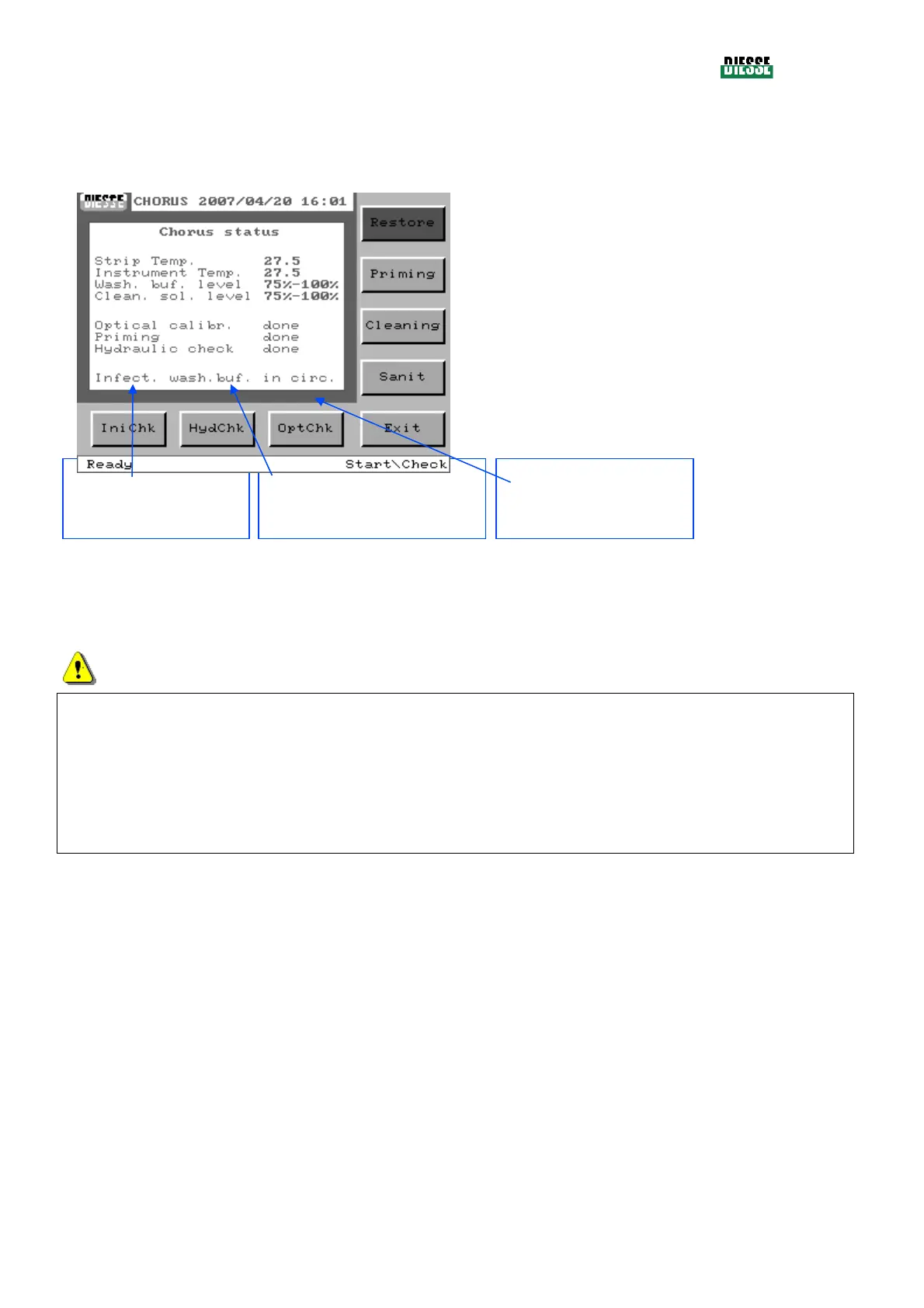
The check window shows the state of the instrument and allows access to the various controls
necessary to re-establish good functioning.
Restore: checks which controls are due to be
performed and starts those necessary
automatically
Priming: primes the buffer solution circuit
Cleaning: washes the buffer solution circuit
Sanit: performs the sanitization cycle on the buffer
solution circuit
Exit: returns to the main window
fig. 100
Note:
The status of the commands present in the Check window, except for the Exit key, depend on the
presence of pendings and errors.
ATTENTION
It is possible to change the type of Washing buffer present in the circuit by pressing the Priming key
and then selecting in the message box shown on the display, the Washing buffer one wants to use
Selecting a Washing buffer that is different from the one already present will prompt the instrument to
start an elaborate priming (see 3.6.4) and memorize the new Washing buffer as liquid present in the
circuit.
IniChk: performs the initial
check (of the electronic part
and the motors)
HydrChk: forces the check of the
buffer circuit, independently of the
necessity (performs priming at the
OptChk: forces calibration of
the optic group independently
of the necessity



 To Next Page