Manuale operativo
CHORUS
Rev. 0 del 06/2012 75
If it is necessary to modify or cancel a sample code which is already associated to a test, exit from the
R-list window temporarily, go to the C-list, modify the code and return to the R-list.
Note:
To program a pediatric sample, position the selection bar on the corresponding field, enter the editing
mode (Keyb), press the Ped key and save. (This characteristic is not used at the moment, see 4.4.1)
4.6.5 I
NSERTION OF A STRIP CODE
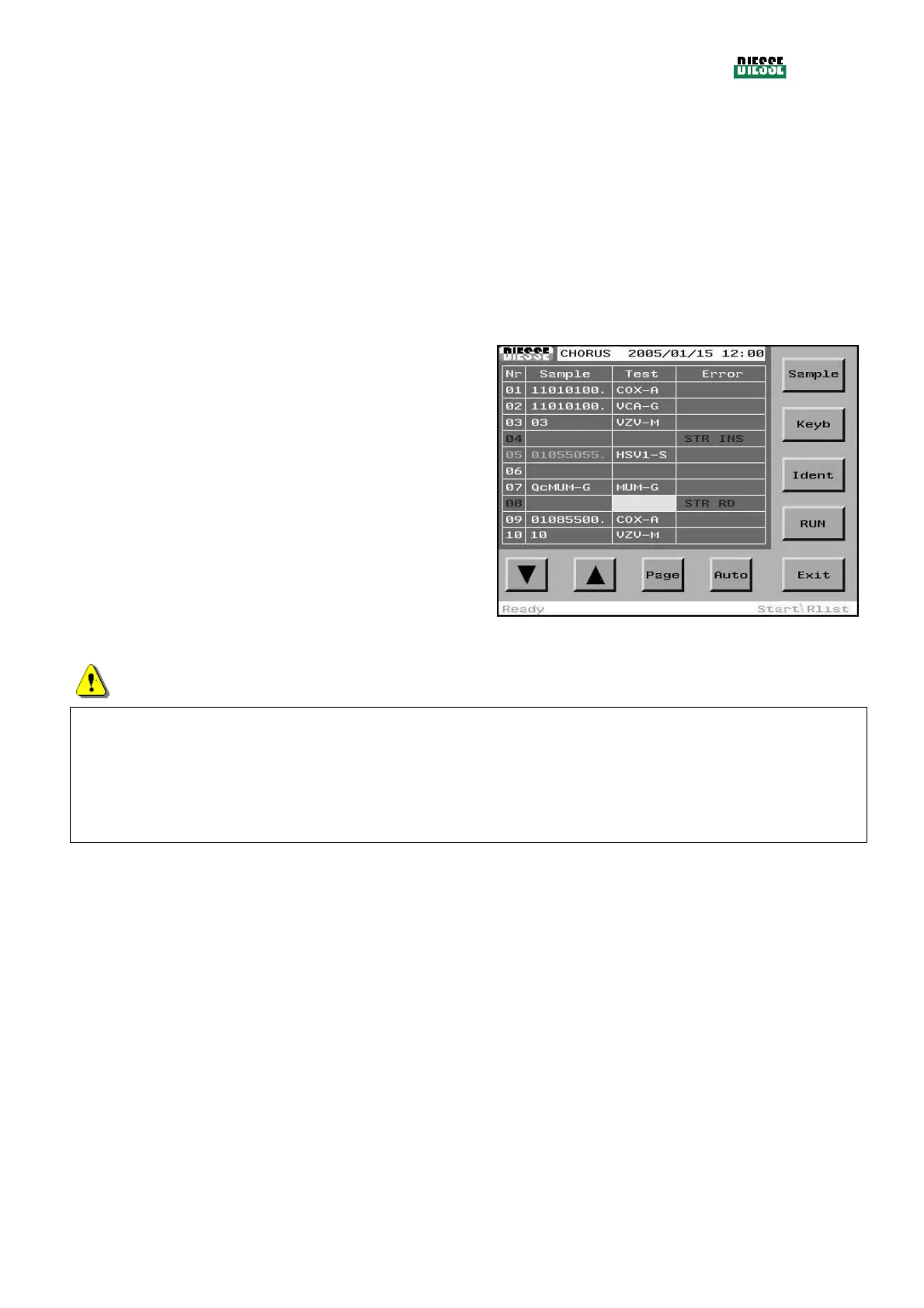
To insert a strip code, place the selection bar on the
empty field in the Test Column, corresponding to the
sample which has not yet been associated to a test,
and read the strip code with the bar code reader, or
press the Keyb key to insert it manually.
fig. 85
ATTENTION
It is possible to insert a strip code only if the strip is present in the tray and the barcode reader has
indicated a reading error during the identification phase (STR RD). The code inserted will be magenta
colored to indicate that it has been inserted manually, and on the test report it will be preceded by a ?.
If it is necessary to modify or cancel a strip code which has already been associated to a sample, exit
the R-list, go to the C-list, modify the association and return to the R-list.



 To Next Page