Manuale operativo
CHORUS
Rev. 0 del 06/2012 81
4.9 THE SESSIONS ARCHIVE
4.9.1 T
HE ARCHIVES WINDOW
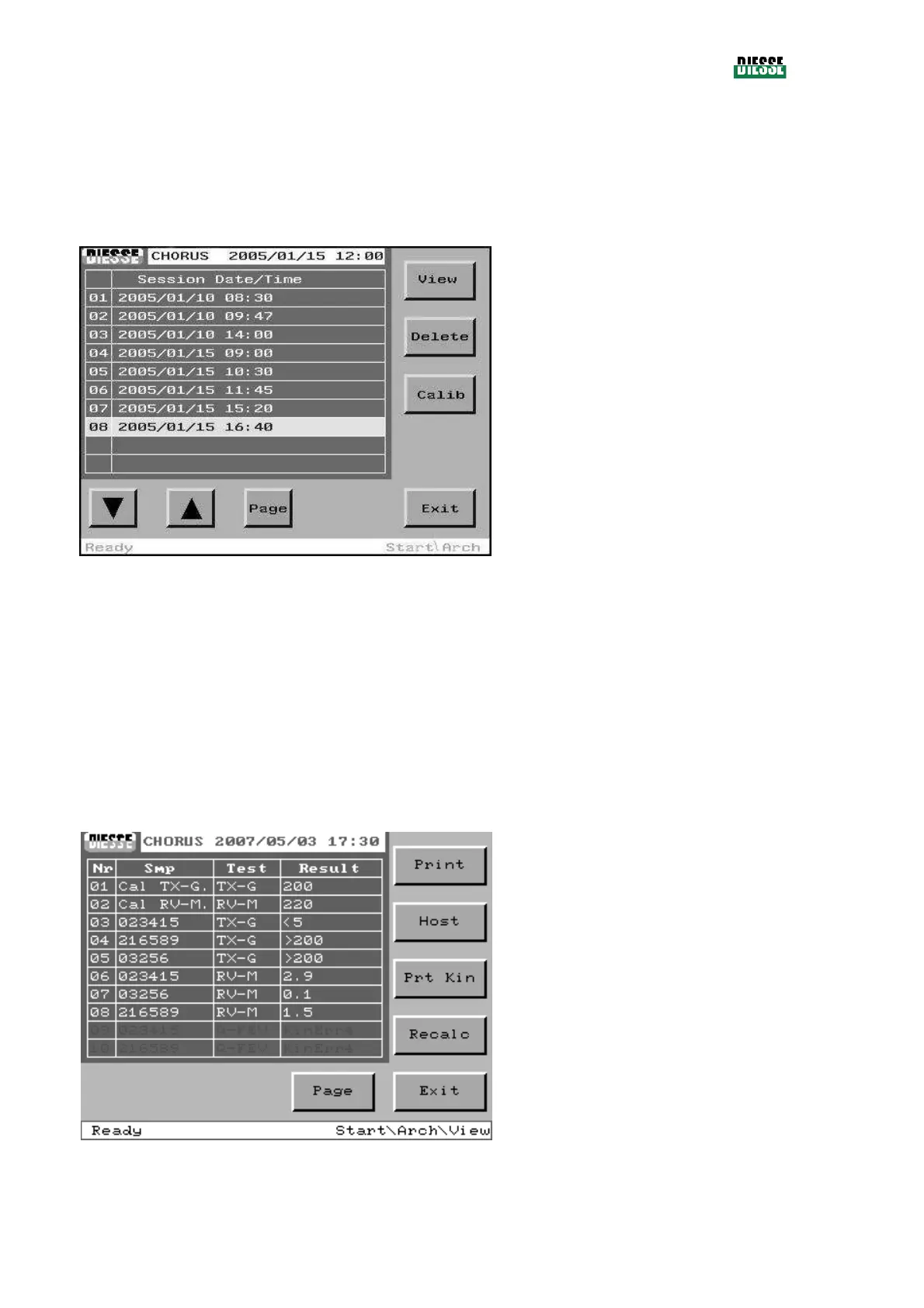
This window presents a list of the runs performed, displaying the date and time of execution for each
one. The instrument can store up to 20 runs; the most recent ones overwrite the oldest ones.
View: enters the session window (displays details
of the selected run)
Delete: cancels the entire archive (a message
appears requiring confirmation)
Calib: prints the calibration list for each test, with
the date of run
Pag: visualizes the previous/next page
(disabled in case of only one page)
Exit: returns to the main window
fig. 91
Note:
If during a given run, strips that belong to non-homogeneous families of tests have been processed,
the instrument will create an archive for each of the families of tests processed (sub-sessions).
4.9.2 S
ESSION WINDOW
The session window shows in detail the sessions stored in the archives window. This window shows
the samples, the tests performed and the results for each session stored.
It is possible to print from this window and send the results of the session to the Host, view the relative
kinetics and recalculate the results using the values of the memorized calibration curve.
Print: prints the results
Host: sends the results to the host
Prt Kin: prints the kinetics
Recalc: recalculates the results with the new
calibration curve
Page: visualizes the previous/next page
(disabled in case of only one page)
Exit: returns to the archives window
fig. 92
4.10 THE UTILITIES WINDOW
The utilities window shows the information identifying the instrument.



 To Next Page