Manuale operativo
CHORUS
Rev. 0 del 06/2012 53
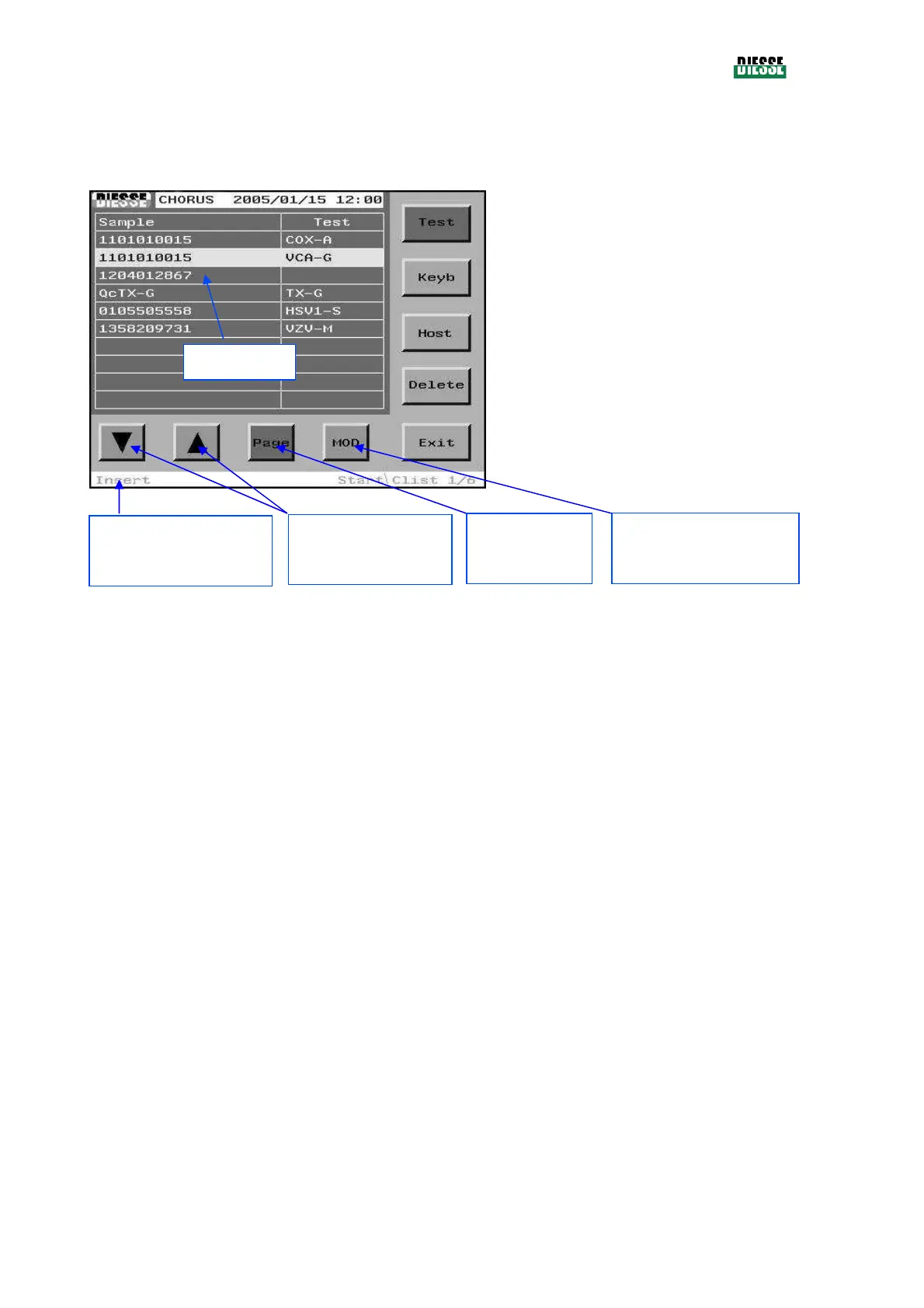
4.5 THE C-LIST WINDOW (COUPLING LIST)
The C-list shows the list of the associations between samples and tests (see 4.1) .
Test/Sample: to move the selection bar from the
samples column to the test column
Keyb: to access the editing window
Host: to enter the host mode
Delete: cancels the current C-list or the line
selected (a window appears for the choice)
Exit: returns to the main window
Pressing the center of the status bar does not
take you back to the errors window
fig. 38
Note:
All the keys present in this window, with the exception of the Keyb and Exit key, can be disabled
according to the context.
Insert/Modification:
indicates the current
mode
: moves the
selection bar
Page: passes to
the next page
MOD: enables/disables the
modification mode
Selection bar



 To Next Page