Manuale operativo
CHORUS
Rev. 0 del 06/2012 59
4.5.1.3 Modification of a sample code
ATTENTION
The Modification mode must be enabled.
MODIFICATION USING THE BAR CODE READER
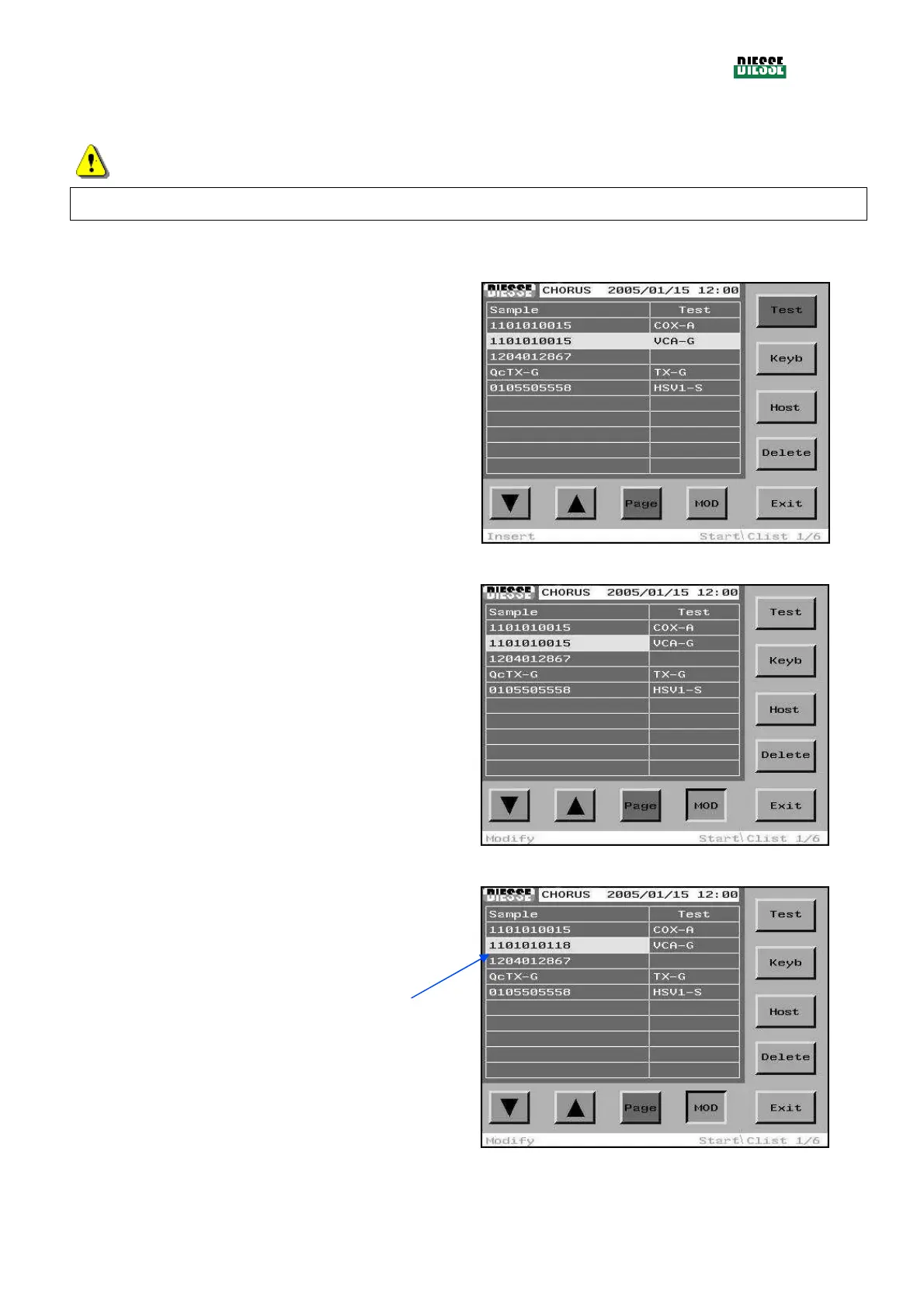
The selection bar must be positioned on the line
relative to the sample code to be modified
fig. 51
By pressing the MOD key, the Modification mode is
enabled:
The selection bar moves to the samples column, the
change column key is enabled and the status bar will
show “Modify”.
The new barcode is scanned using the barcode reader.
fig. 52
Scanning the new barcode leads to immediate
replacement of the previous one.
fig. 53



 To Next Page