Manuale operativo
CHORUS
58 Rev. 0 del 06/2012
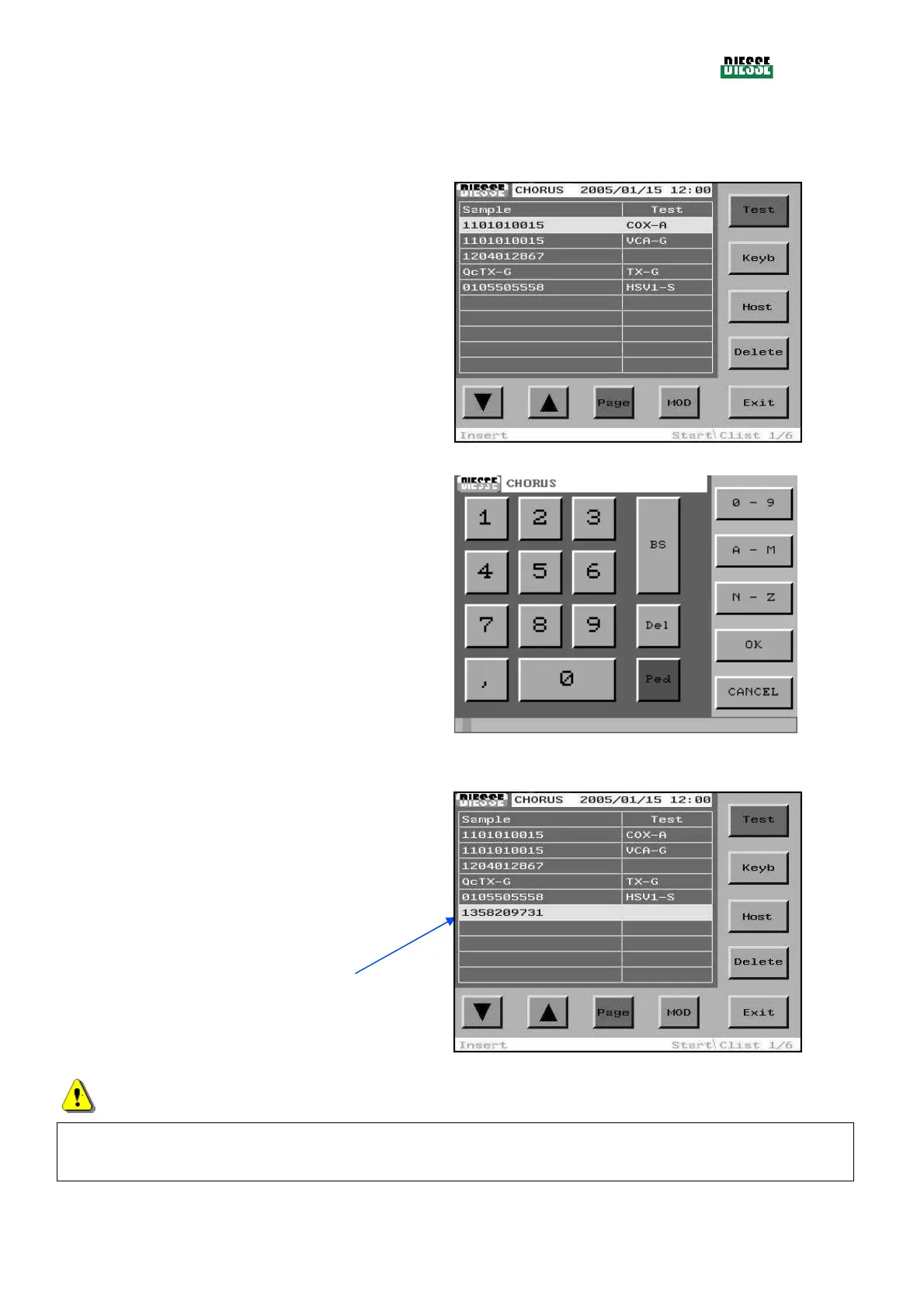
INSERTION OF A SAMPLE CODE WITH MANUAL EDITING
To insert a new sample code manually, press the Keyb
key (in the insertion mode, the position of the selection
bar is not important).
fig. 48
Insert the code manually in the editing window.
To save and exit, press the OK key (to exit without
saving, press Cancel).
fig. 49
The new code is inserted at the bottom of the list of
sample codes already present.
The selection bar moves to the new code.
fig. 50
ATTENTION
Do not insert patient codes with more than 15 characters because they will be considered erroneous
strip codes and the system will automatically discard them (a message will appear).



 To Next Page