Manuale operativo
CHORUS
Rev. 0 del 06/2012 85
4.10.2 R
EMOTE CONNECTION WINDOW
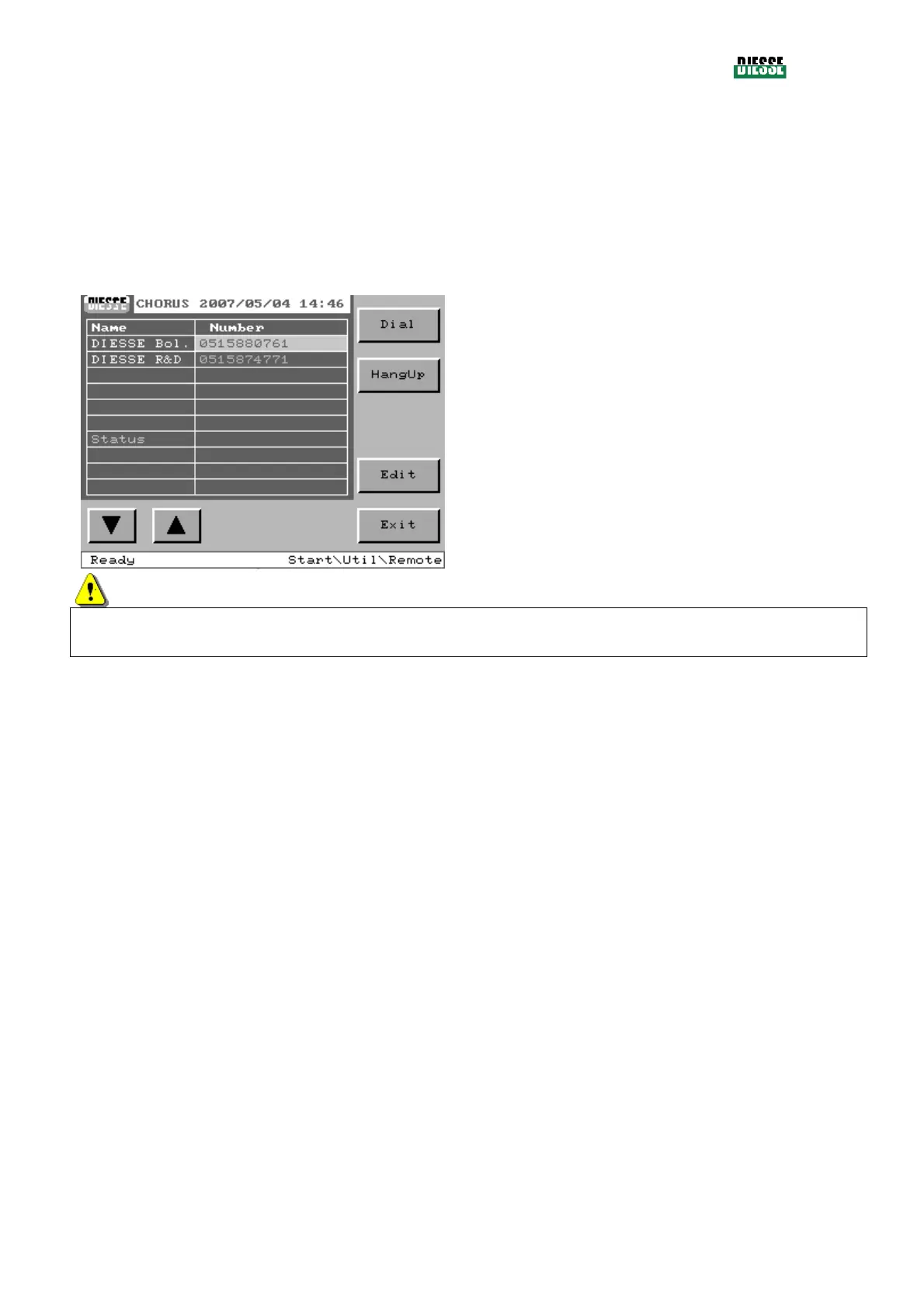
Remote connection allows the CHORUS instrument to be connected to the DIESSE assistance centers
for checks and updates.
This window shows a list of telephone numbers which are available for remote connection. The
operator can select the desired number and press the Dial key. When a connection has been
established, an icon showing the connection will appear in place of the logo.
To interrupt the connection, press Hang up.
Dial: to connect
Hang Up.: interrupts the connection (this only
appears after connection has been established)
:
to move the selection bar between the
numbers displayed
Edit: modifies the telephone number that has been
selected
Exit: returns to the utilities window
fig. 99
ATTENTION
This characteristic is available only on the domestic market of DIESSE or in those countries where
DIESSE has verified the reliability of the data transmission via modem.



 To Next Page