Manuale operativo
CHORUS
Rev. 0 del 06/2012 77
4.8 RUNNING THE CYCLE
4.8.1 T
HE CYCLE WINDOW
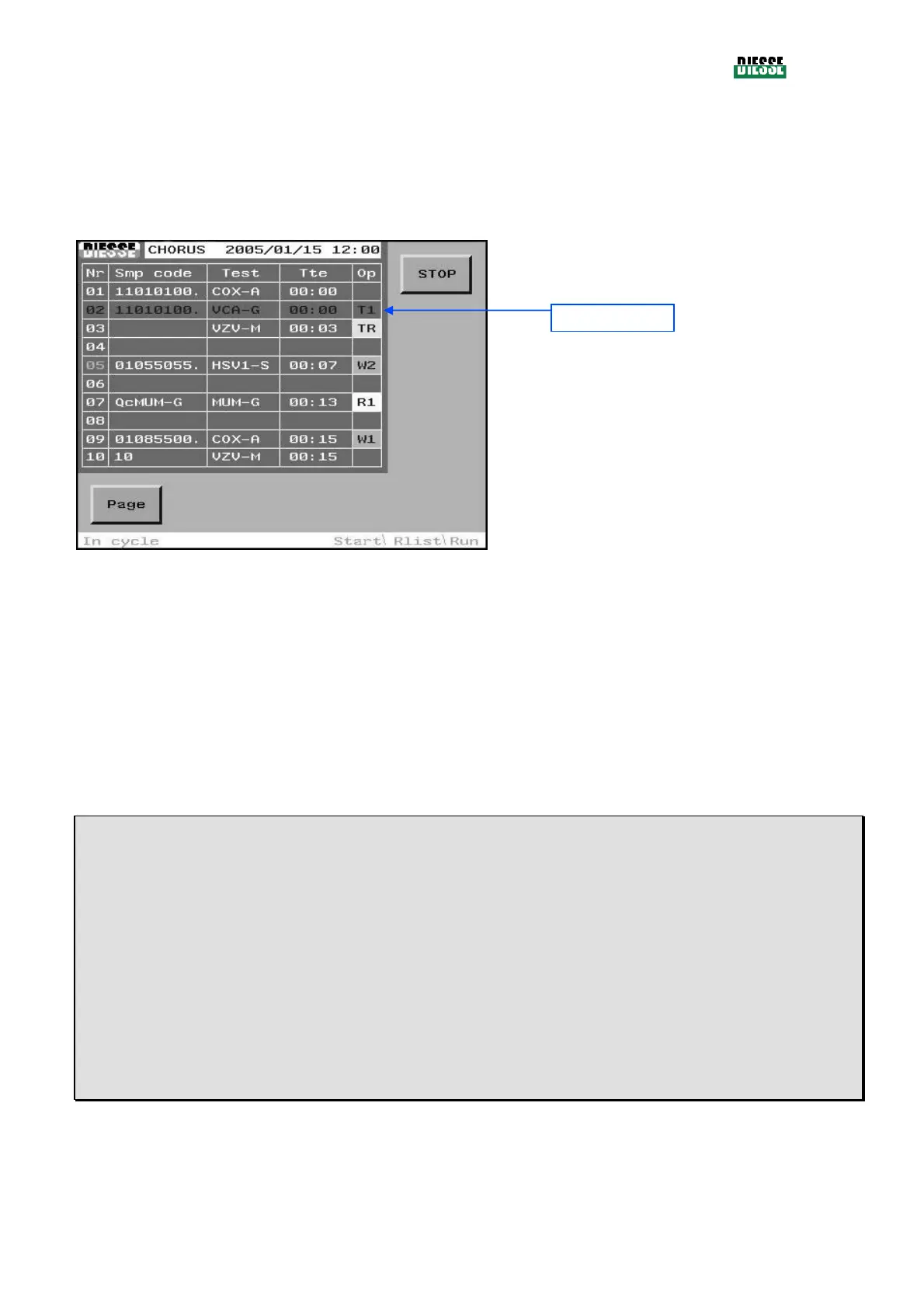
When the cycle starts, the system performs the tests programmed and the Run window appears.
STOP: interrupts the cycle
Pag: moves between pages, showing 10 samples
on each page
fig. 87
During the cycle, the sample results are displayed, stored and printed as they become available.
If there is a sample error, display and printout happen immediately. The samples with errors will appear
in red, with the error code in the OP column.
The RUN session can be interrupted at any time, using the STOP key. In this case, the operator is
asked to confirm, and the cycle is stopped after confirmation. The results of the samples already tested
are stored, and the samples still to be processed are disregarded.
The meaning of the columns in the window is as follows:
Nr :
position on the sample plate to be processed; pediatric samples are colored in blue (this characteristic is not used
at the moment, see 4.4.1)
Smp code:
alphanumeric code of the sample. This may be the code of a sample, a calibrator or a QC.
Test:
descriptive code of the test to be performed, programmed on a given sample
Tte:
indicates the time, expressed in hours: minutes required to finish the test on the corresponding sample (Time to
expiry).
Op:
indicates the code of the operation being performed on the sample.
Sample in error



 To Next Page