Manuale operativo
CHORUS
50 Rev. 0 del 06/2012
4.4 MANUAL EDITING
Manual editing substituted the barcode reader in the following cases:
- manual introduction of codes which the barcode reader is unable to read
- correction of erroneous codes
- introduction of personalized codes
- introduction of telephone numbers for remote assistance
4.4.1 D
ESCRIPTION OF THE COMMANDS IN EDITING MODE
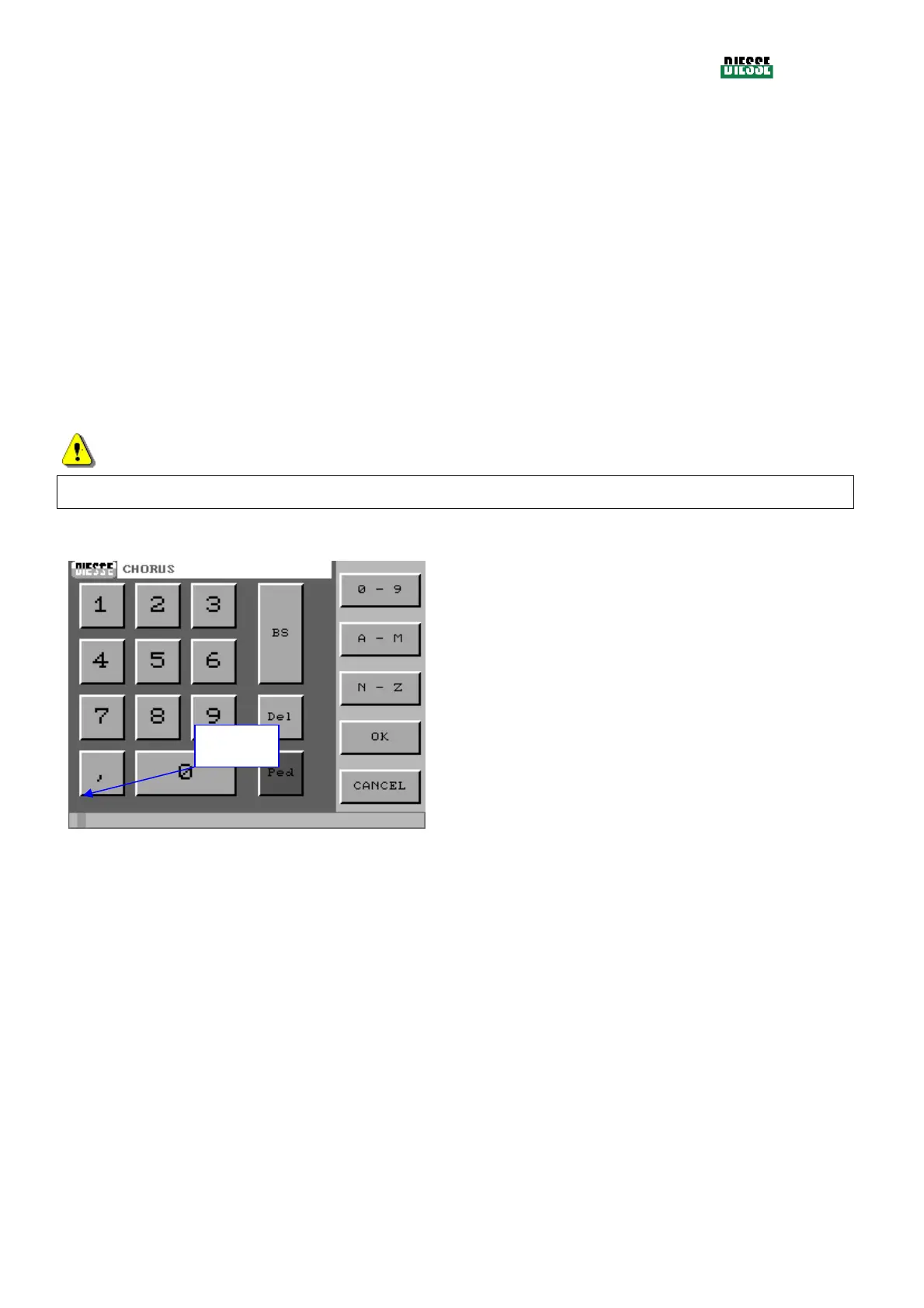
The editing window (fig. 32), displaying a numeric keyboard, allows insertion and modification of strip
codes without use of the bar code reader.
It also allows the insertion of telephone numbers to connect the instrument via modem to the centers
offering assistance.
ATTENTION
The Ped key is not used at the moment.
0-9 : shows the keys with the numbers from 0 to 9
A-M : shows the keys with the characters from A to
M
N-Z : shows the keys with the characters from N to
Z
BS : backspace
Del : deletes the current code
OK : saves the code and exit the editing window
Cancel : deletes the number selected by the
cursor
fig. 32
Even though sample codes generally have a numeric format (they have to be introduced by typing in
the exact sequence printed on the label), it is possible to introduce alphanumeric codes simply
changing, by means of the appropriate commands, the value of the keys.
The strip codes are also numeric and have to be introduced by reporting the sequence printed on the
strip label. Only exiting the editing window, the program will transform the code into the alphabetic
acronym of the relative test.
During introduction of a telephone number, the Comma key can be used, in laboratories with an
automatic telephone exchange, to insert a pause between the composition of the first number
(generally 0) to obtain the external line, and the telephone number in question.
cursor



 To Next Page