Manuale operativo
CHORUS
84 Rev. 0 del 06/2012
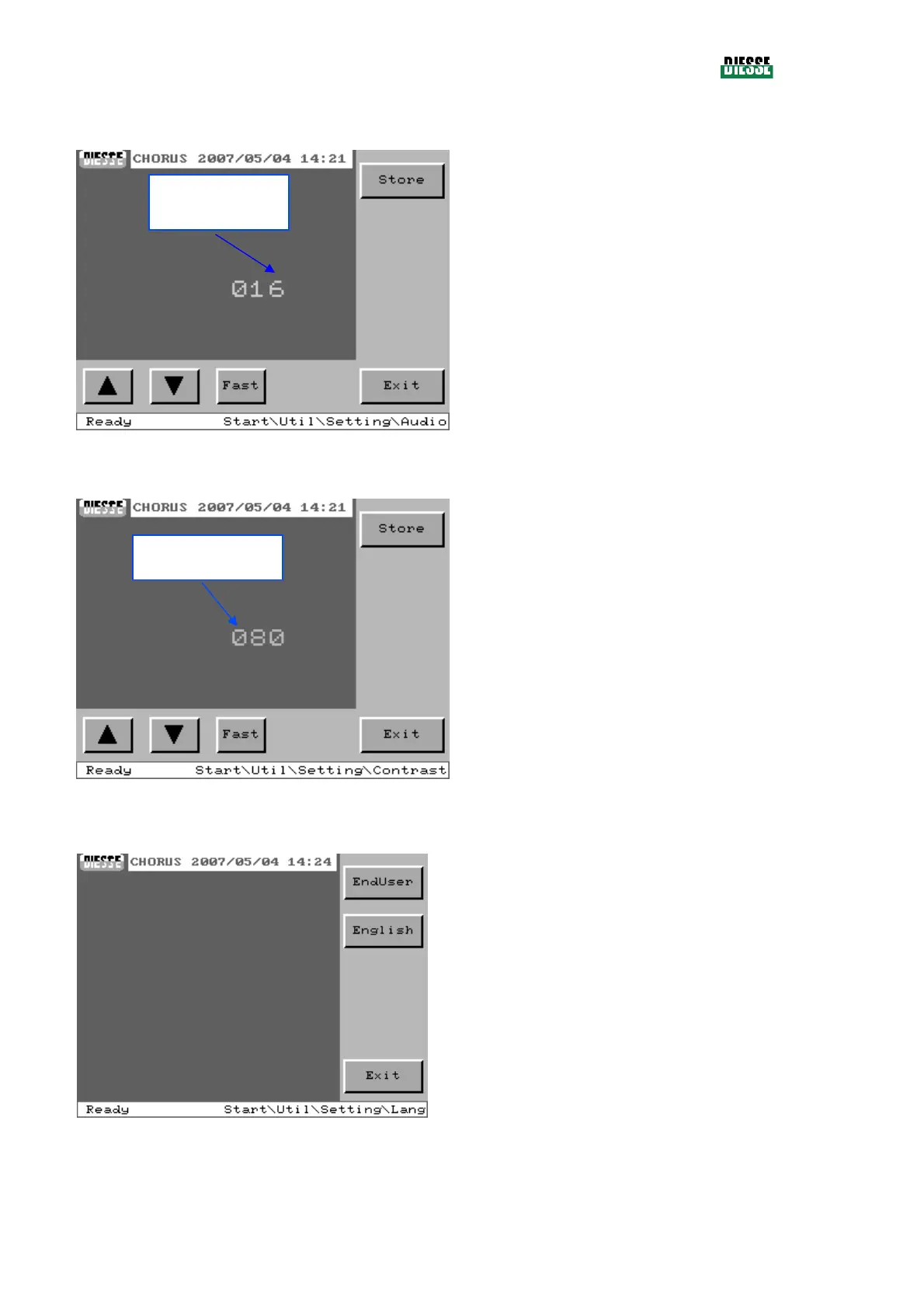
4.10.1.2 Audio setting
Store: memorizes the volume that has been set
(only enabled in case of modification)
:
increases/decreases the volume by one
unit at a time
Fast: if activated, allows increases/decreases by
ten units at a time
Exit: returns to the settings window
fig. 96
4.10.1.3 Setting of brightness of the monitor
Store: memorizes the level of brightness that has
been set (only enable In case of modification)
:
increases/decreases the level by one unit
at a time
Fast: if activated, allows increases/decreases by
ten units at a time
Exit: returns to the settings window
fig. 97
4.10.1.4 Language setting
EndUser: sets the language for the user
(enabled only if the current language is English)
English: sets the English language
(enable only if the current language is the users
language)
Exit: returns to the settings window
fig. 98
Indicator of volume
level
Indicator of brightness
level



 To Next Page