Manuale operativo
CHORUS
56 Rev. 0 del 06/2012
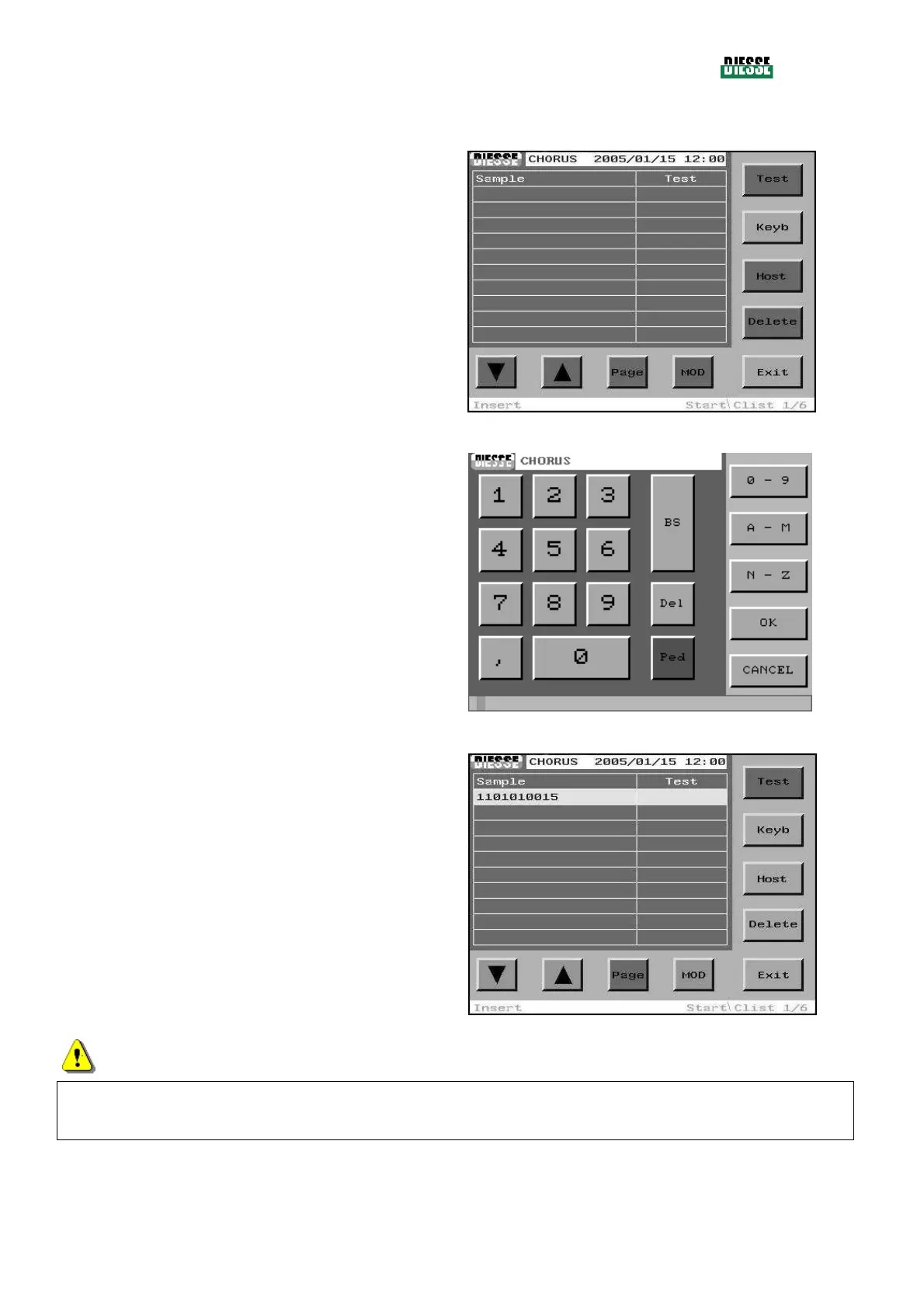
INSERTION THROUGH MANUAL EDITING
In an empty C-list the selection bar is not present and
the only keys enabled are the Keyb and Exit keys.
To insert the first sample code using manual editing,
press the Keyb.
fig. 43
The editing window opens up.
The code is inserted manually.
To save and exit, press the OK key (if the Cancel key
is pressed, the code inserted will not be saved).
fig. 44
On exiting the editing, the bar will be positioned on the
code just inserted.
The keys MOD, Host, Delete are enabled.
fig. 45
ATTENTION
Do not insert patient codes with more than 15 characters because they will be considered erroneous
strip codes and will be automatically eliminated by the system.



 To Next Page