Programming
Operating Instructions 581 - 01.0 - 05/2016 109
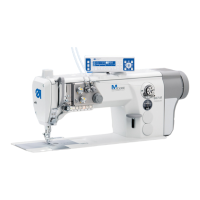
Looper adjust.
In the subitem L
ooper adjust. you can check the sewing tool
settings. To this end the sewing motor moves to the pinning points
for calibration ( Service Instructions) and then to the various
settings to check the looping stroke, needle stroke, needle pro-
tection and spreader positions.
To check the sewing tools:
1. Select Lo
oper adjust.
2. Press the button.
The machine performs a reference run. The following
appears on the display:
Fig. 63: Looper adjust. (1)











 To Next Page