SHANGHAI ESURVEY GNSS CO., LTD.
27
3. Optional: To set the code, and do one of the following:
o To directly input a code, input a code into the input box of Code.
The code is stored along with the corresponding measurement.
o To search the code from the codelist, press ↓ → F2 CODE.
It gives the possibility to add attributes to the code.
o Press ↓ twice → F2 Q_CODE and enter the shortcut to the code.
4. Optional: To switch between the individual and current point number, press ↓ three
times → F2 IndivPt.
5. Press F1 ALL to trigger measurements.
5.2.2 Stake out
This program is used to calculate the required elements of staking out, based on the
coordinates, manually input angles, horizontal distances and heights of staking out points.
To set staking out, do the following:
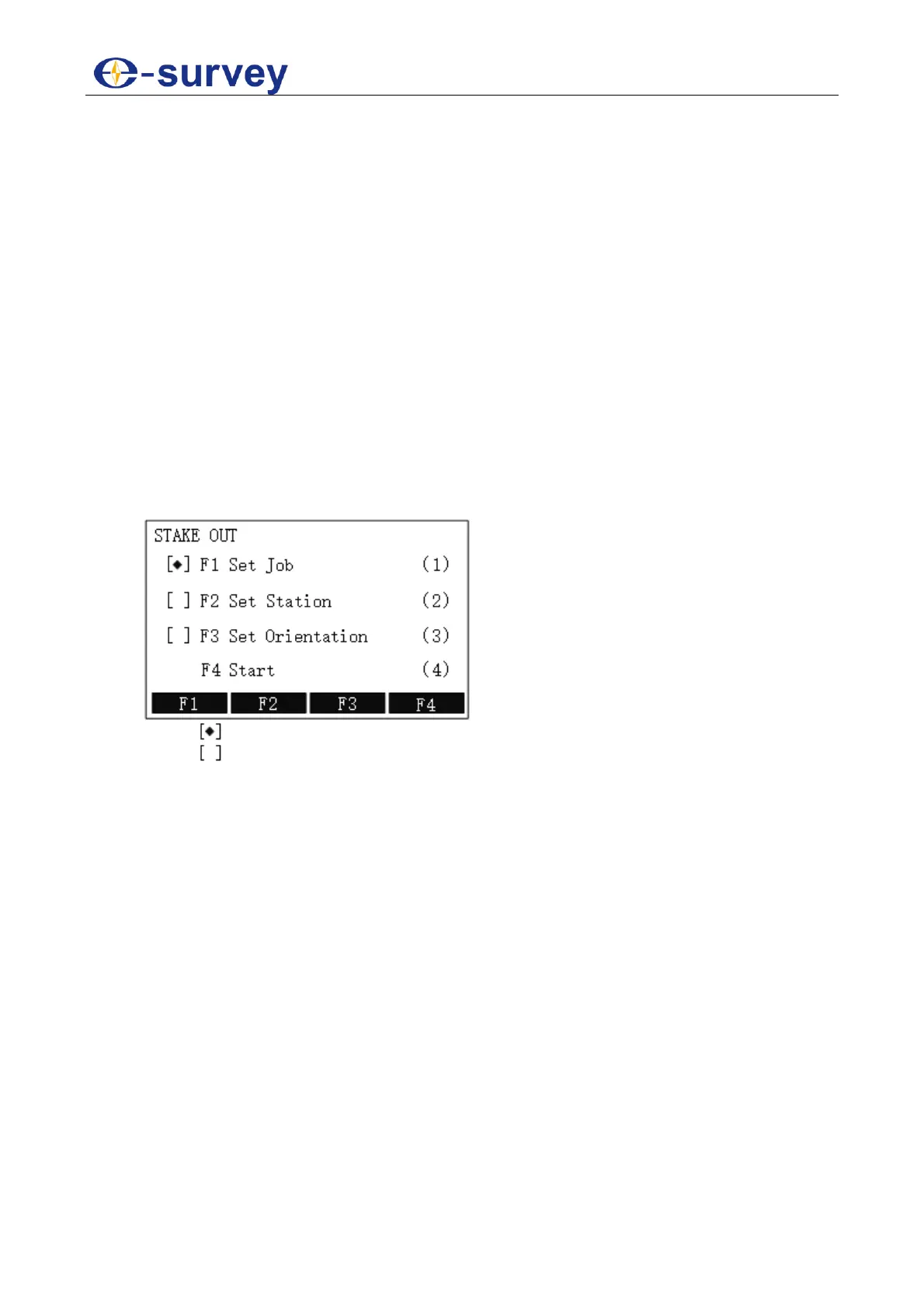
1. To enter STAKE OUT display, do one of the following:
o Press S.O.
o Press MENU and press F1 PROG / 1 to enter Program menu page, and
press F2 / 2:
o : it indicates that settings are done.
o : it indicates that settings are not done.
2. Do the following:
a. Set a Job
b. Set the Station
c. Set the Orientation
d. Start Staking out
5.2.2.1 Set a Job
See 5.2.1.1 Set a Job for details.
5.2.2.2 Set the Station
See 5.2.1.2 Set the Stationfor details.
5.2.2.3 Set the Orientation
See 5.2.1.3 Set the Orientation for details.



 To Next Page