SHANGHAI ESURVEY GNSS CO., LTD.
54
5.2.8.4 Start Reference Line/Arc
To start reference line/arc, do the following:
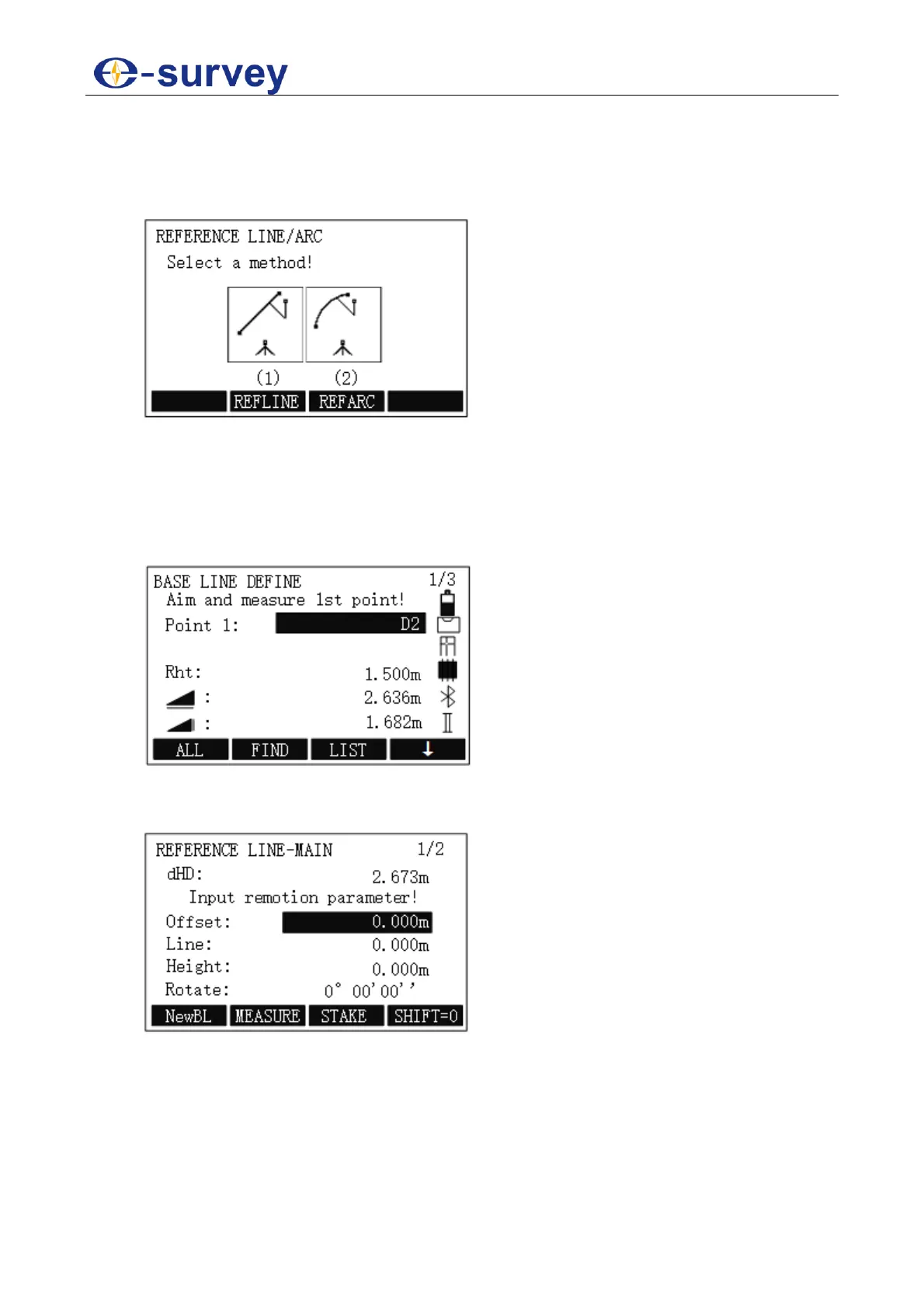
1. To enter REFERENCE LINE/ARC display, in REFERENCE LINE/ARC display,
press F4 / 4:
2. Do one of the following:
o To Set Reference Line, press F2 / 1.
o To Set Reference Arc, press F3 / 2.
5.2.8.4.1 Set Reference Line
To set reference line, do the following:
1. To select REFLINE, in REFERENCE LINE/ARC display, press F2 / 1:
2. To determine the first point, press F1 ALL. The display shows Data Saved.
3. To determine the second point, press F1 ALL. The display shows Data Saved, and
REFERENCE LINE-MAIN display shows:



 To Next Page