SHANGHAI ESURVEY GNSS CO., LTD.
55
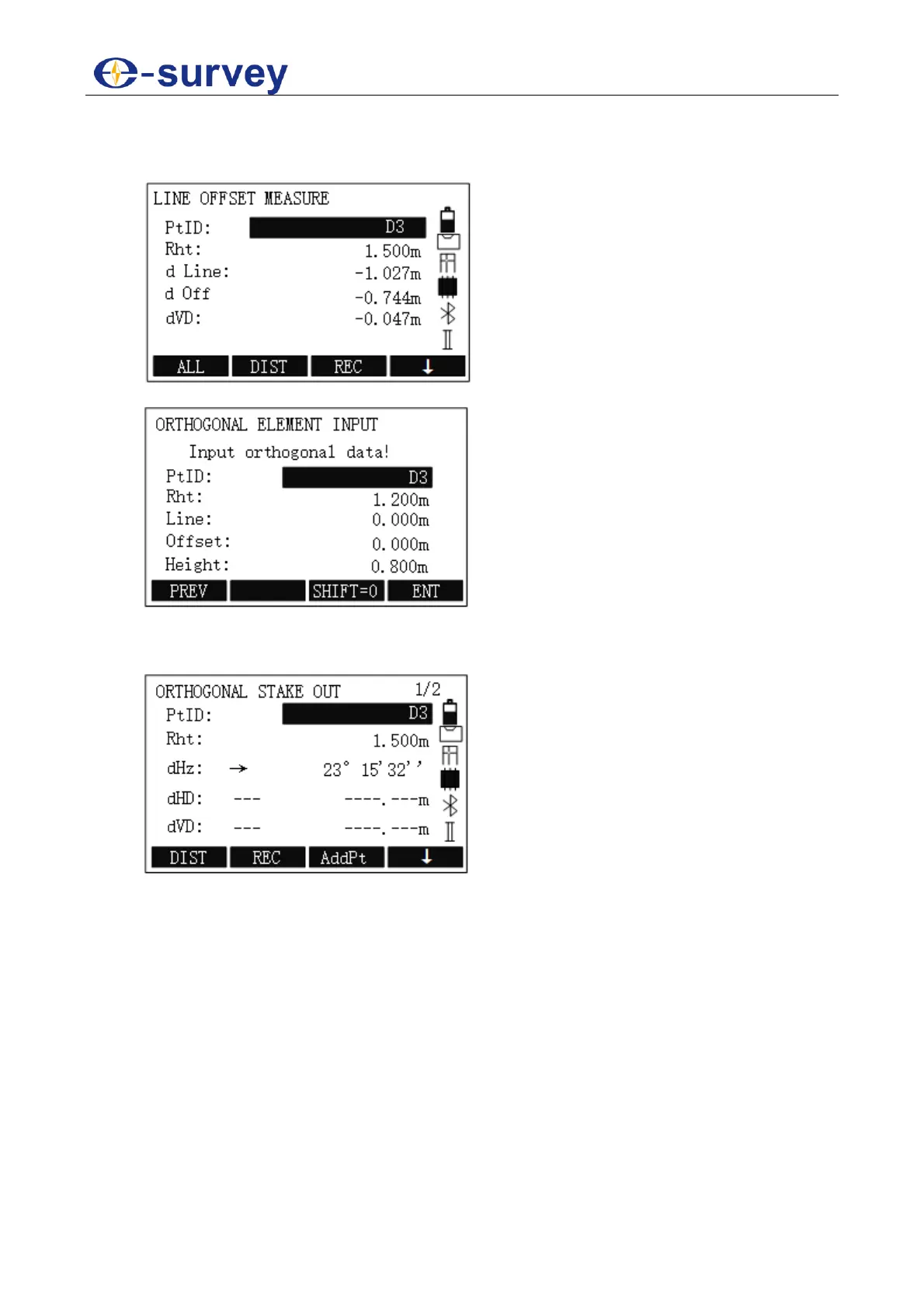
4. Input remotion parameters, and press F2 MEASURE to enter LINE OFFSET
MEASURE display, input data, and press F1 ALL to trigger measurement in LINE
OFFSET MEASURE display:
5. In REFERENCE LINE-MAIN display, press F3 STAKE:
6. Input data for orthogonal staking out, including PtID, reflector height, longitudinal
offset, transversal offset and height.
7. Press F4 ENT for confirmation and start orthogonal staking out:
8. Press ↓ → F1 ALL to trigger measurement.
9. Optional: To start staking out for the next point, press F3 AddPt and repeat step 6
~ 8.



 To Next Page