SHANGHAI ESURVEY GNSS CO., LTD.
86
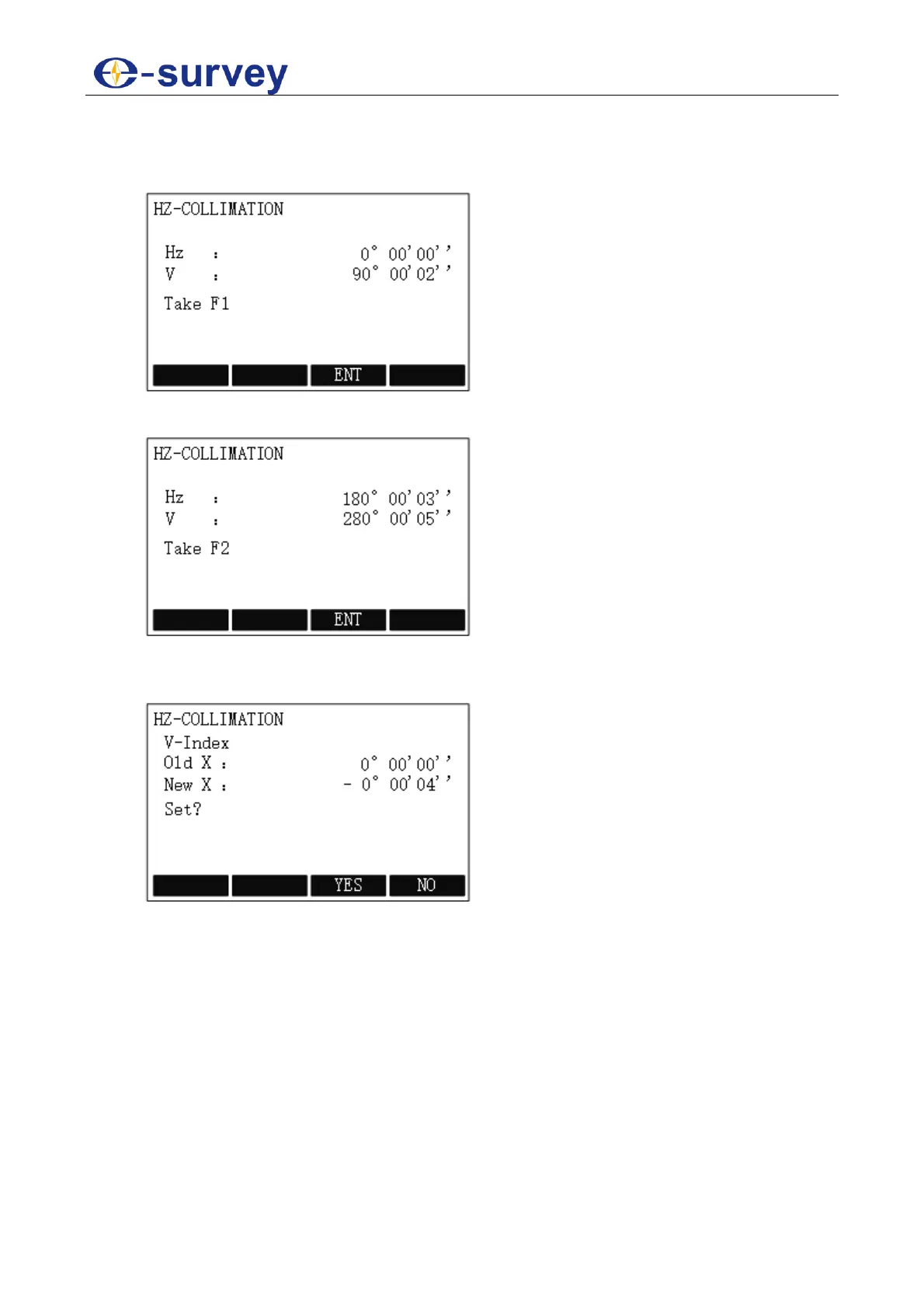
To adjust the horizontal collimation error, do the following:
1. To select Hz-Collimation, Press MENU, press PAGE to go to the second page,
press F1 ADJ / 5, and press F1 / 1 in CHECK &ADJUST display:
2. To get the face left angle reading F1, aim at the cross-hairs of collimator or the
obvious target at a distance at telescope left, and press F3 ENT:
3. To get the face right angle reading F2, aim at the cross-hairs of collimator or the
obvious target at a distance at telescope right, and press F3 ENT. The system
automatically calculates the new collimation error:



 To Next Page