101
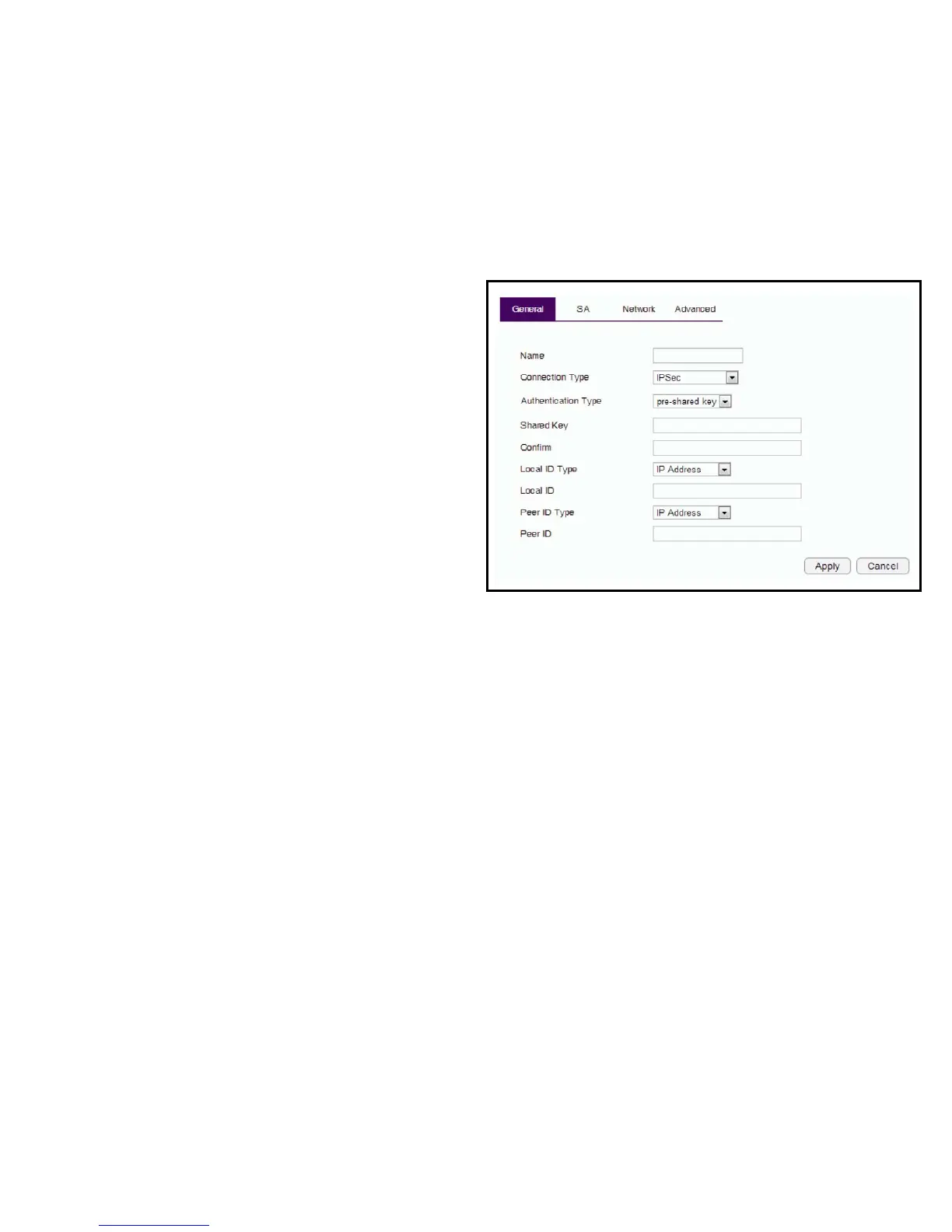
General
FormanuallyconguringaVPNtunnelprole.
Name: Enterthenameforthisprole.
Connection Type: Clickthedrop-downmenutoselectthe
connectiontype(PPTP,L2TP,IPSec,L2TPoverIPSec).
Authentication Type:Clickthedrop-downmenutoselectthe
authentication type.
Shared Key:Enterthesharedkeytobeusedforthisprole.
Conrm: Enterthesharedkeyasecondtimetoconrmthe
shared key.
Local ID Type:Clickthedrop-downmenutoselectthetypeof
IDusedforthisprole(IPaddress,DomainName,Email
Address).
Local ID: EnterthelocalIDdesignationbasedondenitiontype
fromLocalIDType,previouseld.
Peer ID type: Clickthedrop-downmenutoselectthetypeof
PeerIDforthisprole(IPaddress,DomainName,Email
Address).
Peer ID: EnterthePeerIDdesignationbasedondenitiontype
fromPeerIDType,previouseld.
Apply: ClickApply to save the changes.
Cancel: ClickCancel to delete the changes.



 To Next Page