89
Setting Autoconguration
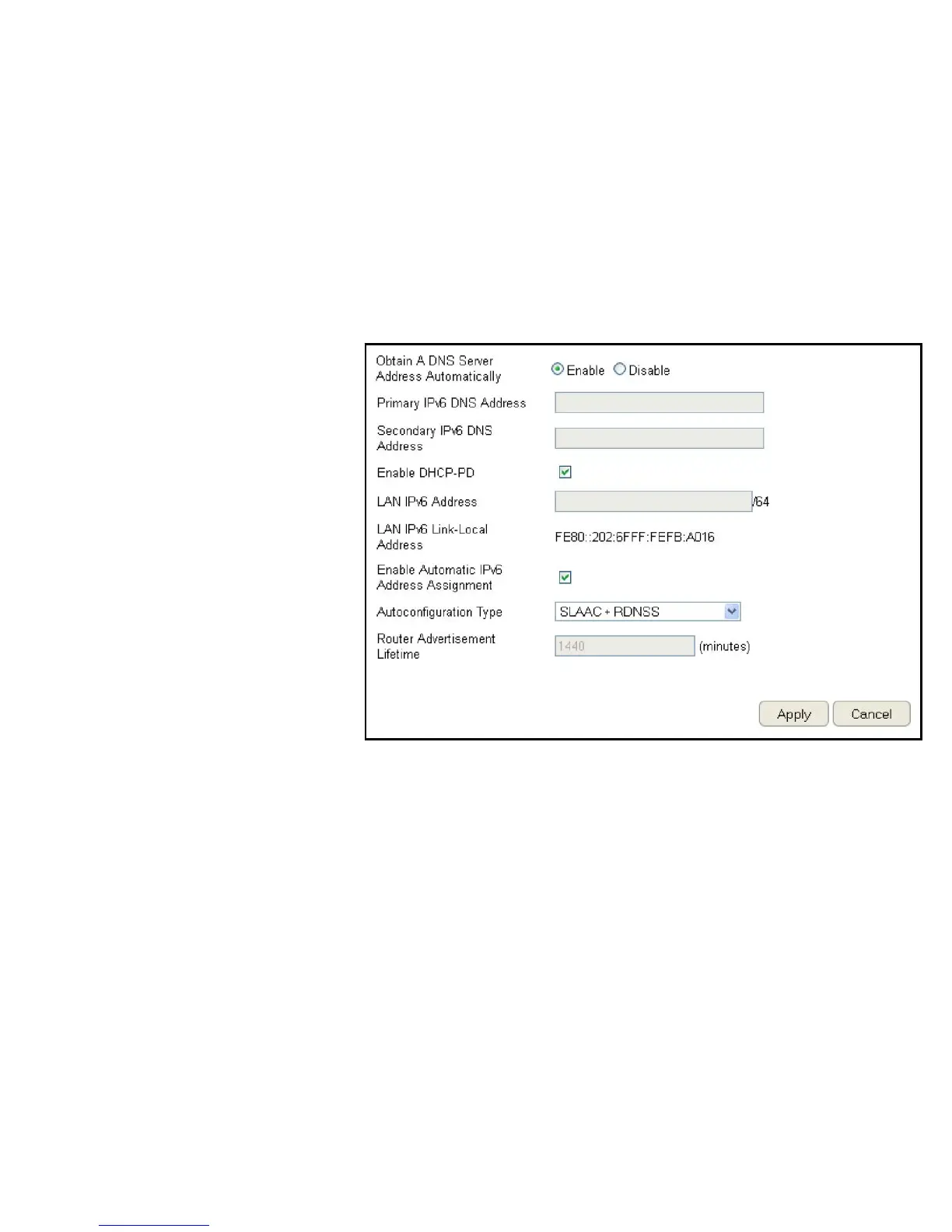
ToviewtheAutoCongurationsettings,clickIPv6 then select Auto Conguration.
Obtain A DNS Server Address Automatically
EnableordisableobtainingaDNSserver
automatically.
Primary IPv6 DNS Address
EntertheprimaryIPv6DNSaddress.
Secondary IPv6 DNS Address
EnterthesecondaryIPv6DNSaddress.
Enable DHCP-PD
EnableordisableDHCP-prexdelegation(PD).
LAN IPv6 Address
EntertheLANIPv6address.
LAN IPv6 Link-Local Address
EntertheLANIPv6link-localaddress.
Enable Automatic IPv6 Address Assignment
EnableordisableautomaticIPv6addressassignment.
Autoconguration Type
Entertheautocongurationtype.(Default:SLAAC+RDNSS)
Router Advertisement Lifetime
EntertheIPv6AddressLifetime(inminutes).
ClickApply to save the settings or Cancel to discard changes.



 To Next Page