82
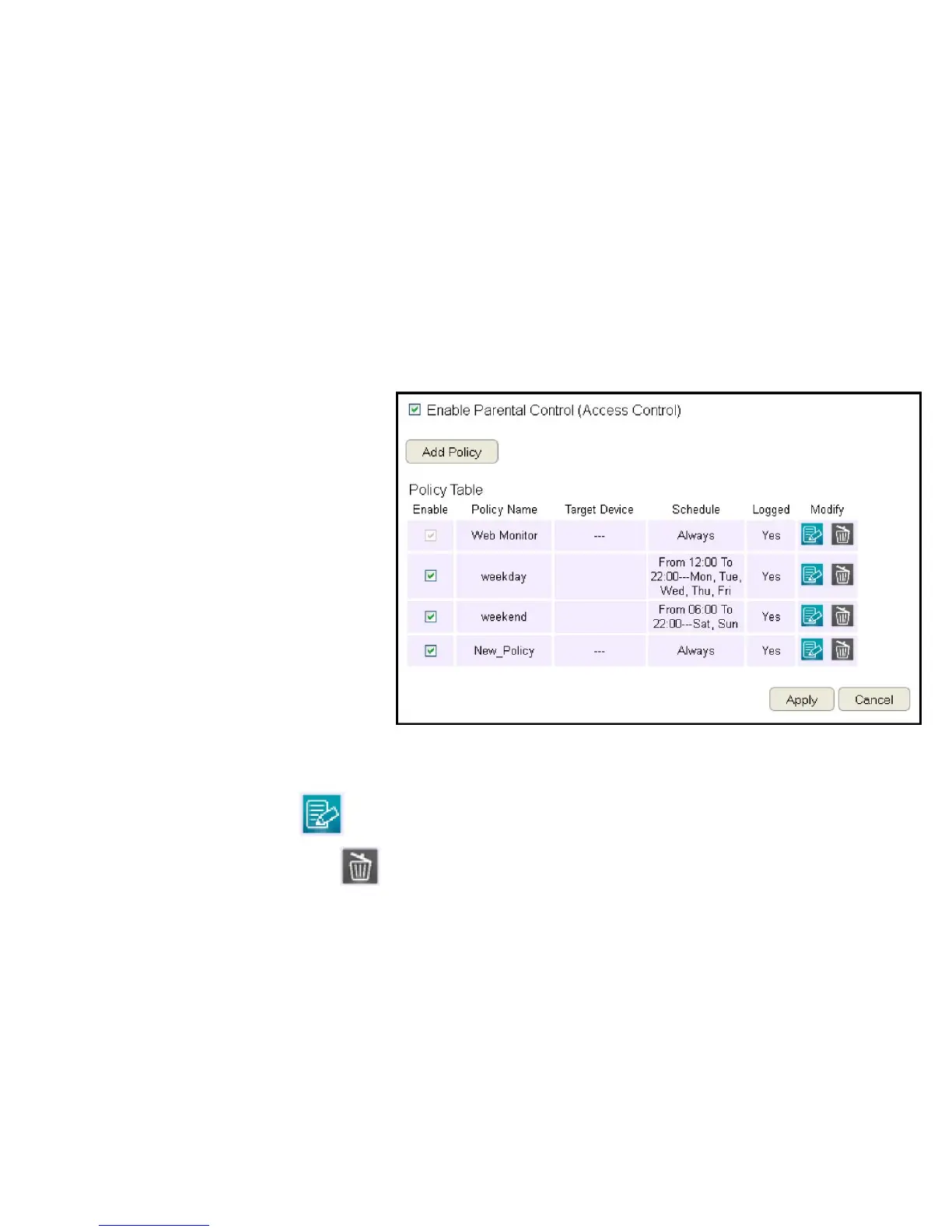
Viewing Parental Policies
Availableparentalcontrolpoliciesareshowninatableandeachpolicycanbeenabledordisabled,edited,anddeleted.
ToviewtheWebsettings,clickParental Control then select Web Monitor.
Enable
Clicktoenableordisablethecontrolpolicy.
Policy Name
Showsthecontrolpolicyname.
Target Device
ShowsthetargetdeviceMACaddressorIPaddress.
Schedule
Showsthecontrolpolicyschedule.
Logged
Showswhetherthecontrolpolicyisstoring
log information.
Modify
EditapolicybyclickingtheEdit Button.
DeleteapolicybyclickingtheDelete Button.



 To Next Page