42
Conguring the LAN
(Local Area Network)
Thesettingsonthispageallowyoutocongurethewired
networksettings.Devicesconnectedtotherouter’sEthernet
portscompriseitsLAN.Therouter’sIPisdenedintheIP
Addresseld.ThedefaultsettingoftheDHCPserverisset
to Enabledsothatnetworkedclients(computers,home
entertainmentcomponents,printers,etc.)willautomaticallybe
assignedIPaddressesbytherouter.
MoreadvancedusersmaywishtoconguretheDNSserver
settingstomeettheirspecicrequirements.Changingthe
settings in this section are not necessary for most situations.
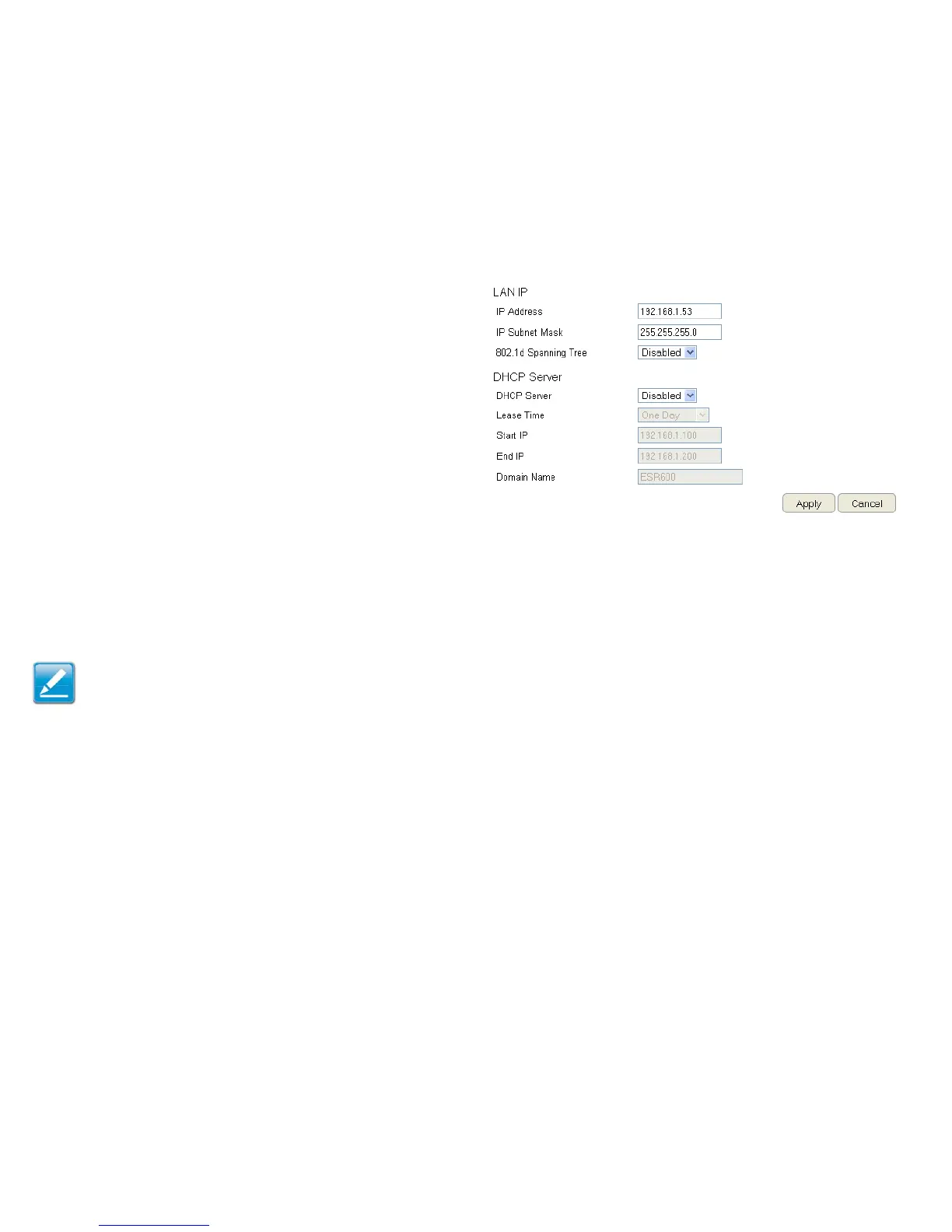
ToviewtheLANsettings,clickSystem, then click LAN.
Note: Keep the router’s default values if you are uncertain of
the settings values.
LAN IP
IP Address
Forconguringtherouter’sLANIPaddress.
IP Subnet Mask
Forconguringtherouter’sLANSubnetMask
802.1d Spanning Tree
SpanningTreeisdisabledbydefault.Whenenabled,Spanning
Treepreventsnetworkloops(transmissionswon’tpassthe
samenodetwiceorseveraltimestoreachthedestination).
Note:
ThedefaultdeviceIPaddressis192.168.0.1.



 To Next Page