112
Port Forwarding Setup
PortforwardingenablesmultipleserverapplicationsonaLANtoserveclientsonaWANoverasingleWANIPaddress.Therouter
acceptsincomingclientpackets,ltersthembasedonthedestinationWAN,orpublic,portandprotocolandforwardsthepacketsto
theappropriateLAN,orlocal,port.UnliketheDMZfeature,portforwardingprotectsLANdevicesbehindtherewall.
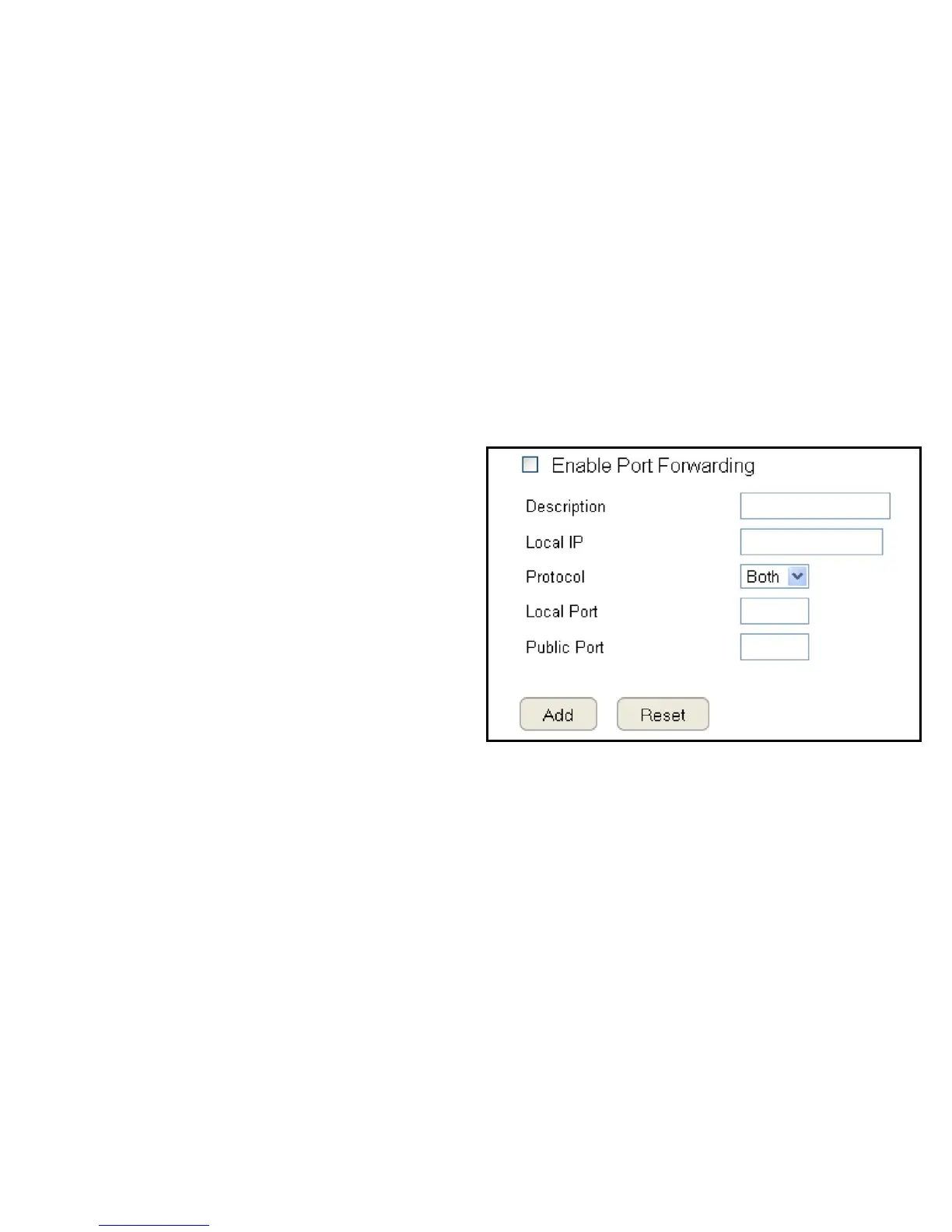
ToviewthePortForwardungsettings,clickAdvanced then select Port Forwarding.
Enable Port Forwarding
ClickEnablePortForwardingtoactiveportforwarding.
Description
Enternotesordetailsabouttheforwardedportconguration.
Local IP
EnterthelocalIPaddressoftheserverbehindtheNATrewall.
Protocol
Selecttheprotocoltouseformappingfromthefollowing:TCP,
UDPorBoth.
Local Port
EntertheLANportnumberthatWANclientpacketswillbe
forwardto.
Public Port
EntertheWANportnumberthatclientswillsendtheirpackets
to.
ClickAddtoappendanewcongurationtothetableorReset
to discard changes.



 To Next Page