124
Tools Setup
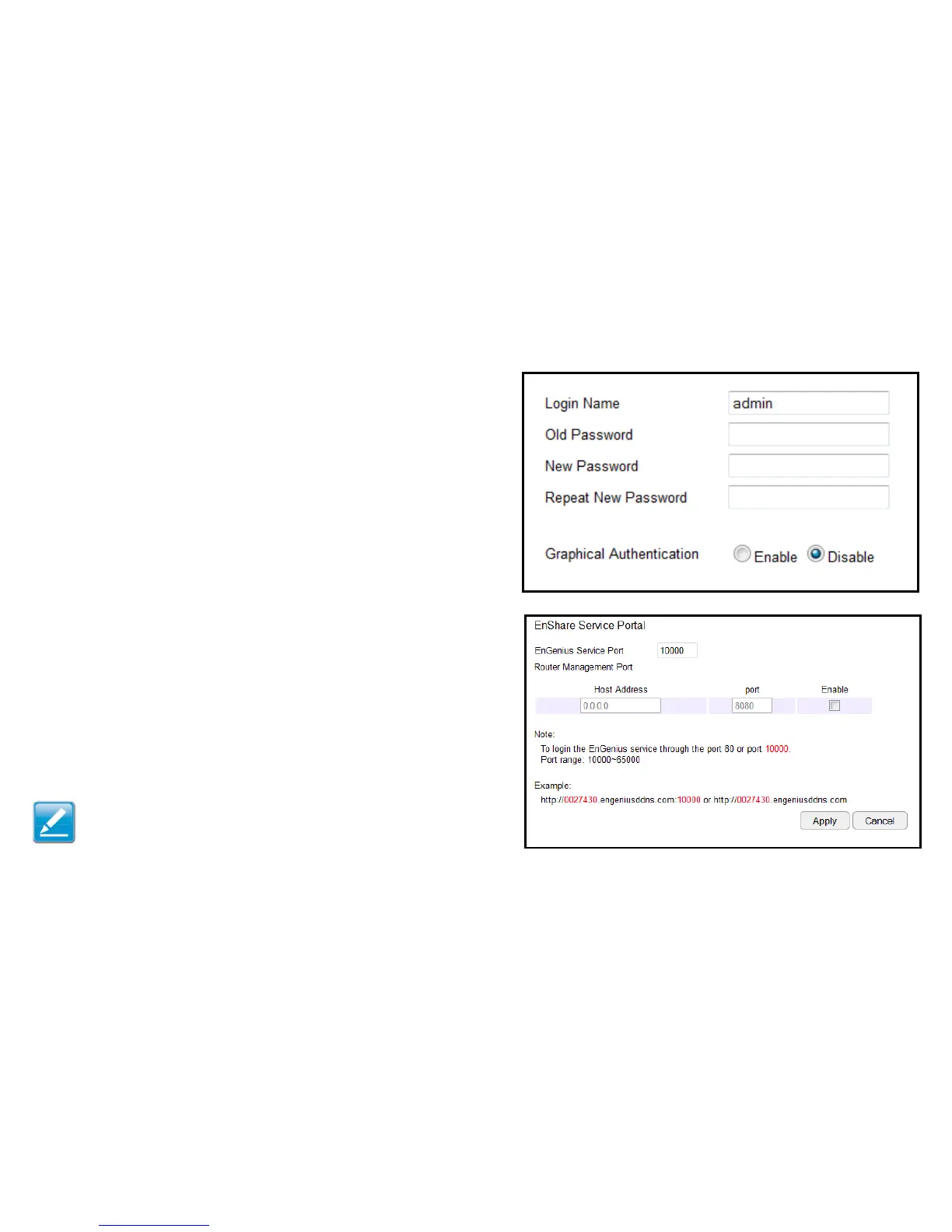
Conguring the Administrator Account
Changetherouter’ssystempasswordaswellassetupadevice
toremotelycongurethesettings.
ToviewtheAdminsettings,clickTools then select Admin.
• Login Name:Keeporchangeexistingloginname
• Old Password:Entertheexistingadministratorpassword
• New Password:Enterthenewadministratorpassword
• Repeat New Password: Re-typethenewadministratorpassword
• Graphical Authentication: ToenableordisableCAPTCHA
Remote Management
• Host Address: Enter the designated host IP Address.
• Port: Entertheportnumber(Default:8080)forremoteaccessing
managementwebinterface.
• Enable:Selecttoenableremotemanagement.
ClickApply to save the settings or Cancel to discard changes.
Note: To access the settings of the ESR Series Router remotely,
entertherouter’sWANIPaddressandportnumber.



 To Next Page