97
Conguring Demilitarized Zone
ConguringadeviceontheLANasaDemilitarizedZone(DMZ)hostallowsunrestrictedtwo-wayInternetaccessforInternet
applications,suchasonlinevideogames,torunfrombehindtheNATrewall.TheDMZfunctionallowstheroutertoredirectall
packetsgoingtotheWANportIPaddresstoaparticularIPaddressontheLAN.Thedifferencebetweenthevirtualserverandthe
DMZfunctionisthatavirtualserverredirectsaparticularserviceorInternetapplication,suchasFTP,toaparticularLANclientor
server,whereasaDMZredirectsallpackets,regardlessoftheservice,goingtotheWANIPaddresstoaparticularLANclientorserver.
ADMZhostallowsacomputertohaveallitsconnectionsandportscompletelyopenduringdatatransmission.
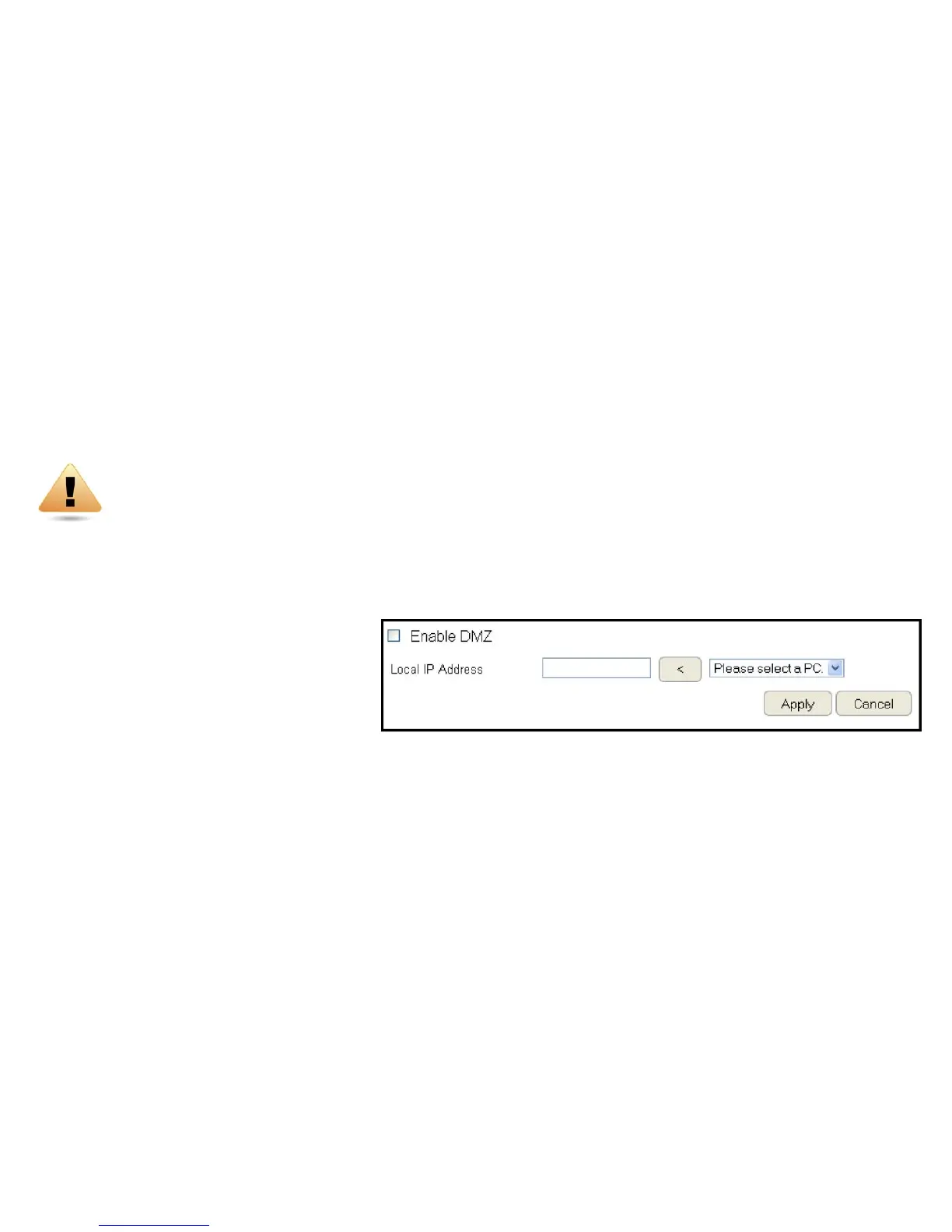
ToviewtheDMZsettings,clickFirewall then select DMZ.
Enabling DMZ
ClickEnableDMZtoactivateDMZfunctionality.
Local IP Address
EnteranIPaddressofadeviceontheLAN.
ClickApply to save the settings or Cancel to discard changes.
WARNING!ThePCdenedasaDMZhostisnotprotectedbytherewallandisvulnerabletomaliciousnetworkattacks.
DonotstoreormanagesensitiveinformationontheDMZhost.



 To Next Page