55
Conguring PPPoE
Point-to-PointProtocoloverEthernet(PPPoE)isusedmainlyby
ISPsthatprovideDSLmodemstoconnecttotheInternet.
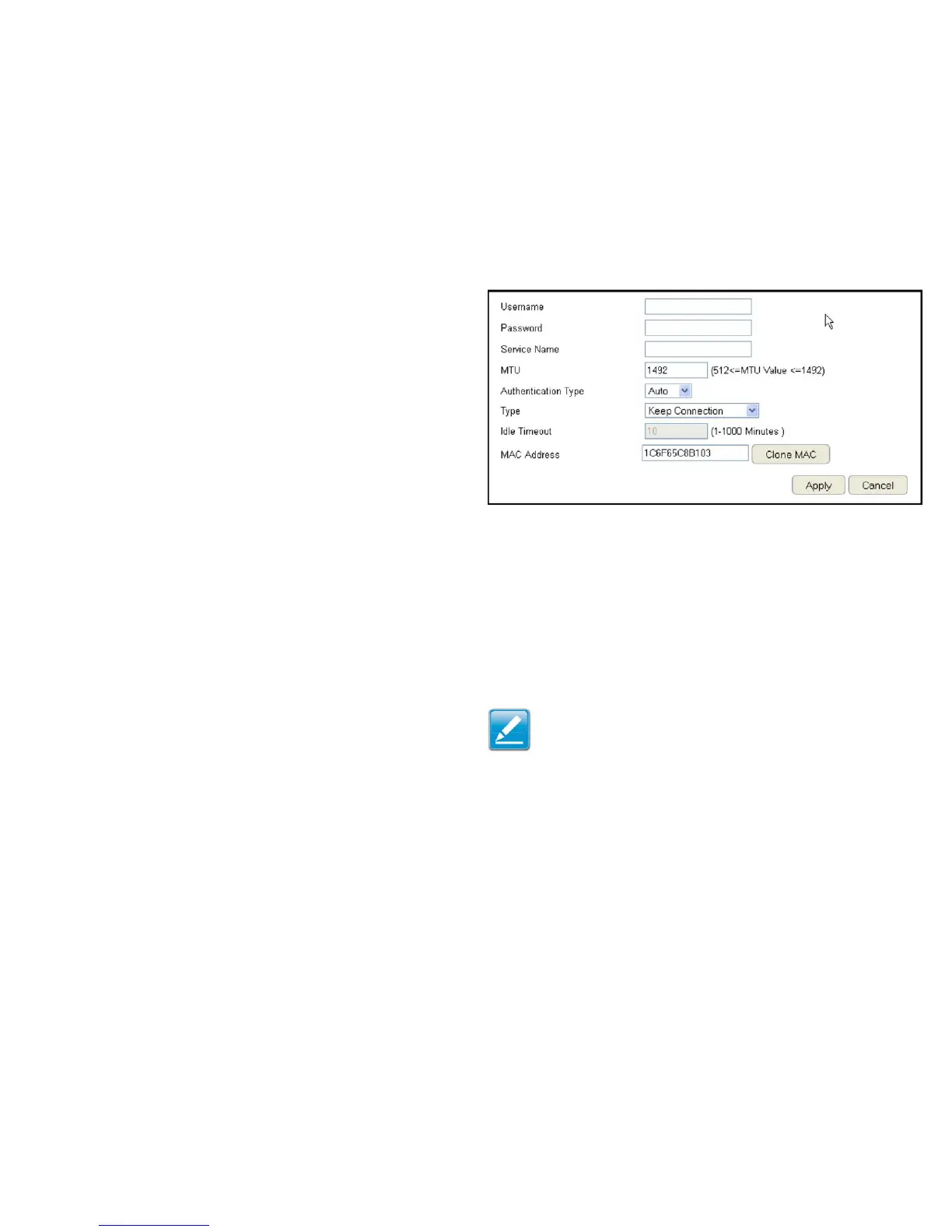
ToviewthePPPoEsettings,clickInternet, then click PPPoE.
Username
EntertheusernameassignedbyanISP.
Password
EnterthepasswordassignedbyanISP.
Service Name
EntertheservicenameofanISP(optional).
MTU (Maximum Transmission Unit)
Enterthe(MTU).TheMTUspeciesthelargestpacketsize
permittedforaninternettransmission(PPPoEdefault:1492).
TheMTUsizecanbesetbetween512and1492.
Authentication Type
SelectthetypeofauthenticationprovidedbytheISP:Auto,PAP,
orCHAP.Ifunsureofthebestsetting,selectAutoorcheckwith
your Internet Service Provider.
Type
Conguretheconnectiontypebetweentherouterandthe
ISP.Selectoneofthefollowing:Keep Connection, Automatic
Connection or Manual Connection.
Idle Timeout
Congurethemaximumidletime(1to1,000minutes)allowed
for an inactive connection.
Clone MAC
EntertheMACaddressofthedevices’networkinterface
card(NIC)intheMACaddresseldandclickCloneMAC.
Note: SomeISPprovidersrequireregisteringtheMACaddress
ofthenetworkinterfacecard(NIC)connecteddirectlyto
thecableorDSLmodem.CloneMACmaskstherouter’s
MACaddresswiththeMACaddressofthecomputer’sNIC.
ClickApply to save the settings or Cancel to discard the
changes.



 To Next Page