99
Virtual Private Network Setup
AVirtualPrivateNetwork(VPN)providesasecureconnectionbetweentworemotelocationsortwousersovertheInternet.It
providesauthenticationtosecurelyencryptdatacommunicatedbetweenthetworemoteendpoints.TheShortModelNamesupports
upto5VPNtunnels,makingitidealforsmall-ofce/home-ofceusersoremployeeswhoworkfromhomebutneedtocommunicate
securelybacktothemainofce.
Viewing Status
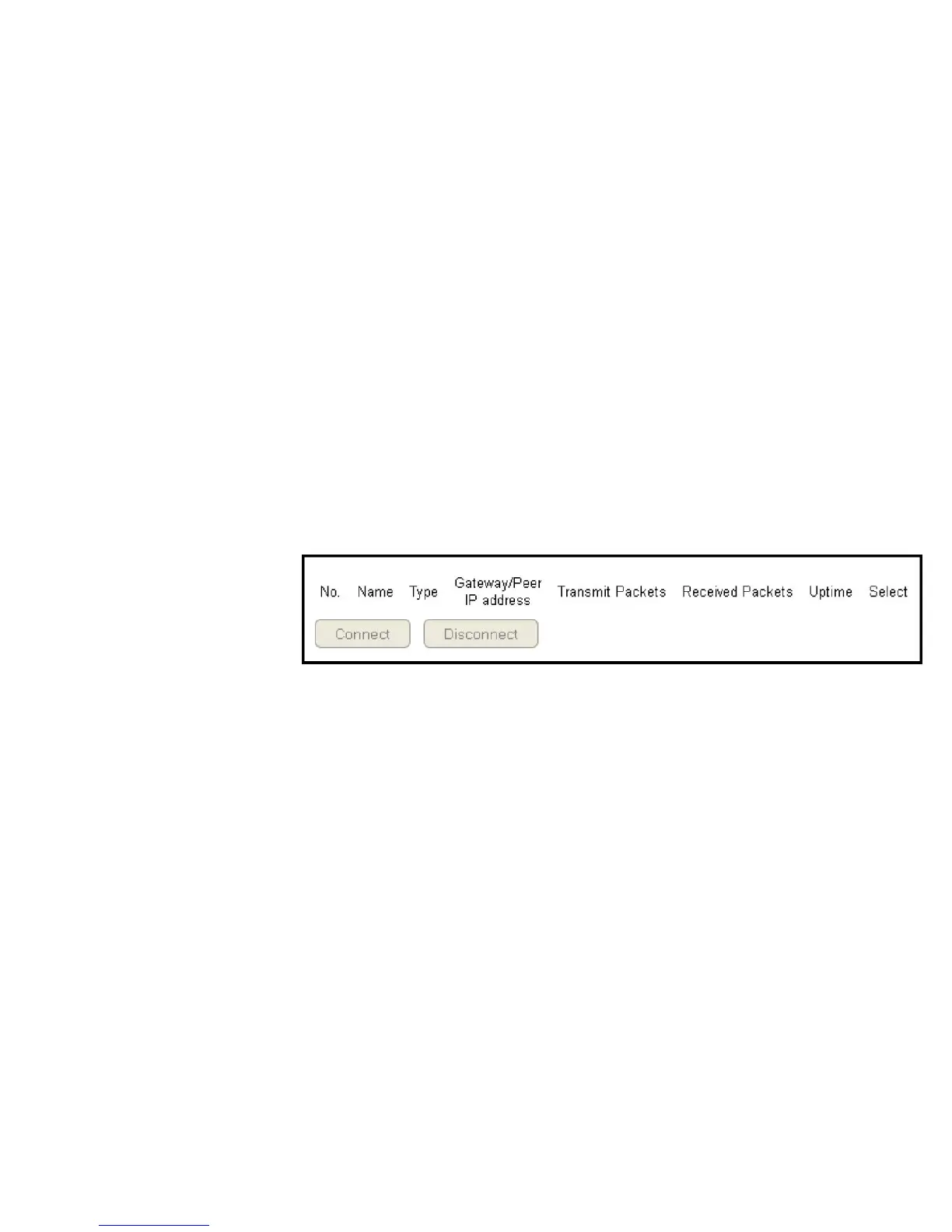
ToviewtheStatussettings,clickVPN then select Status.
No. (Number)
ThesequencenumberoftheVPNtunnel.
Name
ThenameoftheVPNtunnel.
Type
ThetypeofVPNtunnel.
Gateway/Peer IP Address
TheVPNgatewayorpeerIPaddress.
Transmit Packets
Thenumberofpacketstransmitted.
Received Packets
Thenumberofpacketsreceived.
Uptime
TheamountoftimetheVPNhasbeenactive.
Select
Indicatesthedevice(s)thatcanhaveactionsperformedonthem.



 To Next Page