73
Conguring Wi-Fi Protected Setup
Wi-FiProtectedSetup(WPS)isanquickandeasywaytoassociateanewwirelessclientdevicetotheencryptedrouterusingaPINor
theWPSbuttonsoneachdevice.
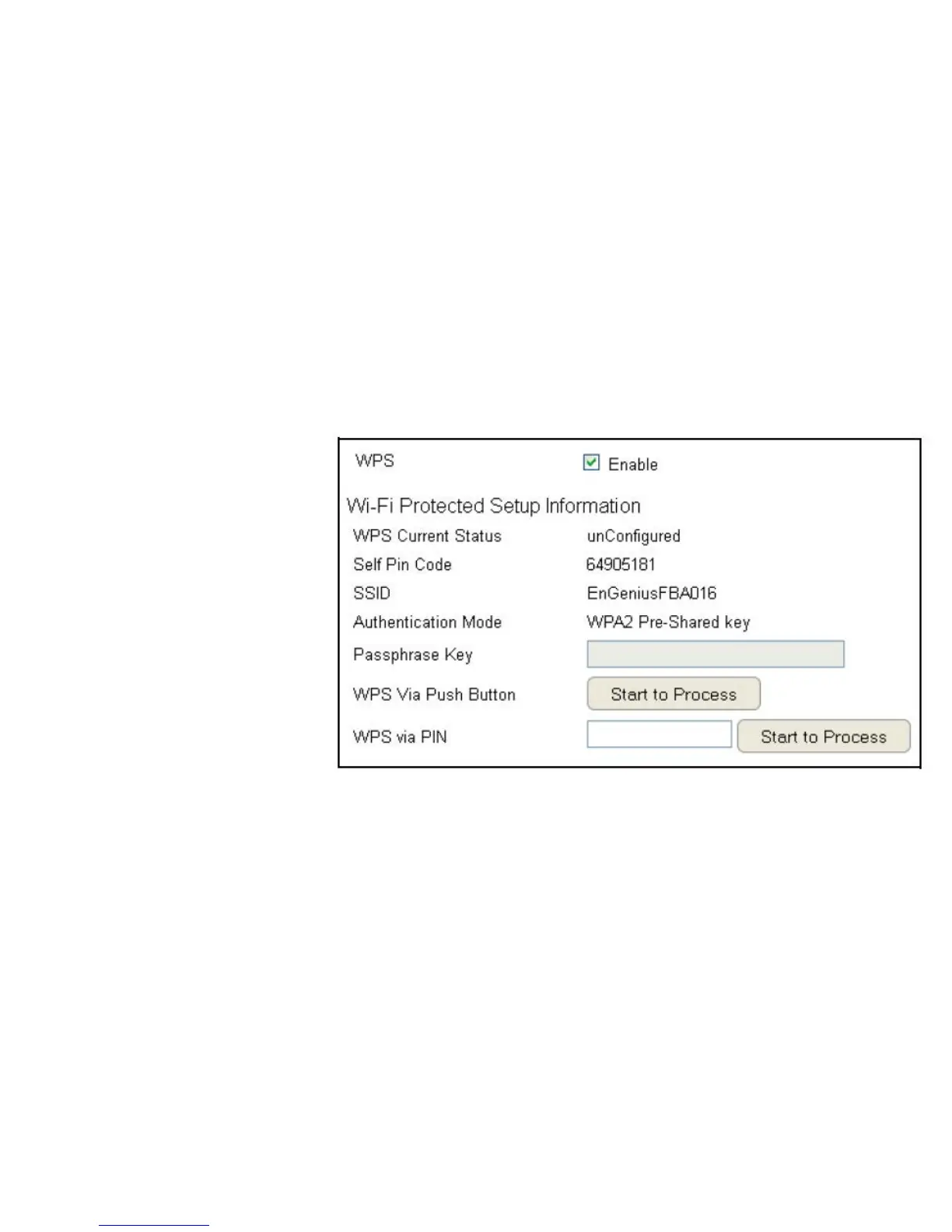
ToviewtheWPSsettings,clickWireless then select WPS.
WPS
EnableordisableWPS.
WPS Current Status
Displayswhetherornotthe
wirelesssecurityiscongured.
Self Pin Code
An8-digitPINwhichisrequired
whenconguringtherouter
forthersttimeinWindows7orVista.
SSID
Thenameofthewirelessnetwork.
Authentication Mode
The current security settings for the
correspondingSSID(wirelessnetwork).
Passphrase Key
Arandomlygeneratedkeycreatedby
therouterduringtheWPSprocess.
WPS via Push Button
Click“Start to Process”toactivateWPS.
WPS via PIN
Enter the PINofawirelessdeviceclick“Start to Process” to
activateWPS.



 To Next Page