32
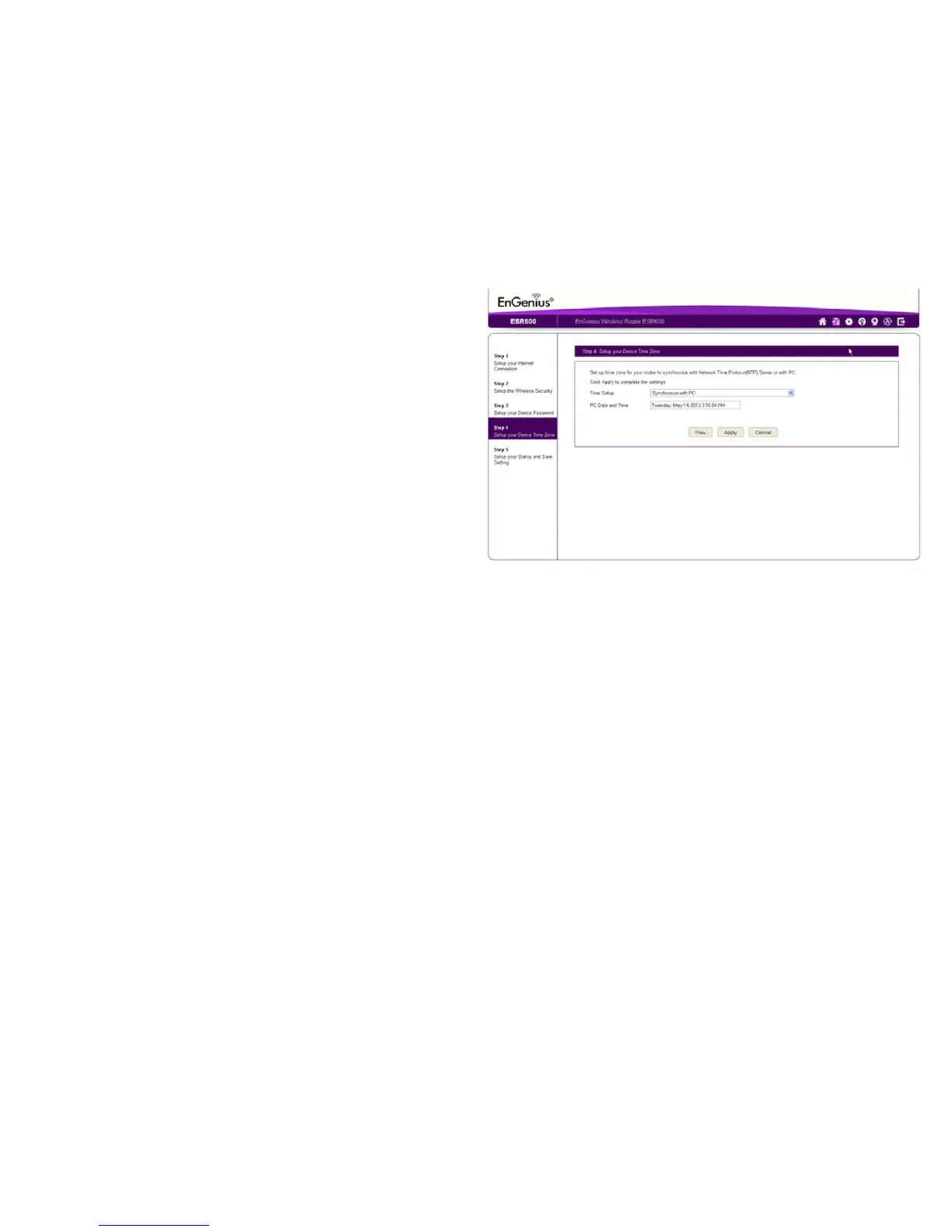
Setting Your Router’s Time Zone
SetupdateandtimesyncronizationontheESRSeriesRouter
withacomputeroranNetworkTimeProtocol(NTP)server.
Tosynchronizedateandtimesettingswithacomputer,follow
thesesteps:
1.SelectSynchronizewithPC(computer)fromtheTime Setup
dropdownlist.ThedateandtimevaluesareshowninthePC
Date and Timetexteld.
2.ClickPrev to return to the previous screen, Apply to save the
settings, or Cancel to stop the procedure.
TosynchronizethedateandtimesettingswithanNTPserver,
followthesesteps:
1. Select SynchronizewithNTPServerfromtheTime Setup
dropdownlist.
2.SelectatimezonevaluefromtheTime Zonedropdownlist.
3.EnteranIPaddressordomainnameofanNTPserverinthe
NTP Servertexteld.
4.ClicktheEnable Daylight Savingscheckboxtoenableor
disabledaylightsavingstime.
5.Selectthedateandtimevalueswhendaylightssavings
time starts in the Start Timedropdownlists.



 To Next Page