52
Conguring Dynamic IP
DynamicIPaddressingassignsadifferentIPaddresseachtime
adeviceconnectstoanISP(InternetServiceProvider)andmost
commonlyusedbycableISPs.
ToviewtheDynamicIP,clickInternet then select Dynamic IP.
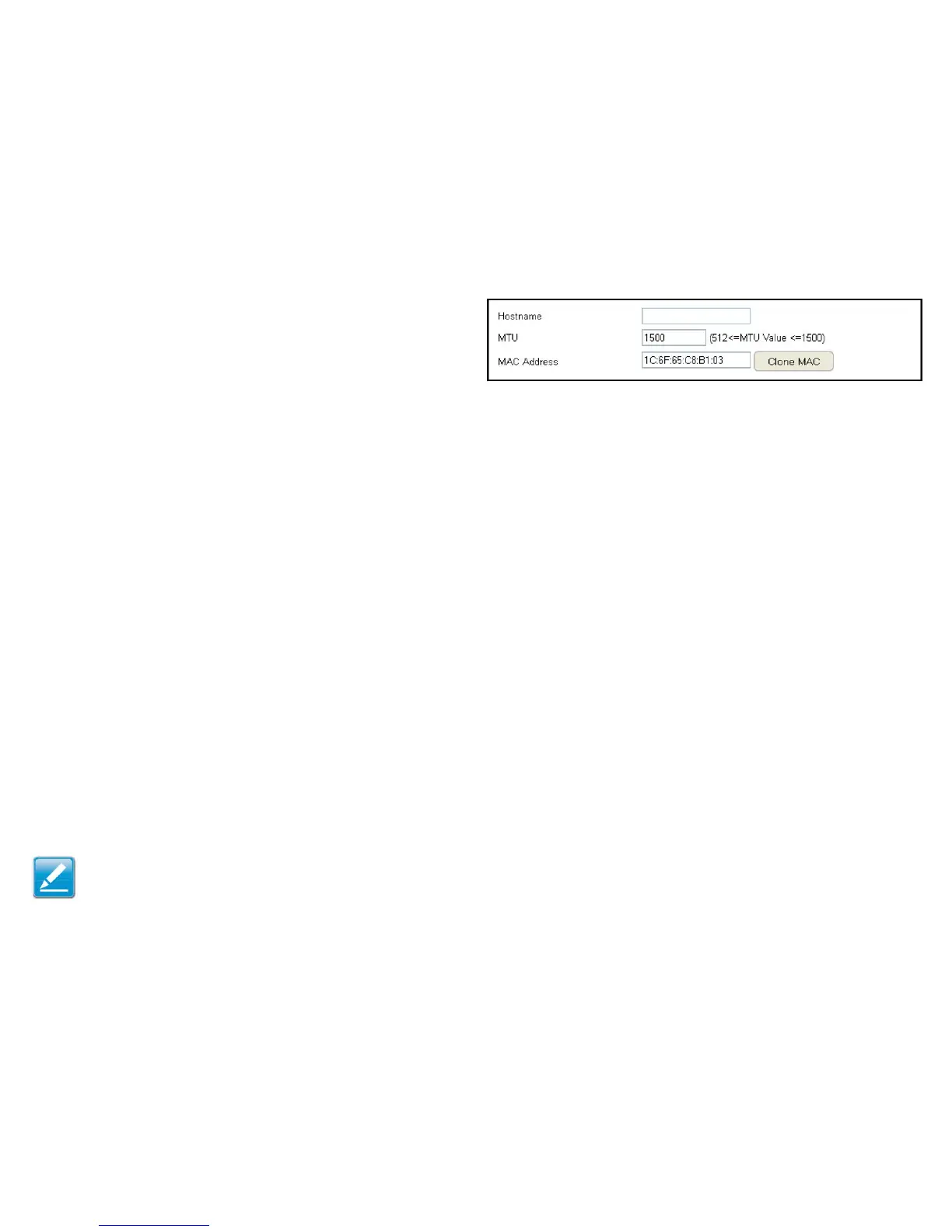
Dynamic IP
Hostname
AssignanamefortheInternetconnectiontype.Thiseldcanbe
blank.
MTU (Maximum Transmission Unit)
AllowsyoutoconguretheMTU.TheMTUspeciesthelargest
packetsizepermittedforaninternettransmission.Thefactory
defaultMTUsizeforDynamicIP(DHCP)is1500.TheMTUsize
canbesetbetween512and1500.
Clone MAC
EntertheMACaddressofyourcomputer’s(ortablet’s)network
embeddedNetworkInterfaceCard(NIC)intheMACaddresseld
and click Clone MAC.
Note:SomeISPprovidersrequireregisteringtheMACaddressof
theNetworkInterfaceCard(NIC)connecteddirectlytothecableor
DSLmodem.CloneMACmaskstherouter'sMACaddresswiththe
MACaddressofthecomputer’sNIC.



 To Next Page