Setup & Operation 14. Option : Teach Pendant TP1
92 RC620 Rev.8
14.2.3 Direct Teaching
“Direct teach” is a way to teach the Robot directly by setting the teaching joint to
servo-OFF.
Apply the Robot position to the specified point number.
The 6-axis robot cannot be moved by hand, execute the jog instead.
(1) Specify the point number by changing the value in the [Point] using the <
↑
> and <
↓
>
keys in the [Jog & Teach] screen.
[Label] display changes by changing the point number.
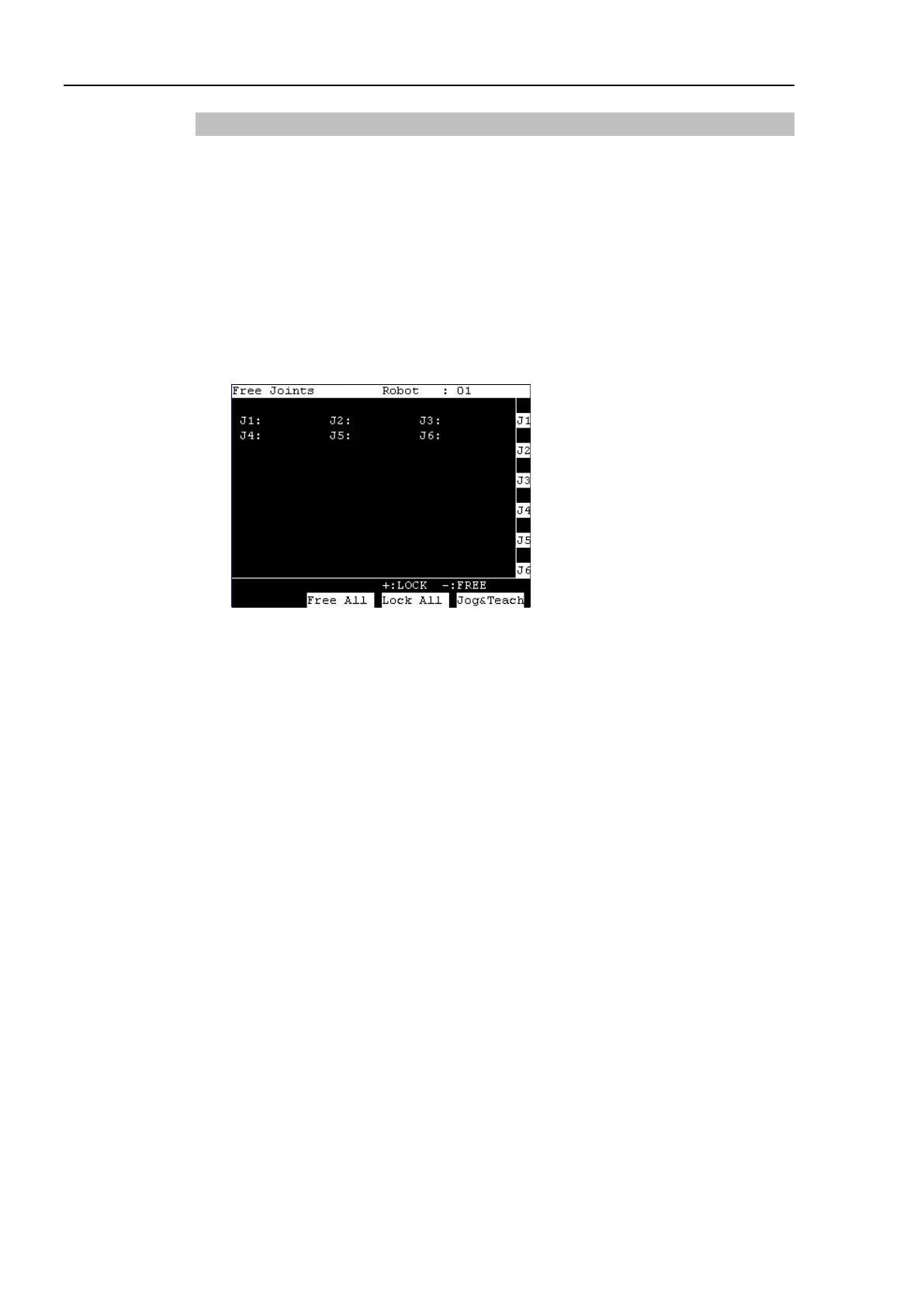
(2) Press the <F5-8> key, <F6> key, the following screen appears.
Set each joint to servo ON or OFF.
<Jog+> key : Lock : Servo OFF the joint
<Jog-> key : Free : Servo ON the joint
<F2> key : All Lock : Servo OFF all the joint
<F3> key : All Free : Servo ON all the joint
For the Jog keys operation, refer to Operation: 14.3.1 Jog & Teach - Jog key.
(3) Servo OFF joint can be moved with hands.
(4) Press the <F4> key to display the [Jog & Teach] screen.
(5) Move the Robot arm to the position to teach.



 To Next Page