Setup & Operation 12. Option Slots
RC620 Rev.8 69
12.4.3 Verify with EPSON RC+ 6.0 (RS-232C)
When an RS-232C board is mounted in as option slot, the Controller software
automatically identifies the RS-232C board. Therefore, no software configuration is
needed.
Correct identification can be confirmed from EPSON RC+ 6.0.
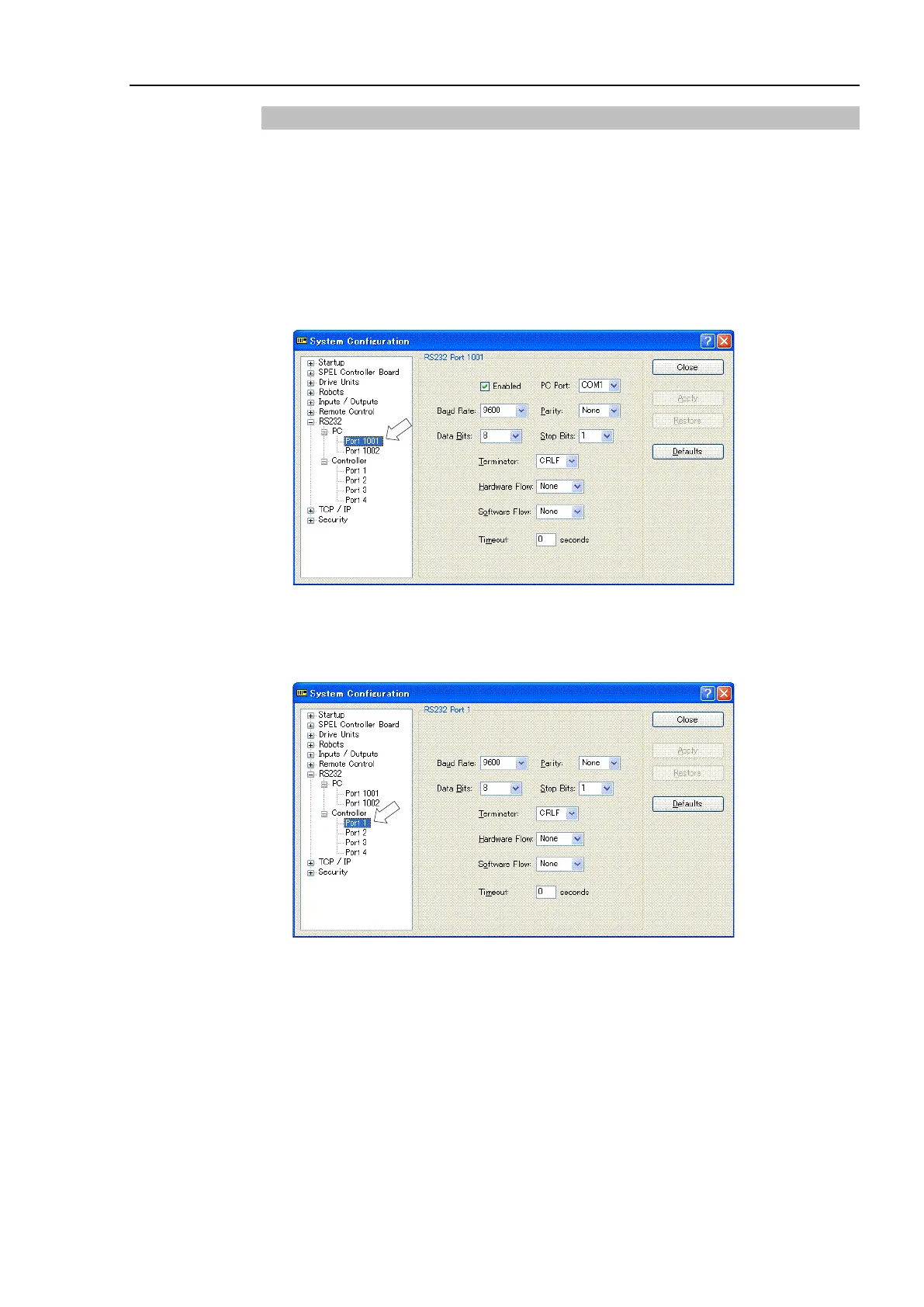
(1) Select the EPSON RC+ 6.0 menu-[Setup]-[System Configuration] to display the
[System Configuration] dialog.
(2) Select the [RS-232C].
RC620 controller has one or two communication ports as standard. When using the
communication ports, you should enable the port #1001 and #1002 by checking the
[Enabled] check box.
If no RS-232C board is installed, controller of the RS-232C will not be displayed.
RS-232C is automatically recognized by the controller software. Communication with
external equipment is available.



 To Next Page