Maintenance 6. Maintenance Parts Replacement Procedures
RC620 Rev.8 145
6. Maintenance Parts Replacement Procedures
WARNING
Before performing any maintenance procedure, always make sure that the
main power of the Controller is turned OFF and that the high voltage charged
area is completely discharged. Performing any maintenance procedure
while the main power is ON or the high voltage charged area is not
discharged completely is extremely hazardous and may result in electric
shock and/or cause serious safety problems.
- Be careful not to damage cables.
- Be sure not to drop any screws into the Controller.
- Some cables can be connected even if they are 180-degree turned in the opposite
direction. Make sure that you can install the cables correctly by taking pictures or
notes during the replacement work.
6.1 Fan / Fan Filter
Inspect the fan filter periodically and clean it when needed. If the filter is not kept clean,
the temperature inside the Controller may get too high and the Controller may not operate
properly.
For the inspection schedule of the fan filter, refer to Maintenance 2. Regular Maintenance
Inspection.
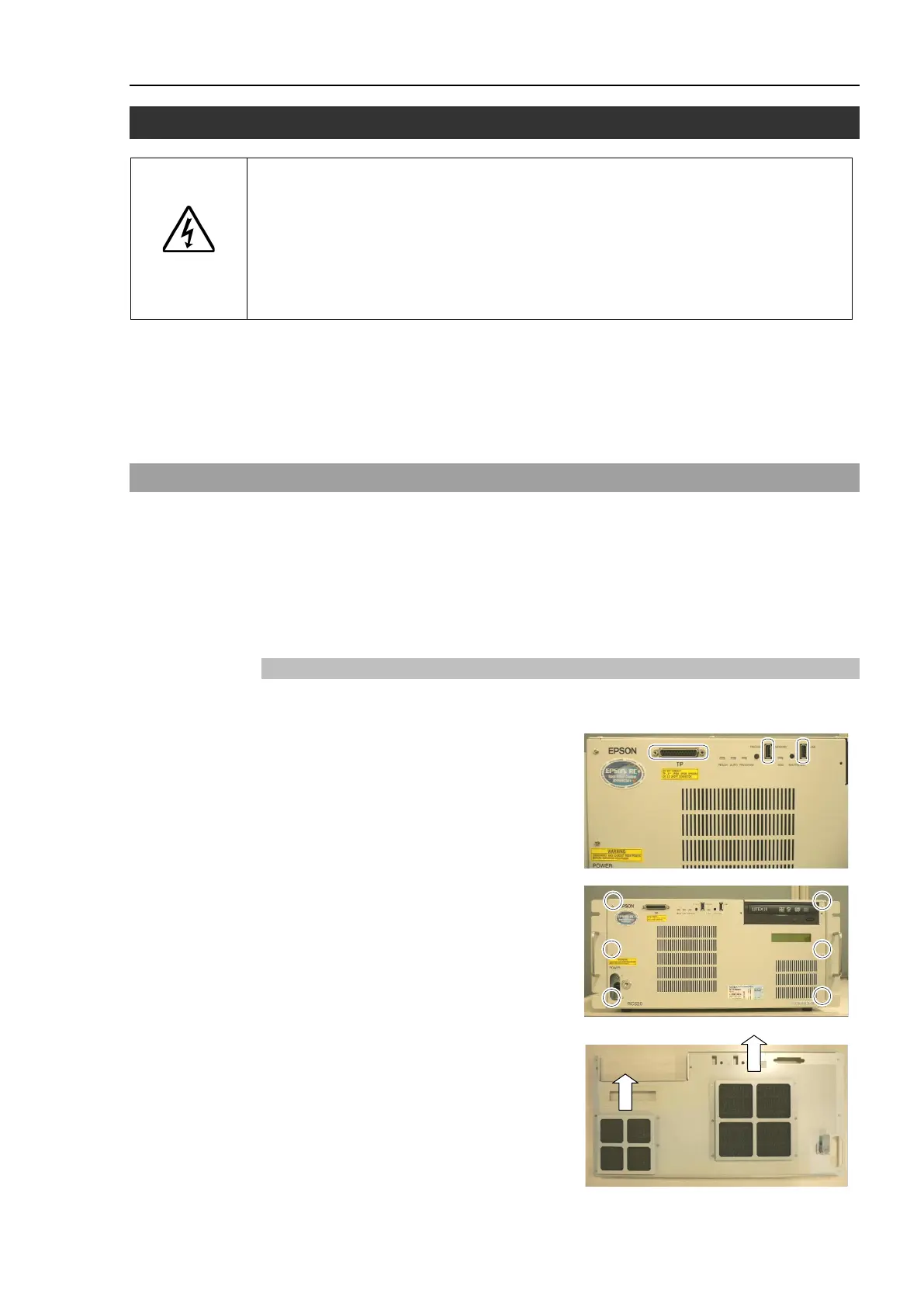
6.1.1 Cleaning and Replacing the Fan Filters
Remove cables from TP port and USB
port on the front panel if they are
connected.
Remove 6 screws and the front panel.
Remove the fan filters (large one and
small one) to the direction shown in the
photo.
Clean the filters when needed.



 To Next Page