Maintenance 5. Firmware Update
144 RC620 Rev.8
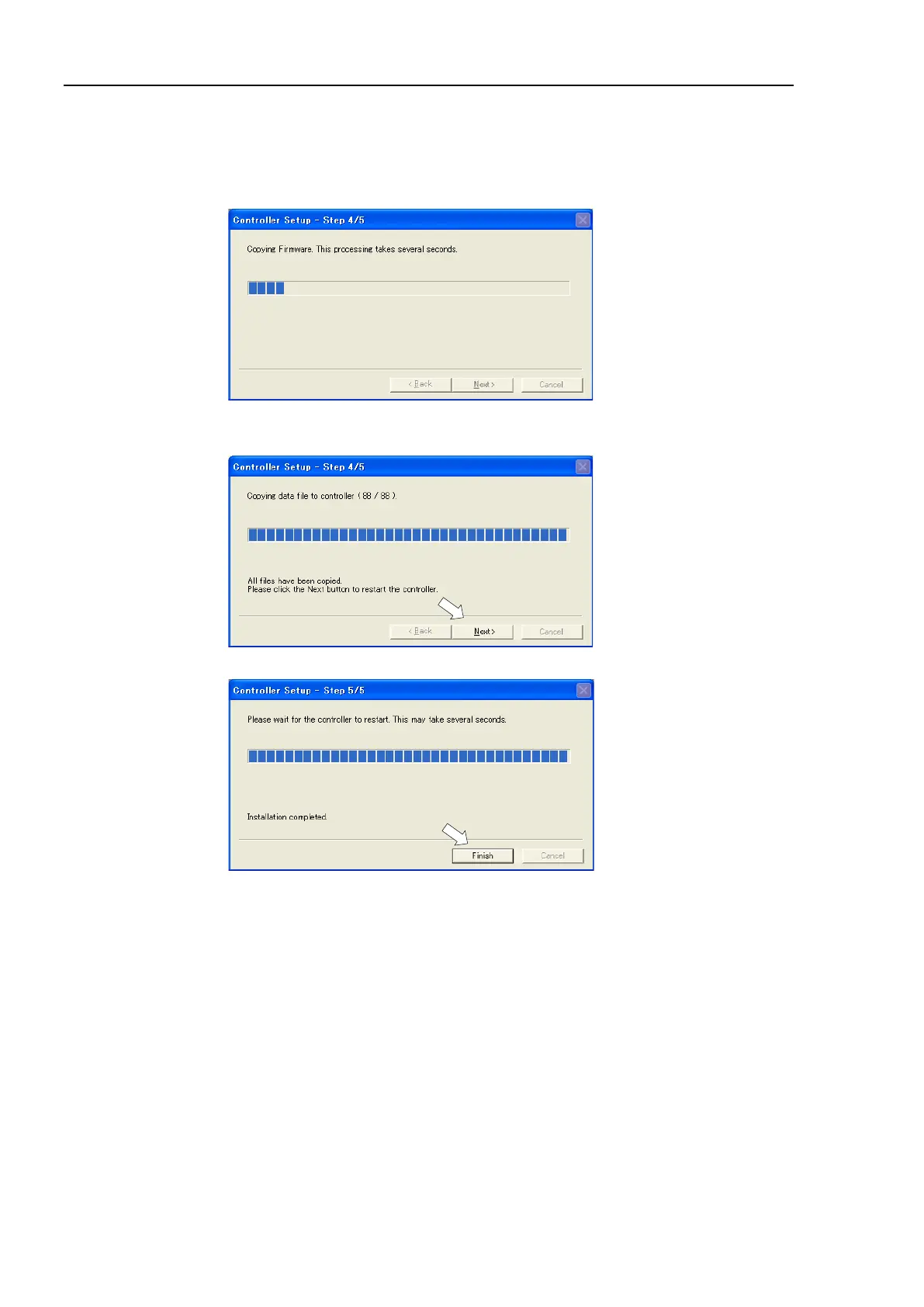
(8) Firmware and data file registration starts. It takes several minutes to complete.
Do not unplug the USB cable during transfer or turn OFF the Controller or the
development PC.
Do not power off the Controller during the registration process.
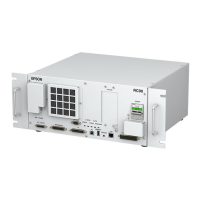
(9) The following dialog appears when registration is completed. Click the <Next>
button to reboot the Controller.
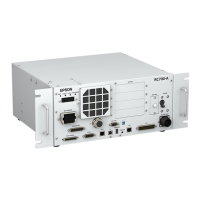
(10) The following dialog appears after the Controller reboot. Click the <Finish> button.
The firmware upgrade is completed.
Start EPSON RC+ 6.0 and restore the Controller settings.
For details of restoring the operating system, refer to Maintenance 4. Backup and Restore.


 To Next Page