Setup & Operation 4. Operation Mode (TEACH/AUTO)
RC620 Rev.8 35
4.4.3 Setup from Control Device
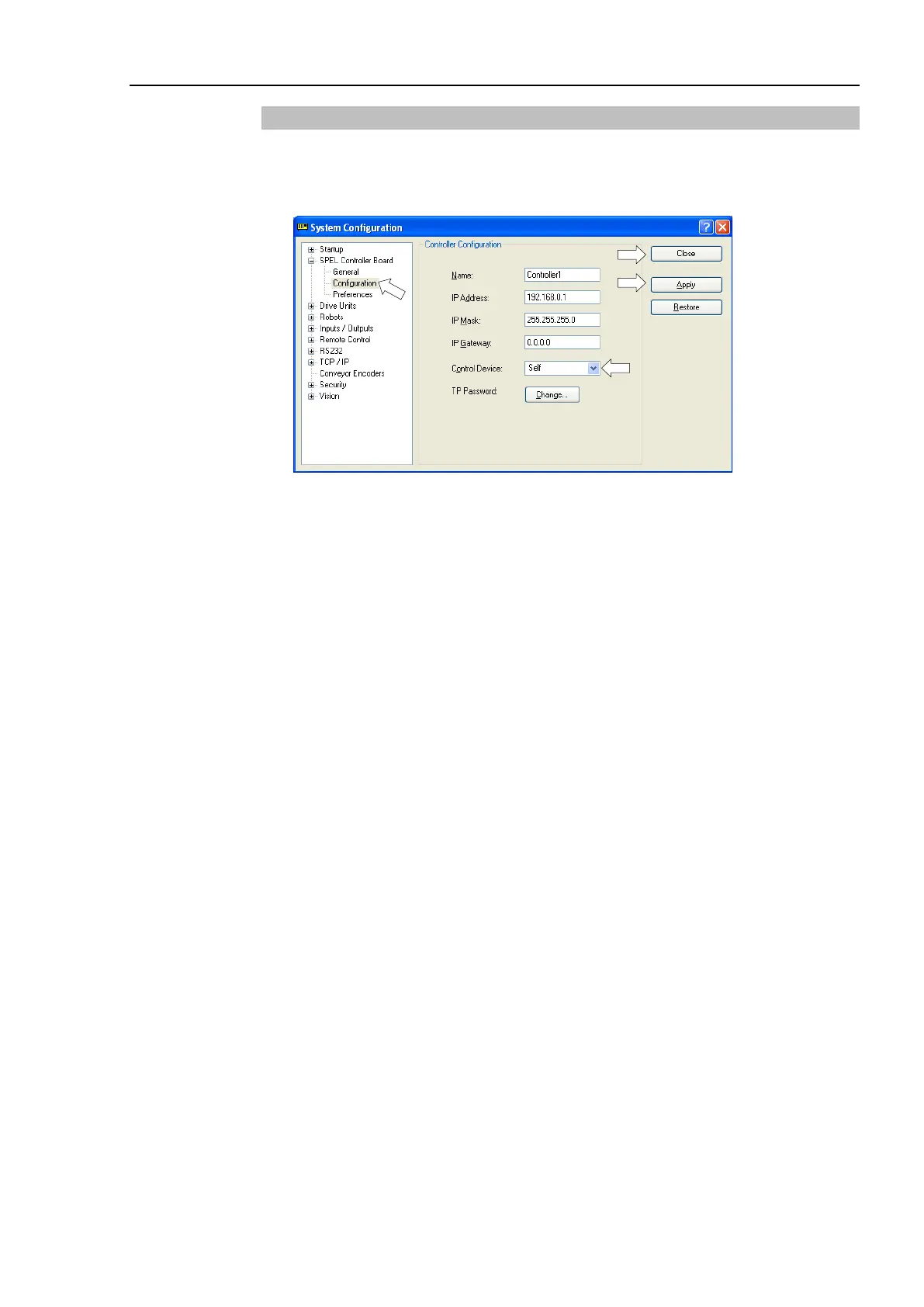
Set the control device from EPSON RC+ 6.0.
(1) Select EPSON RC+ 6.0 menu | Setup | System Configuration to display the [System
Configuration] dialog.
(1) Select SPEL Controller Board | Configuration.
(2) Select Setup Controller | Control Device to select the control device from the
following two types.
Self Remote (I/O)
(3) Click the <Apply> button.
(4) Click the <Close> button.



 To Next Page